Configuring Through a Web Browser
CHCNAV i73+ GNSS USER GUIDE | 2022-3 P a g e | 48
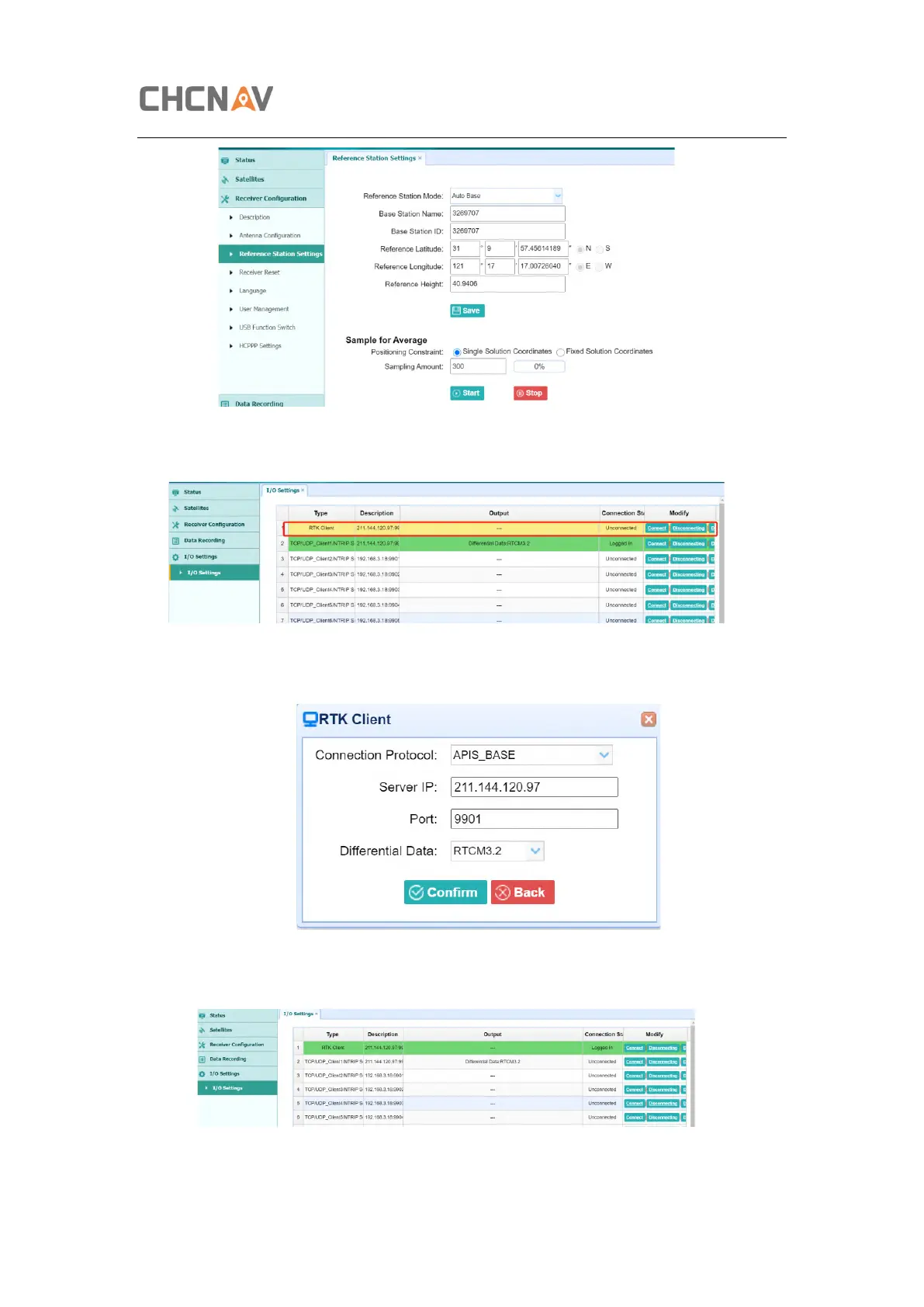
d) Go to I/O settings, in RTK Client, config it.
e) Connect Connect and config it as APIS base, use local APIS address. Then click
Confirm to set.
f) After send correction data to APIS server successfully, the RTK Client option will
become green background.



 To Next Page