Equipment Setup and Operation
CHCNAV i90 GNSS USER GUIDE | 2019-9 P a g e | 40
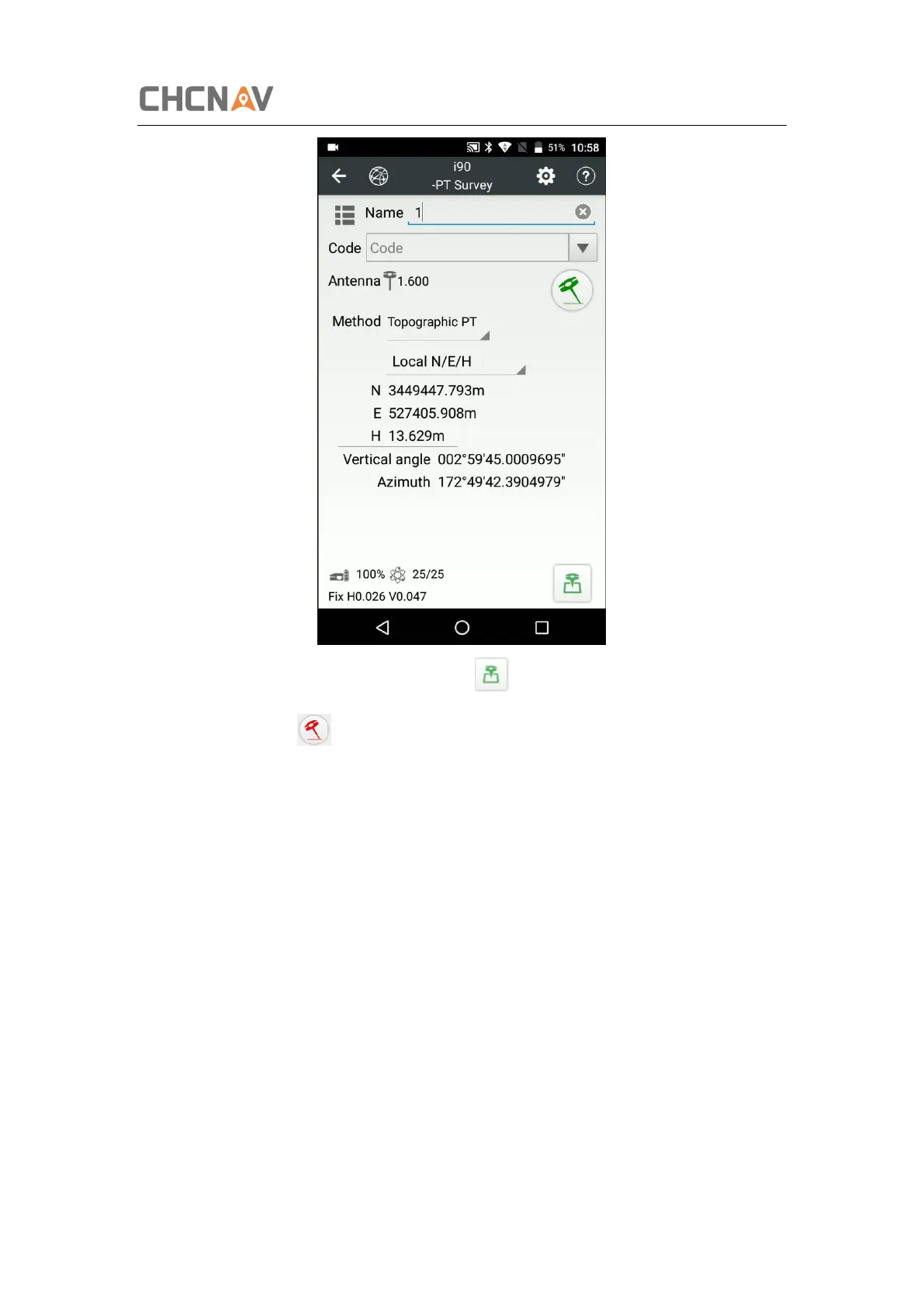
(4) Enter the Name and Antenna, then tap point will be collected and store to
Points automatically.
(5) When this icon appears, the text will show “Tilt is not available, please
measure in alignment” at the bottom of interface.



 To Next Page