EasyManua.ls Logo

CHERUBINI TDS COMPACT - User Manual

CHERUBINI TDS COMPACT
24 pages
Print Icon
To Next Page IconTo Next Page
Loading...
A510038
ISTRUZIONI - INSTRUCTIONS - EINSTELLANLEITUNGEN
INSTRUCTIONS - INSTRUCCIONES
I
GB
D
F
E
CENTRALINA PER TENDE DA SOLE
ELECTRONIC AWNING CONTROL UNIT
FUNKEMPFÄNGER ZU MARKISEN
RÉCEPTEUR POUR STORES
CENTRALITA PARA TOLDOS
TDS COMPACT
Question and Answer IconNeed help?

Do you have a question about the CHERUBINI TDS COMPACT and is the answer not in the manual?

Summary

A510038 TDS COMPACT

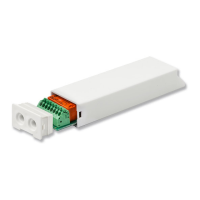
Electronic Awning Control Unit

Description of the product's primary function and type.

Technical Features

Safety Instructions

Electrical Connections

Compatible Remote Controls

Key to Symbols

Explanation of symbols used in remote control operations.

Remote Control Types

Overview of compatible remote control series and models.

Command Sequences Example

Function Open;Close Programming (Skipper Plus;Lux;P-Lux)

Checking Function Status

Procedure to verify if programming is enabled or disabled.

Enabling Programming

Steps to activate the programming function.

Disabling Programming

Steps to deactivate the programming function.

Function Open;Close Programming (Skipper;Giro Series)

Checking Function Status

Procedure to verify if programming is enabled or disabled.

Enabling Programming

Steps to activate the programming function.

Disabling Programming

Steps to deactivate the programming function.

Operational Modes

Limit Switch Adjustment

Procedures for adjusting mechanical and electronic limit switches.

Motor Override Operation

Using the control unit with motors having a manual override device.

Setting First Remote Control and Motor Rotation

Procedure for initial setup of a remote and motor direction.

Automatic Disabling of First Remote Control Setting

Limit Switches and Obstacle Detection

Closing Force Adjustment

Super-Sensitivity Obstacle Detection Management

First Middle Positions

Setting First Middle Position

Step-by-step guide to memorize a first middle position.

Moving to First Middle Position

How to activate the first middle position.

Deleting First Middle Position

Procedure to remove a memorized first middle position.

Second Middle Positions

Setting Second Middle Position

Step-by-step guide to memorize a second middle position.

Deleting Second Middle Position

Procedure to remove a memorized second middle position.

2-Button Switch

Command Management from White Wire

UP-STOP-DOWN-STOP Mode

Default command mode for single UP/DOWN button switches.

UP-DOWN Mode

Command mode for two independent UP/DOWN buttons.

UP-DOWN DEAD MAN Mode

Command mode requiring continuous button press for operation.

Operation in UP-DOWN Mode

Movement to First Middle Position (Switch)

Compatible Devices

RUGIADA Rain Sensor

Details on the RUGIADA rain sensor and its setup.

Anemometers

Details on WINDTEC and WINDTEC LUX anemometers.

Sensor Setting and Deleting

Procedures for associating and removing sensors.

Sun Sensor Enable;Disable

Mistral Sensor

Mistral Sensor Setting and Deleting

Procedures for setting and deleting the Mistral sensor.

Deleting Limit Switch Positions

Setting Additional Remote Controls

Setting A530058 Remote Control

Remote Control Memory Clearing

Full Memory Clearing

Clearing with Remote Control

Procedure for clearing memory using a remote control.

Clearing with White Wire

Procedure for clearing memory using the white wire.

Special Functions

Short-Term Setting and Motor Rotation

Temporary remote storage for setup and setting motor rotation direction.

Guarantee and EU Declaration of Conformity

CHERUBINI TDS COMPACT Specifications

General IconGeneral
BrandCHERUBINI
ModelTDS COMPACT
CategoryControl Unit
LanguageEnglish