16
The Mode button changes the field to modify playback.
Screen
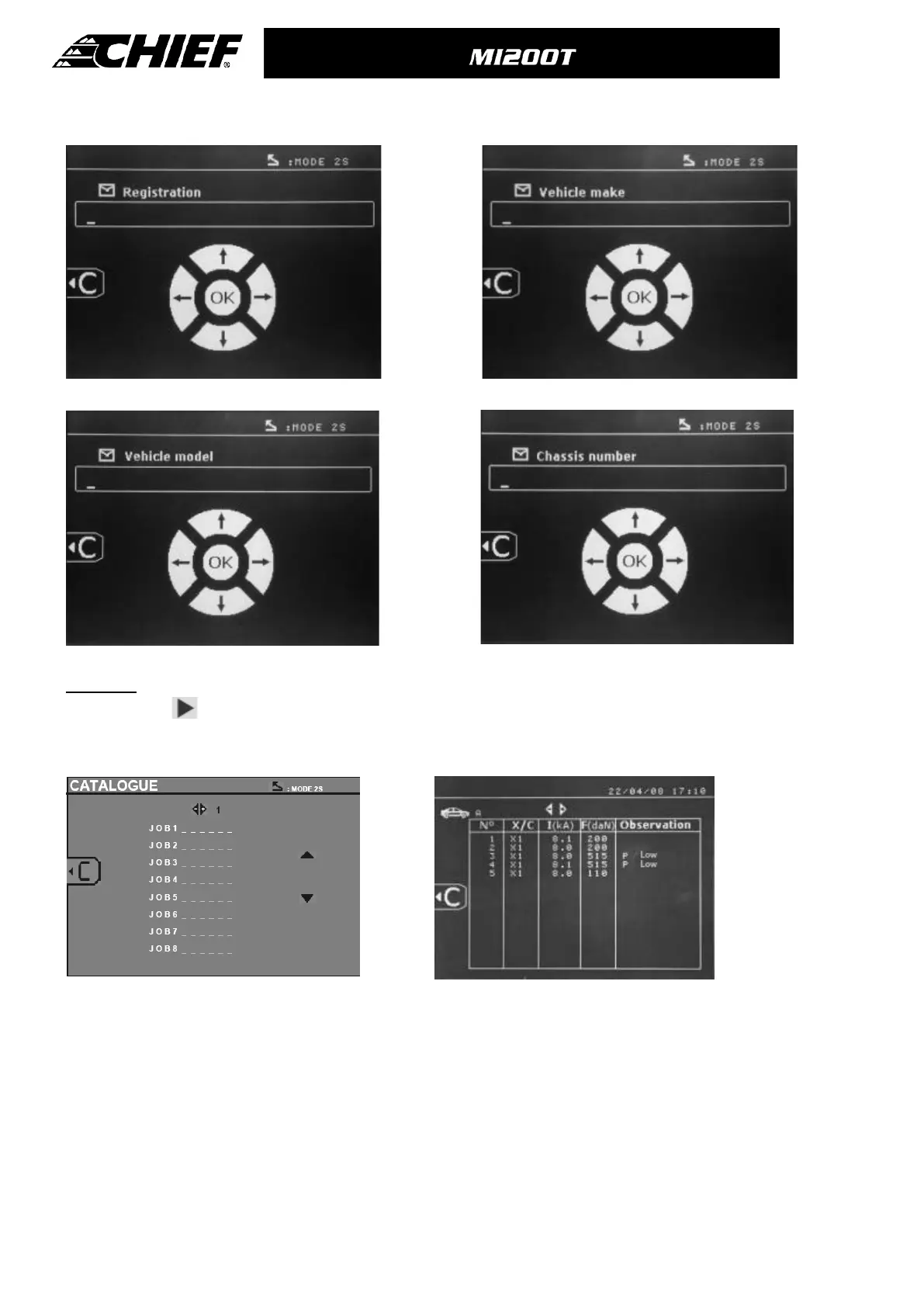
: « Registration number » (optional) Screen: « Vehicle make » (optional)
Screen: « Vehicle model » (optional) Screen: Chassis number (optional)
Catalogue
The View button , allows you to view all repair orders on the screen - "CATALOGUE":
The number of pages is displayed (max 13) at the top
The left and right arrow keys scroll through the pages. The up and down arrow keys scroll through the list of Repair Orders.
Press the Mode button to display the repair order selected.
Use the « mode » button to exit the report view.
♦ The SD card driver allows the management of SD cards > 2 Gb.
♦ Each repair order is linked an archive file xxx.dat.(with xxx=identifier from 001 to 100). In each archive, you can save up
to maximum 500 welding points. The repair order names and users are displayed.
♦ The page number is indicated top left.
♦ All the repair orders are saved in the file catalog.SPOT.
♦ This file contains the total number of repair orders, the name of each repair order and the name of each user. There are
a maximum of 100 repair orders.



 To Next Page