Chiltrix Inc. www.chiltrix.com
Standard Controller (cont’d)
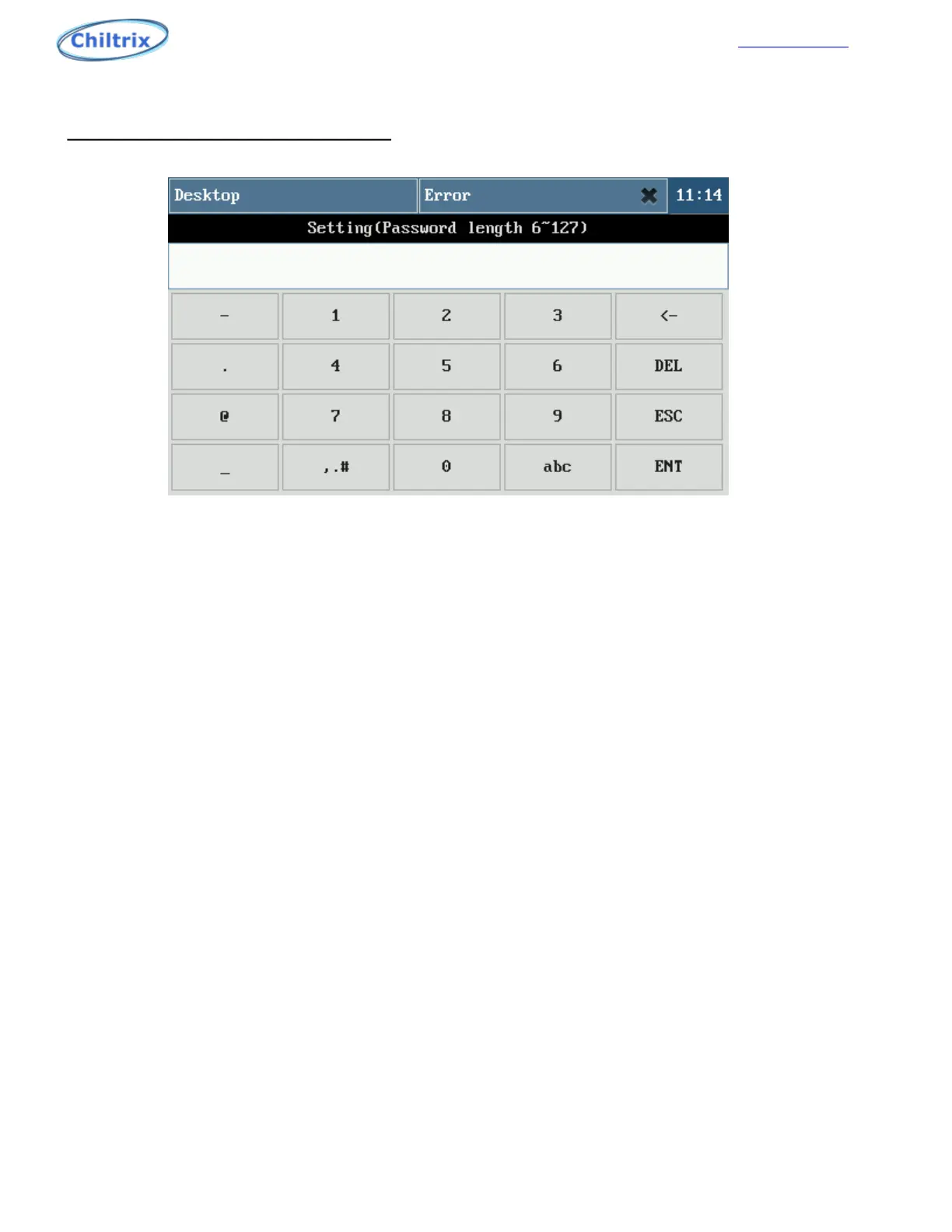
Figure 1-5
Description of the keypad function keys:
“<-”:Backspace key, used to delete a character.
“DEL”:Delete key, used to delete all characters.
“ESC”:Exit key, used to exit the input state.
“ENT”:ENTER key to confirm an input.
“abc”:Toggles key for switching to lowercase alphabetic keyboards.
“ABC”:Toggle key for switching to uppercase alphabetic keyboards.
“123”:Numeric keypad toggle key for switching to the numeric keyboard.
“,.#”: Symbol Keyboard toggle key for switching to the symbol keyboard.
Note: The password can be composed of numbers, letters, symbols, etc., the factory default password is
empty, and any 6 characters can be used.
Note: The password can be composed of numbers, letters, symbols, etc., the factory default password
is 600000.
Consider writing the password on the back of the controller.
NOTE: Chiltrix technical support has no easy or simple way to reset this password for you. If you
decide to use a password, make sure to write it down and keep it in a secure location.
33



 To Next Page