Requesting Help - Overview
GO can send an emergency alert from anywhere there is adequate 3G cellular connection on the
telecommunications provider it is setup to operate on.
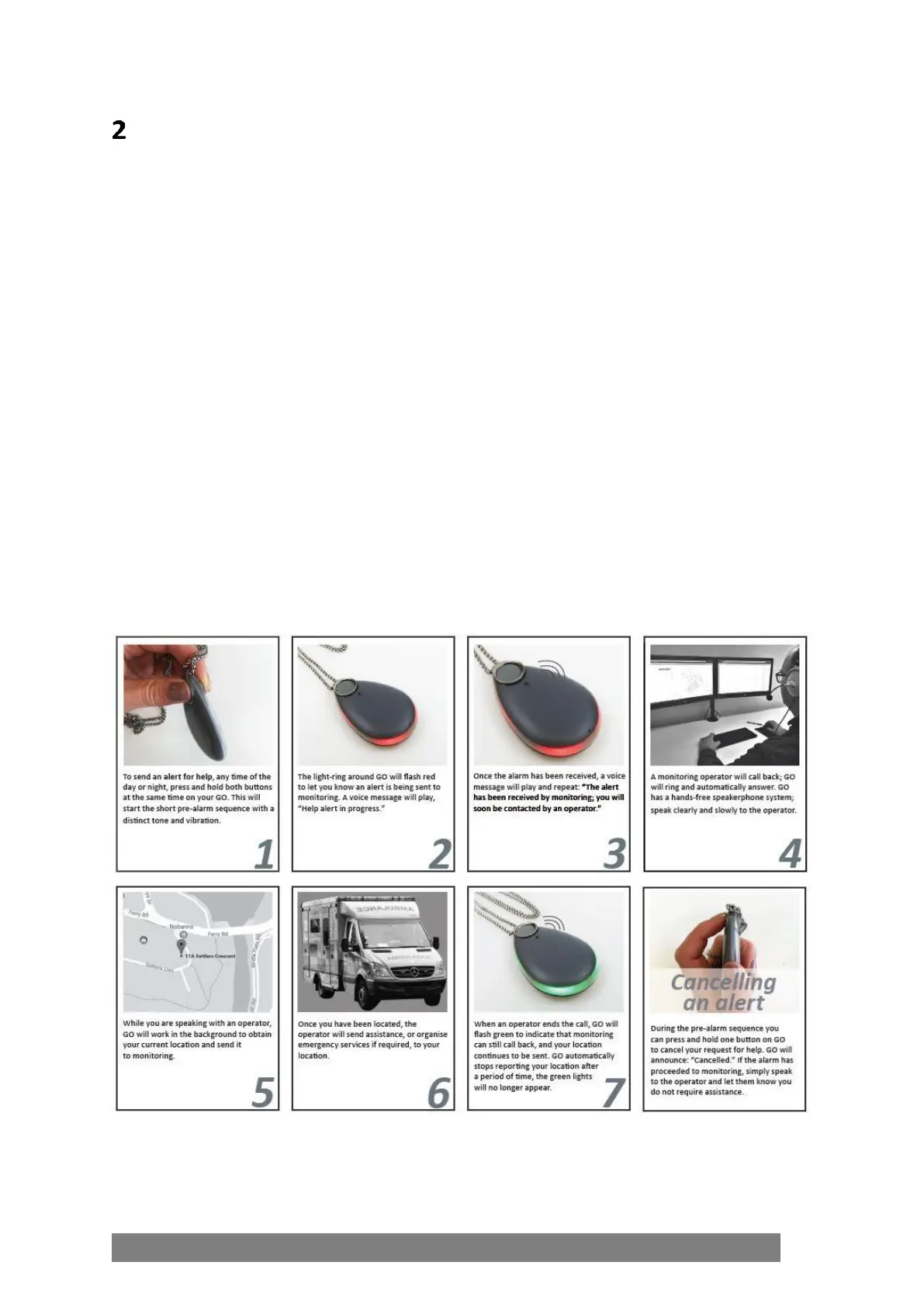
• To send an alert for help, any time of the day or night, press and hold both buttons at the
same time on GO. This will start the short pre-alarm period.
• The light-ring around GO will flash red to let the user know an alert is being sent to
monitoring. A voice message will play, “Help alert in progress.”
• Once the alarm has been received, a voice message will play and repeat: “The alert has been
received by monitoring; you will soon be contacted by an operator.”
• An monitoring operator will call back; GO will ring and automatically answer. GO has a
hands-free speakerphone system; speak clearly and slowly to the operator.
• While speaking with an operator, GO will work in the background to obtain its current
location and send it to monitoring.
• Once GO has been located, the operator will send assistance, or organise emergency
services if required to the location.
• When an operator ends the call GO will flash green to indicate that monitoring can still call
back and the location continues to be sent. GO automatically stops reporting the location
after a period of time.



 To Next Page