Digital Color Doppler Palm Ultrasound System
16
Chapter 3 Preparing the System for Use
3.1 Site Requirement
3.1.1 Operation Environmental Requirement
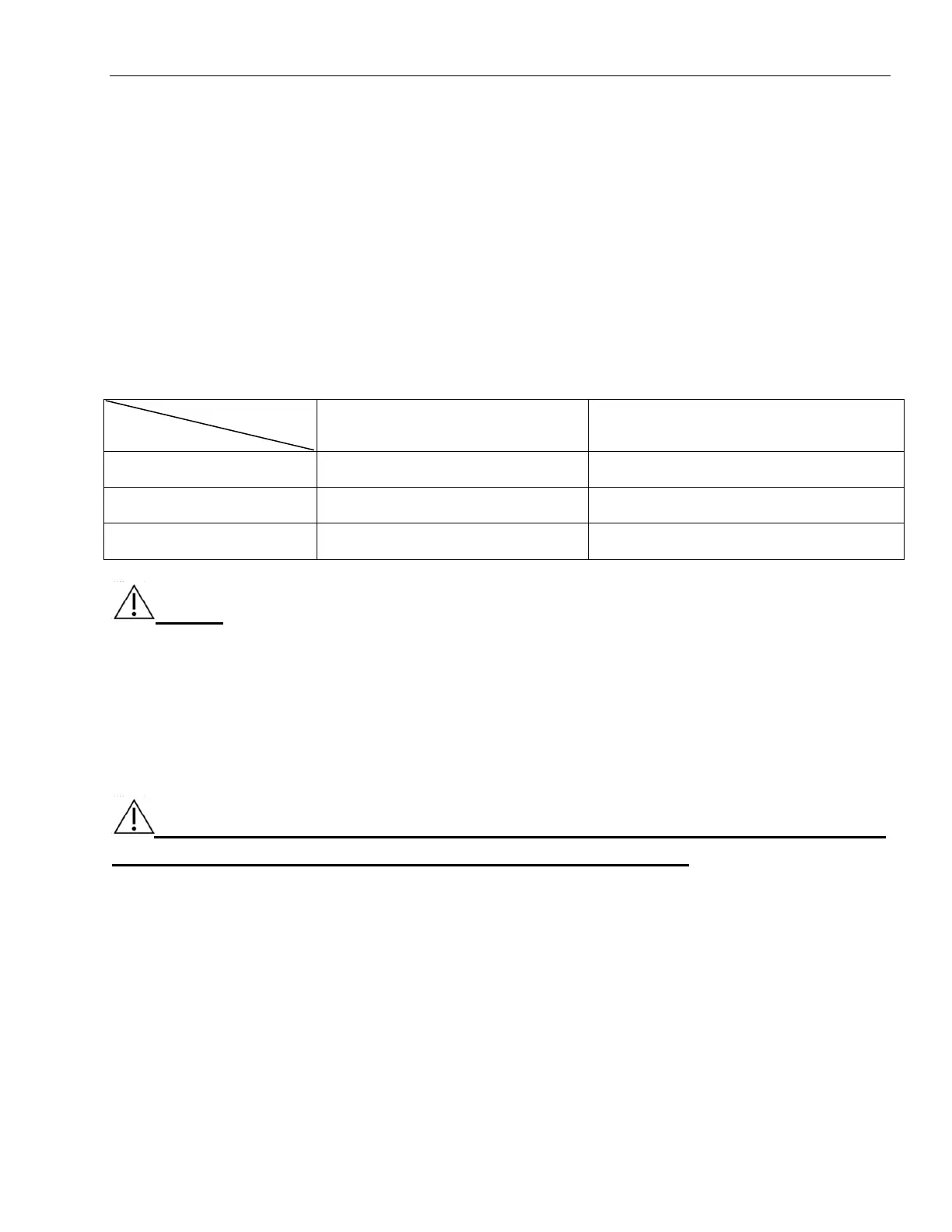
The following environmental conditions are within system tolerances for operation:
Strong radiation sources or powerful electromagnetic waves (e.g. electro-magnetic waves from radio
broadcasting) may result in image ghosting or noise. The system should be isolated from such radiation
sources or electromagnetic waves.
Environment
Operation Transportation & Storage
Temperature
10℃~38℃ -10℃~50℃
Relative Humidity
30%~75% ≤80%,non-condensing
Atmosphere Pressure
700hPa~1060hPa 700hPa~1060hPa
NOTE: While the temperature of environment is between 0
℃
to 38
℃
, the system can work
continuously in normal. If the temperature of environment is over 38
℃
, the system can detect the
temperature and stop working while overheating.
3.1.2 Electrical Requirements
Power Requirements:DC 5V
Power Consumption:≤10VA
Voltage Fluctuation
±5%
WARNING: Maintain a fluctuation range of less than ±10% of voltage labeling on
rear panel of the system, otherwise the system may be damaged.
3.2 Downloading and Installing the App
Downloading the App
Use a computer to obtain the.apk installation package from Chison and move it to a mobile device.
Installing the App
1. Select the file which ended by .apk to install APP.
2. After installation, press the icon to enter the interface.
Giving App Access to Shared Device Storage
App uses shared device storage for the patient database and to access your device's camera for QR code



 To Next Page