Wound Component EST Scanner 19035/19035-M/19035-S
Quick Start Guide
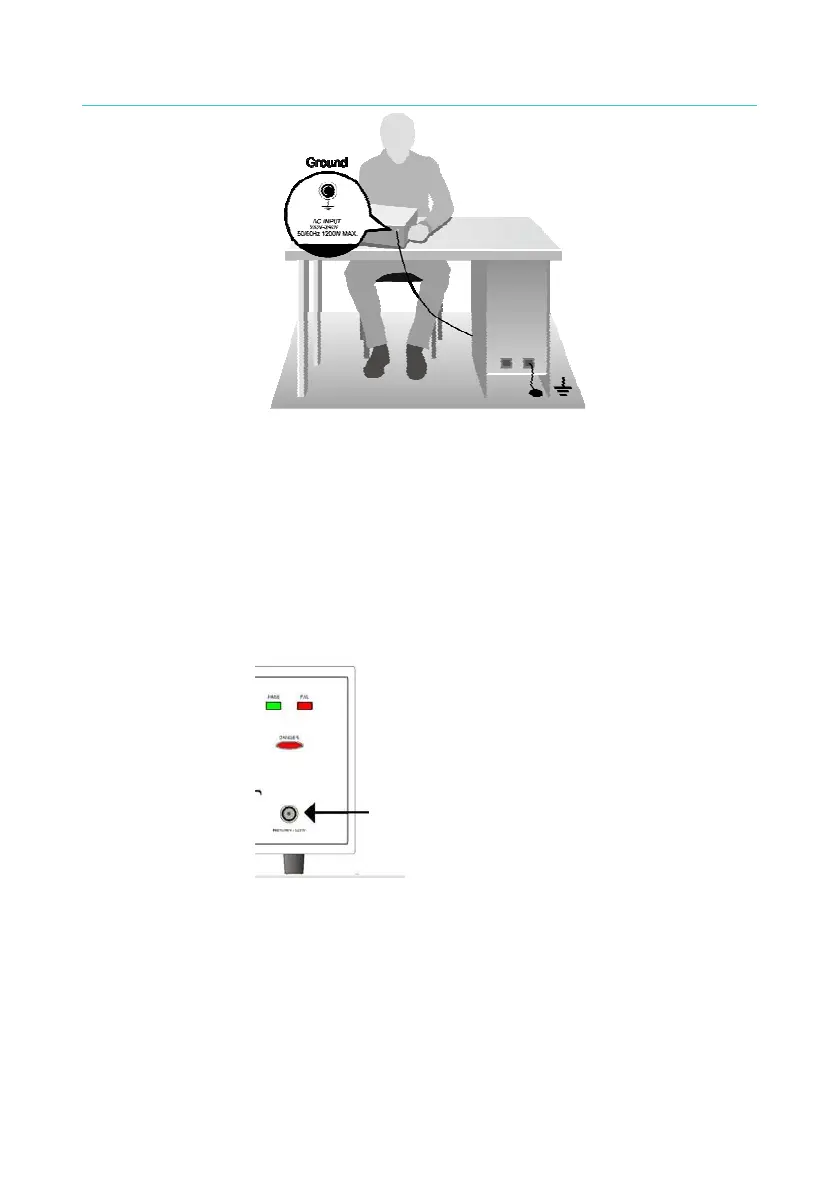
Figure 2-1 Grounding Safely
3. Connecting test cable to RTN/LOW terminal
As the arrow in Figure 2-2 shows, connect the test cable to RTN/LOW
terminal. It is necessary to check if the test cable is connected all the
time when the Scanner is in use. When connecting a test unit with
test cable, connect the RTN/LOW test cable to the test unit first. When
the host RTN/LOW terminal is connected, it is very dangerous if the
test cable on RTN/LOW terminal is not connected correctly or falls as
the entire unit under test may full of high voltage.
The test cable must be connected securely.
Figure 2-2
4. Connecting the test cable to high voltage output terminal
When the RTN/LOW test cable is connected, follow the steps below to
connect the high voltage output cable.
■ Press [STOP]
■ Ensure the DANGER indicator is not on.
■ Short the test cable of RTN/LOW and high voltage output to
make sure there is no voltage output.
5



 To Next Page