Charge/Discharge Controller 69200-1 User’s Manual
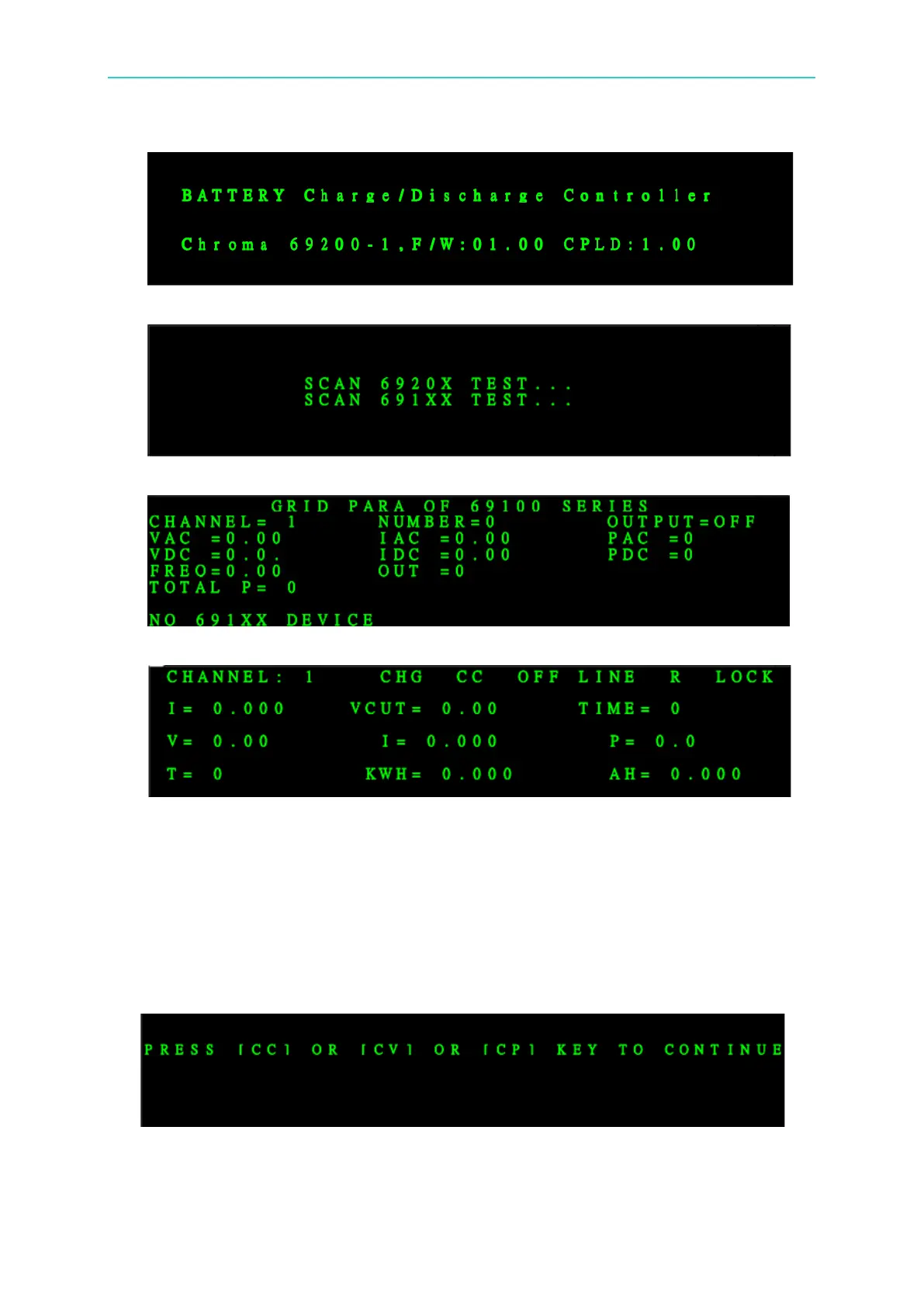
Power on screen shows
SCAN screen
69100 Series screen
Press EXIT to skip to 69206 screen
3.3.2 Operating Main Screen
3.3.2.1 Operating for Charge
1. First use cable to connect the Tester and EUT.
2. Using CC mode as the example for introduction.
3. Press CHARGE and CC keys to set the parameter.


 To Next Page