Charge/Discharge Controller 69200-1 User’s Manual
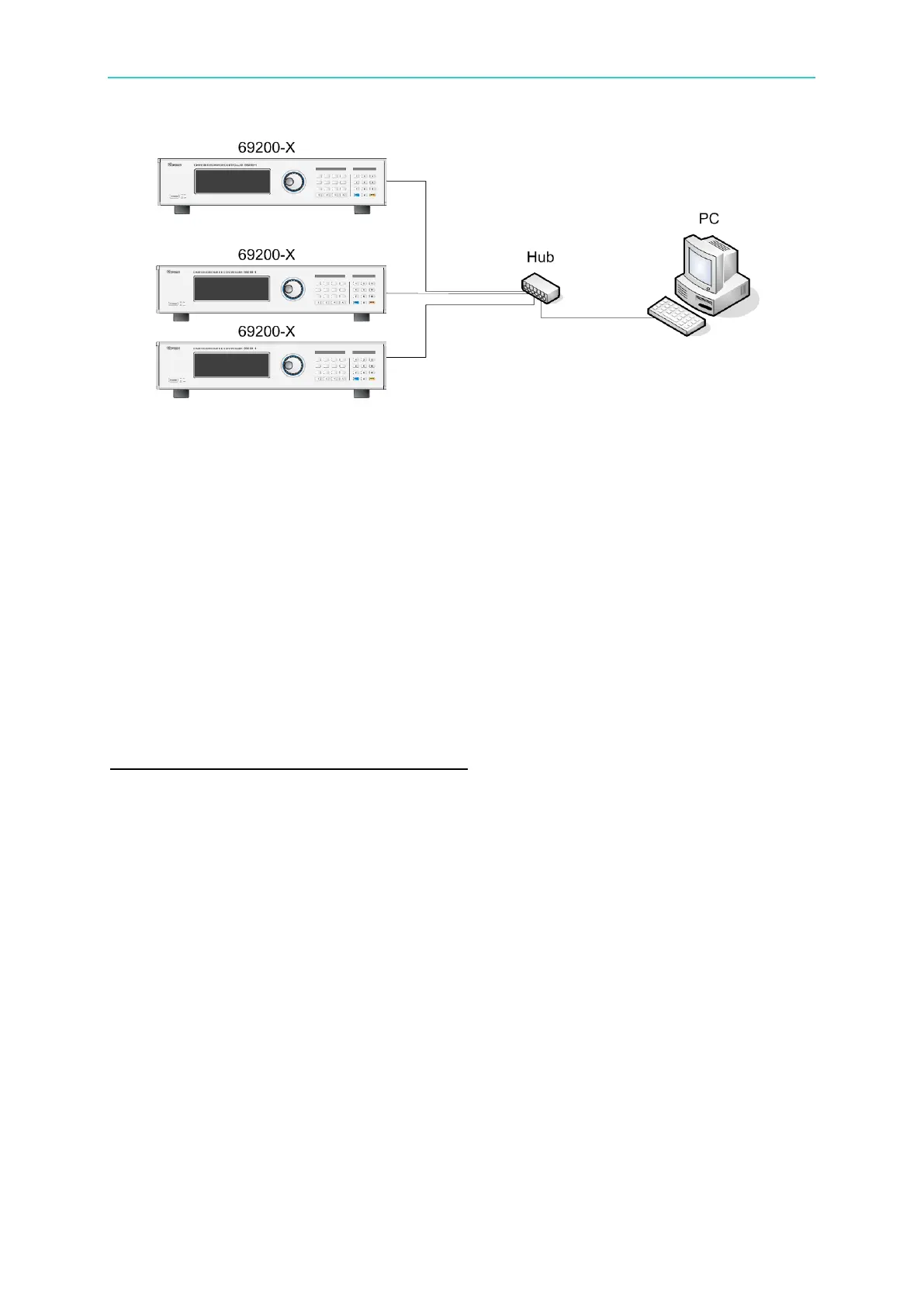
Figure 4-2
4.2.2 Setting Network Parameter (IP, Subnet Mask,
Gateway)
In general, the PC has no DHCP Server; therefore, this section explains the operation under
Private LAN only. All network devices connected require to the IP manually. For example,
if the PC uses crossover cable to connect 69200-x, then the IP address of these two devices
has to set manually. Since the IP of 69200-x is set to 192.168.1.100, the connecting devices
need to set to 192.168.1.x, where x=1~255 (exclude 100).
Setting Procedure for PC when DHCP = OFF
Check if the PC of user’s for local area network IP setting is set to do manually. If not,
change it to manual setting and finish the rest settings.


 To Next Page