Remote Operation
STEP 4:
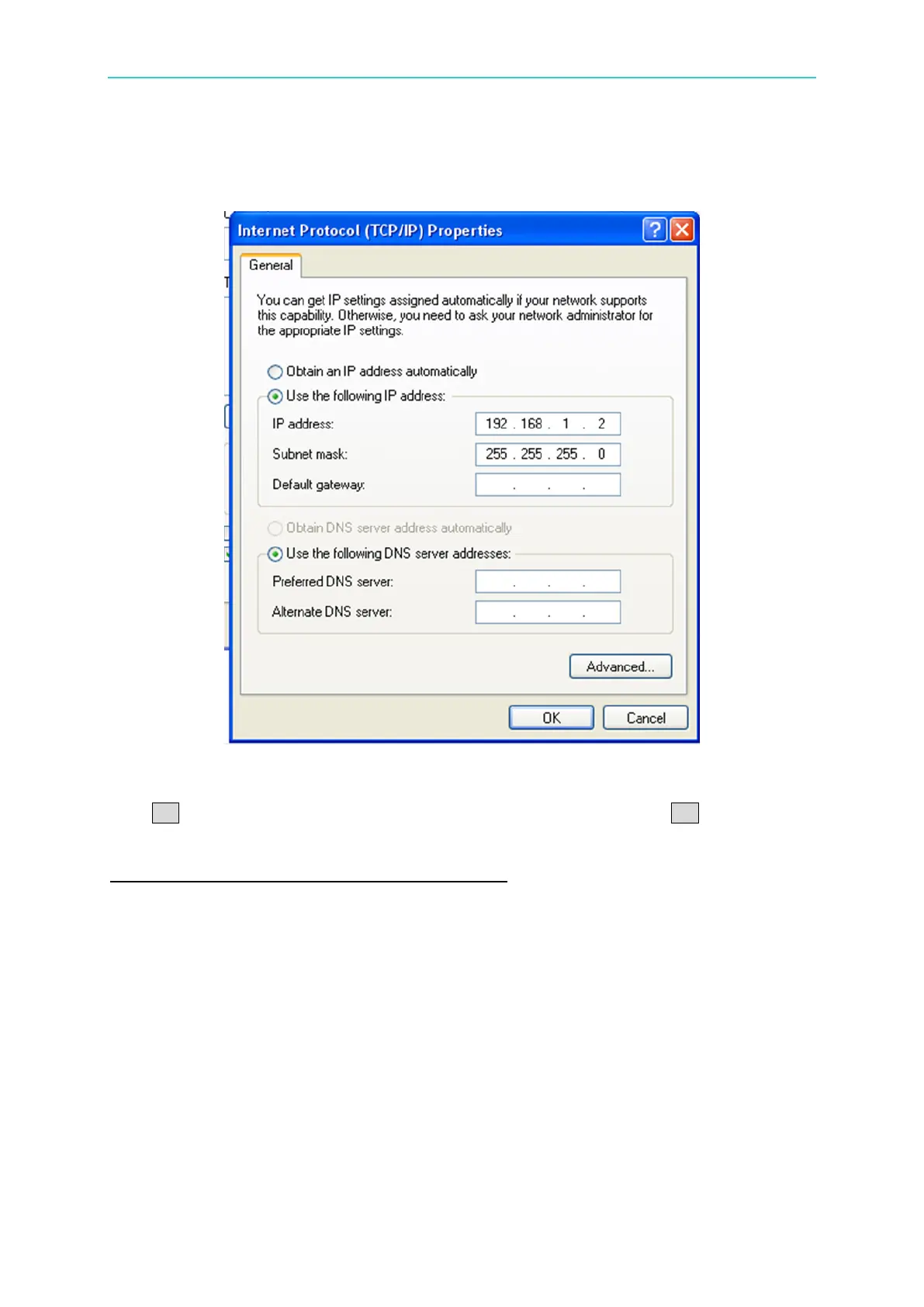
Select “Use the following IP address” (that is to set the IP manually). Here the user has to
plan the desired local area network.
Figure 4-6
STEP 5:
Click OK when the setting is done and it will return to previous level. Click OK to exit and the
setting procedure is completed.
Setting Procedure for 69200-x when DHCP = OFF
STEP 1:
The IP address of 69200-x is locked to 192.168.1.100 and no setting is required.
4.2.3 Ensure Network Connected Successfully
When the above actions are done, it indicates the local area network is set. Now, the user
should follow the procedure below to confirm if the set local area network is correct.


 To Next Page