Installation
3.3.6 Operating of SCAN Key
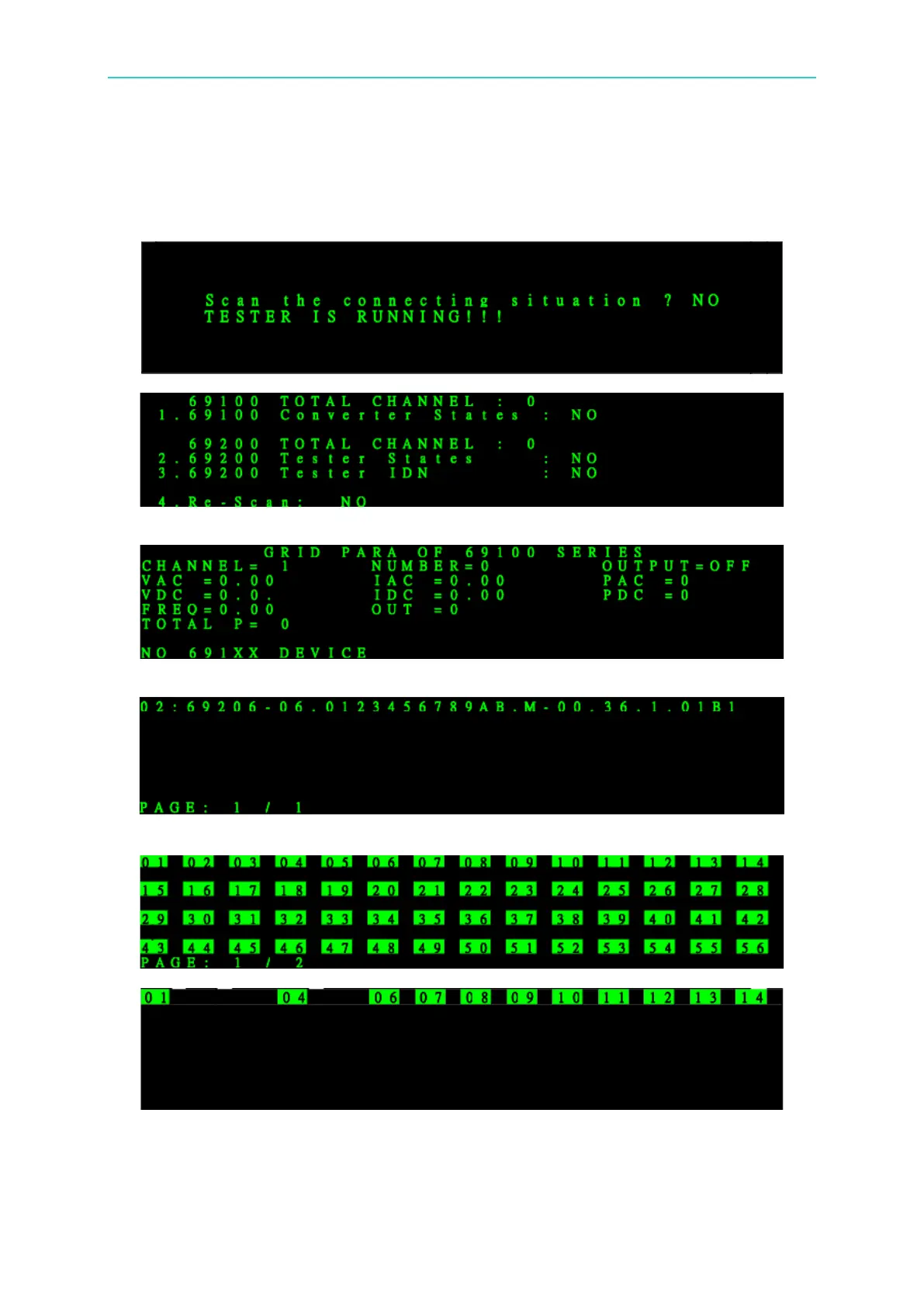
Press SCAN can display the connection status and channel number of 69100/69200.
If the system is outputting data, a protection screen will appear.
69100 Series Check IDN:
69200 Series Check IDN:
69200 Series Check Status:
1-60 are displayed in two pages. If there are only 16 Testers, it displays to 16. When there is a
“–“after a certain Tester, it indicates the Tester is paralleled with the later one. For example,
1 – 4 indicates ch1 to ch4 are paralleled and is named channel 1. Channel 2, 3, 4 are invalid


 To Next Page