Charge/Discharge Controller 69200-1 User’s Manual
Enter once a condition is set and skip to next condition setting. When S.R. is set, click
EXIT, the main screen will ask if updating the screen, click yes and the screen returns as
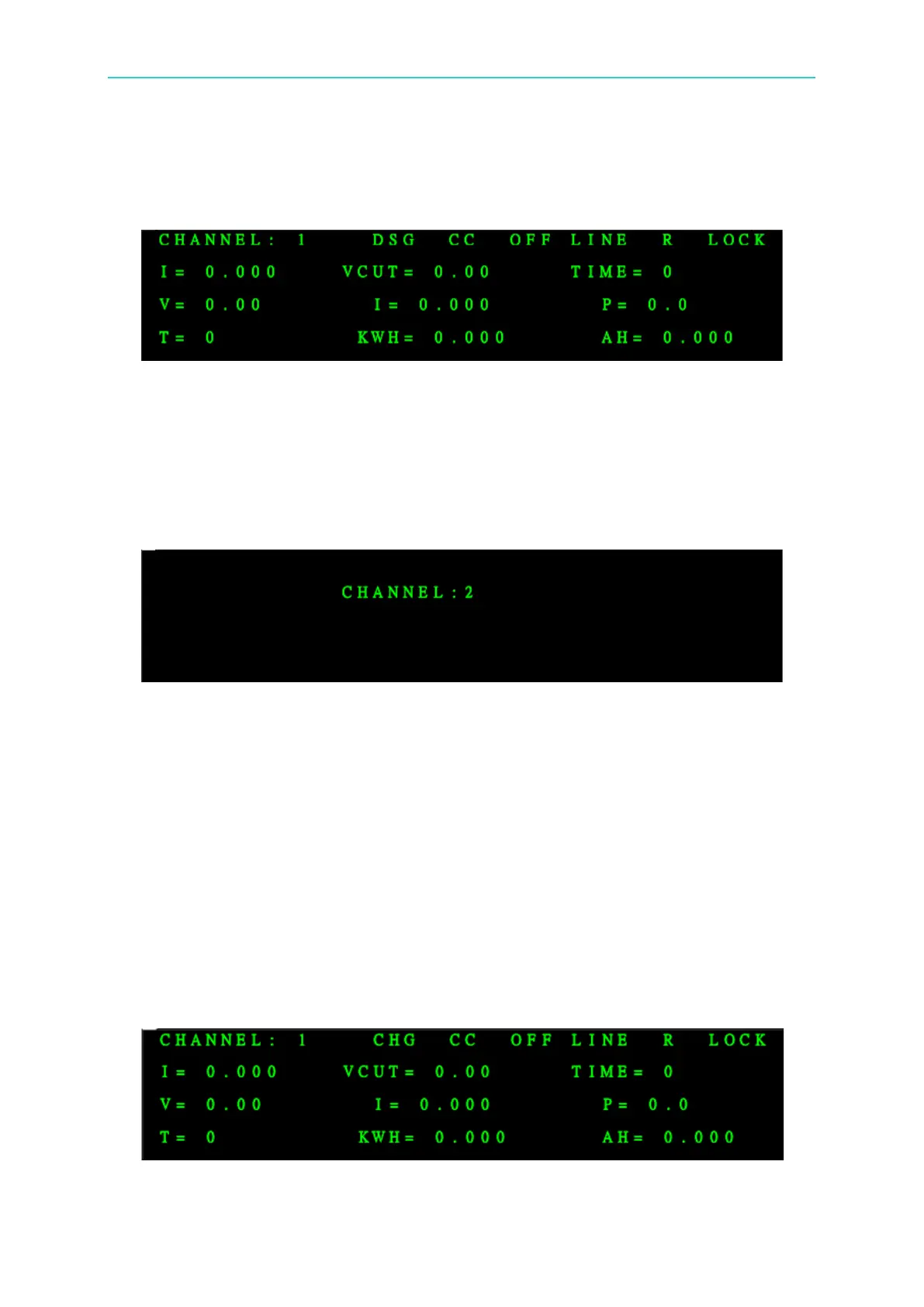
the figure shown below. Press Output and the screen will prompt OUTPUT pattern on the
right comer.
5. It completes the operation of discharge in CC.
6. Same as the above, the operation can also be done for CV and CP.
3.3.4 Operating of CHANNEL Key
1. Press CHANNEL and it shows:
Select the desired channel and press ENTER to show the screen of selected channel.
Press EXIT will return to the main screen of original channel. (Default channel)
2. Channel screen description:
It can check the settings and test status of other channels controlled by 69200-1. To
change the channel for display, simply turn the rotary knob or key in the channel
number directly. If the key in value is over or no such channel, it show the previous
channel, for instance, if channel 1 and 2 are paralleled, the channel 2 selected will
change to 1 automatically.
3.3.5 Operating of SHIFT & LOCK Keys
Press SHIFT for 3 seconds to switch back to Local from Remote state.
Press LOCK for 3 seconds to switch back to unlock from Lock state.


 To Next Page