GENERAL HANDLING
User Interface Elements
Power to operate the radio is supplied through the
ignition switch, which must be in the ON, ACC or in
ACC Delay mode in order to operate the radio.
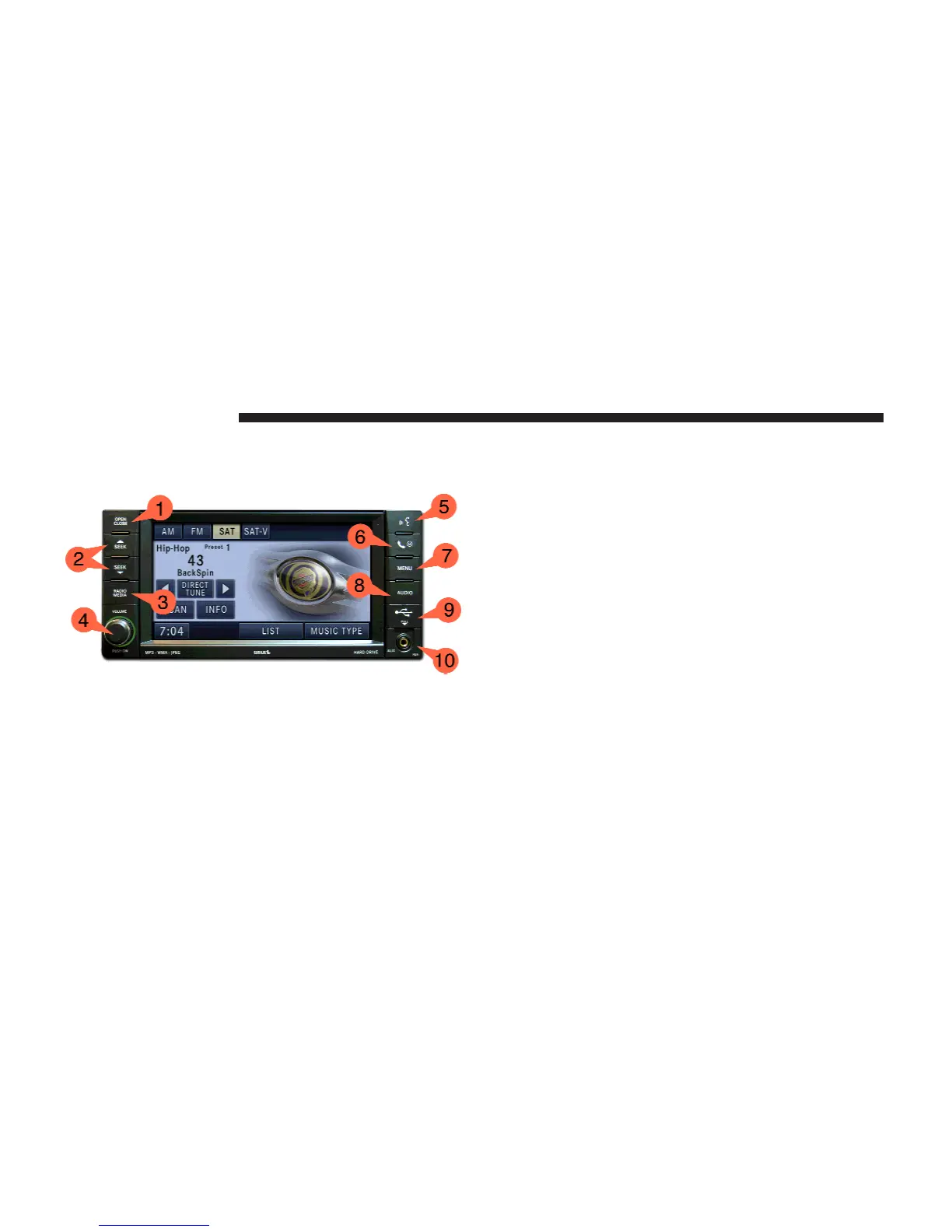
(4) ON/OFF VOLUME
It is also possible to set the unit in standby mode during
driving, by pressing the ON/OFF VOLUME rotary knob
(4).
NOTE: If the ignition is switched off with the radio in
standby mode, the radio memorizes the standby state
when the ignition is switched on again. Press the (4)
ON/OFF VOLUME rotary knob to switch the radio on.
The radio software i s always working when the ignition
is switched on, even if the radio is in standby mode. It is
possible to eject the CD and to display the time if the unit
is switched off.
Soft-Keys
Soft-keys are accessible on the touch screen.
Hard-Keys
Hard-keys on the left and right side of the radio faceplate.
(1) OPEN/CLOSE
To open or close the display, press the OPEN CLOSE
hard-key (1).
After opening the display, it takes a few seconds to eject
a CD/DVD, if one was in the slot.
12 GENERAL HANDLING



 To Next Page