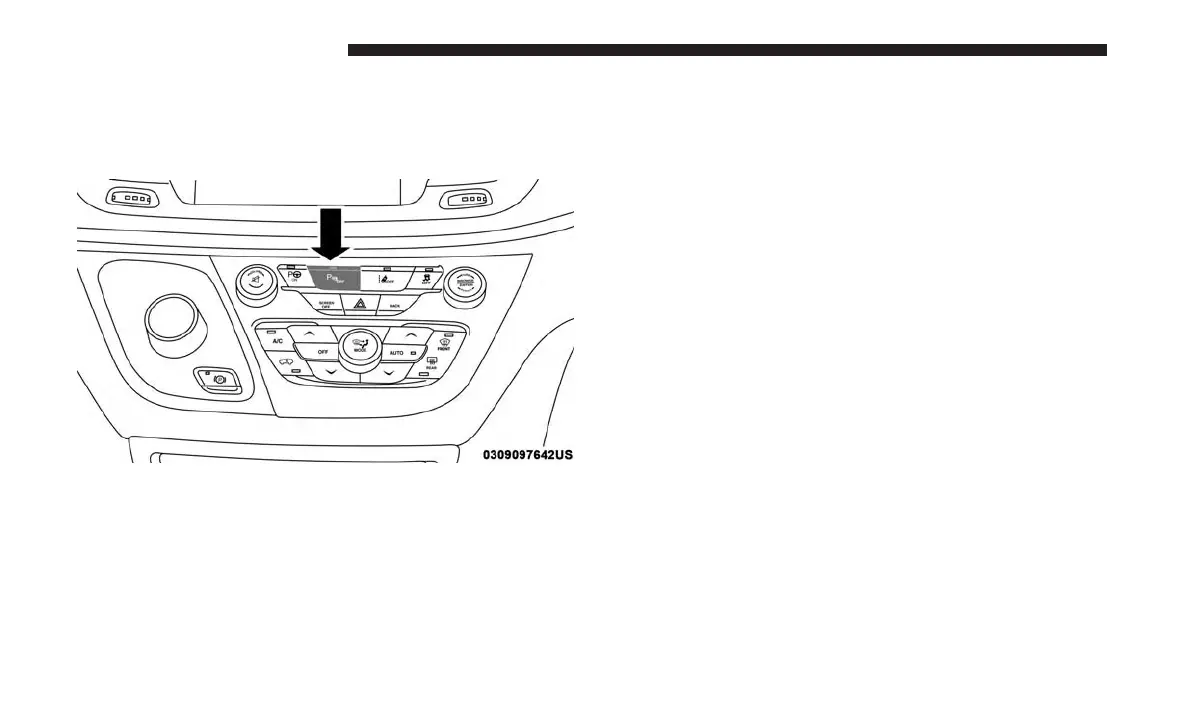
Enabling And Disabling ParkSense
ParkSense can be enabled and disabled with the ParkSense
switch, located on the switch panel below the Uconnect
display.
When the ParkSense switch is pushed to disable the
system, the instrument cluster will display the
“PARKSENSE OFF” message for approximately five sec-
onds. Refer to “Instrument Cluster Display” in “Getting To
Know Your Instrument Panel” for further information.
When the gear selector is moved to REVERSE and the
system is disabled, the instrument cluster display will
show the “PARKSENSE OFF” message for as long as the
vehicle is in REVERSE.
The ParkSense switch LED will be ON when ParkSense is
disabled or requires service. The ParkSense switch LED
will be OFF when the system is enabled. If the ParkSense
switch is pushed, and requires service, the ParkSense
switch LED will blink momentarily, and then the LED will
be ON.
NOTE: When KeySense feature is present, the ParkSense
System will reject customer input to turn the system OFF
via the hard switch. The instrument cluster display will
show ⬙KeySense in Use Selected Feature Cannot be Dis-
abled⬙ message.
Service The ParkSense Park Assist System
During vehicle start up, when the ParkSense System has
detected a faulted condition, the instrument cluster will
actuate a single chime, once per ignition cycle, and it will
display the ⬙PARKSENSE UNAVAILABLE WIPE REAR
SENSORS⬙, ⬙PARKSENSE UNAVAILABLE WIPE FRONT
SENSORS⬙,orthe⬙PARKSENSE UNAVAILABLE SERVICE
REQUIRED⬙ message for five seconds. When the gear
selector is moved to REVERSE and the system has detected
a faulted condition, the instrument cluster display will
ParkSense Switch
384 STARTING AND OPERATING















 To Next Page