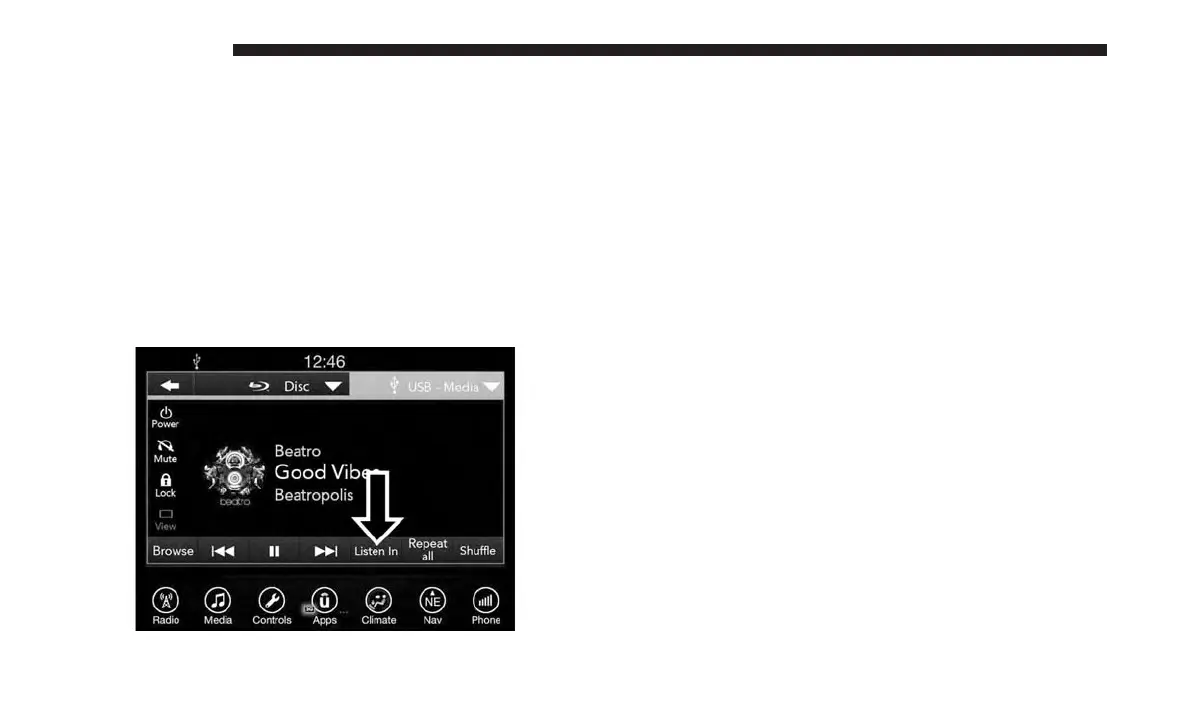
Parents can control certain features of the system with the
“Uconnect Theater Controls” screens, right from the
Uconnect touchscreen radio. Options are:
• Change media sources
• Lock one or both screens
• Mute an individual screen or both screens
• Turn on/off one or both screens
• Select APPS
• View media while gear selector is in PARK
Press this button and use the “Listen In” feature to listen to
audio through cabin speakers.
Accessing The System From The Uconnect
Theater Rear Screens
You can also access your Uconnect Theater system from the
rear screens from the steps below:
1. Lift screen upward, the system will automatically power
on.
NOTE: A message asking if you would like to pair a
remote will pop up if one has not already been paired to
the system.
2. If “YES” is selected to Pair a Remote, press any button
on the remote and pairing will immediately start.
3. If “NO” is selected, the Uconnect Theater home screen
will pop up.
Listen In
630 MULTIMEDIA















 To Next Page