Setting Name Selectable Options
Compass Calibra-
tion
Yes
NOTE:
Press “Compass Calibration” on the touchscreen to enter calibration. To start calibration of the compass, press the
“Yes” button on the touchscreen and complete one or more 360-degree turns (in an area free from large metal or me-
tallic objects). A message will appear on the touchscreen when the compass has been successfully calibrated.
Keep magnetic materials away from the rear view mirror, such as Mobile Phones, Laptops and Radar Detectors. This is
where the compass module is located, and it can cause interference with the compass sensor, and it may give false readings.
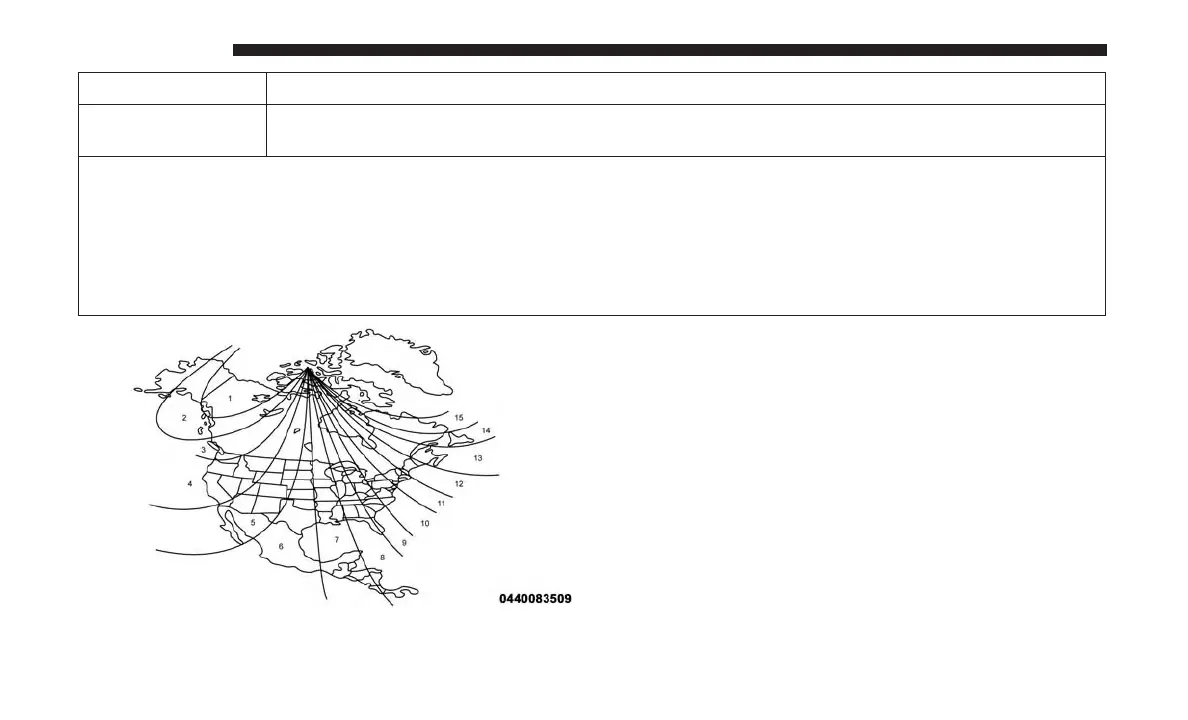
Compass Variance Zone Map
596 MULTIMEDIA















 To Next Page