21798-01-EN Rev. 04 Page 17
4.3.4 Battery Installation
Only batteries specified by CIDRA Concrete should be used in the
SMARThatch sensor, CiDRA P/N 21809-01, 7.2VDC, 98Wh.
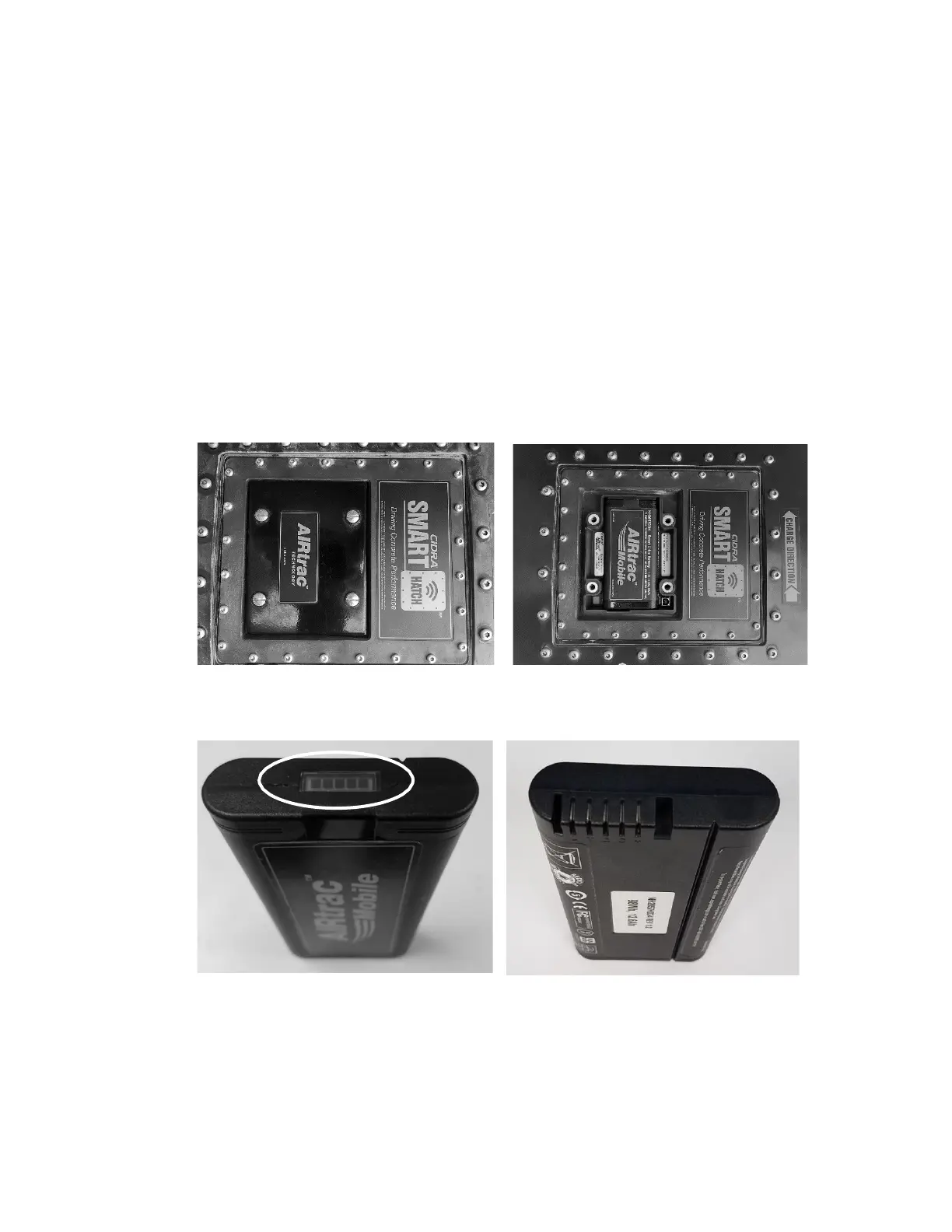
To replace the SMARThatch sensor battery, remove battery cover by loosening
four (4) one-quarter turn screws (Figure 11), lift the battery cover off and remove
the battery from the sensor.
Check that the battery charge indicator located on end of the replacement
battery shows five bars indicating full charge (Figure 12). Line up the battery
terminals and insert the battery terminal side first making sure it is fully engaged
and secure. Replace battery cover and securely tighten four (4) one-quarter turn
screws.
The spare battery may be stored in the battery charger, so it is always
charged.
Figure 11: Battery Cover Installed, and Removed Showing Battery Compartment
Figure 12: Battery Charge Indicator Showing Full Charge and Battery Terminals



 To Next Page