21798-01-EN Rev. 04 Page 19
4.5 In-Cab Display Installation
Determine a location for the in-cab display where it is in clear view of the driver
and will not obstruct the driver’s view of the road and surroundings.
The mounting location must also allow the 13 ft (4 m) display cable to be routed
inside the truck cab to the area where the telematics module will be mounted, so it
is out of the way and will not create any safety hazards.
4.5.1 In-Cab Display
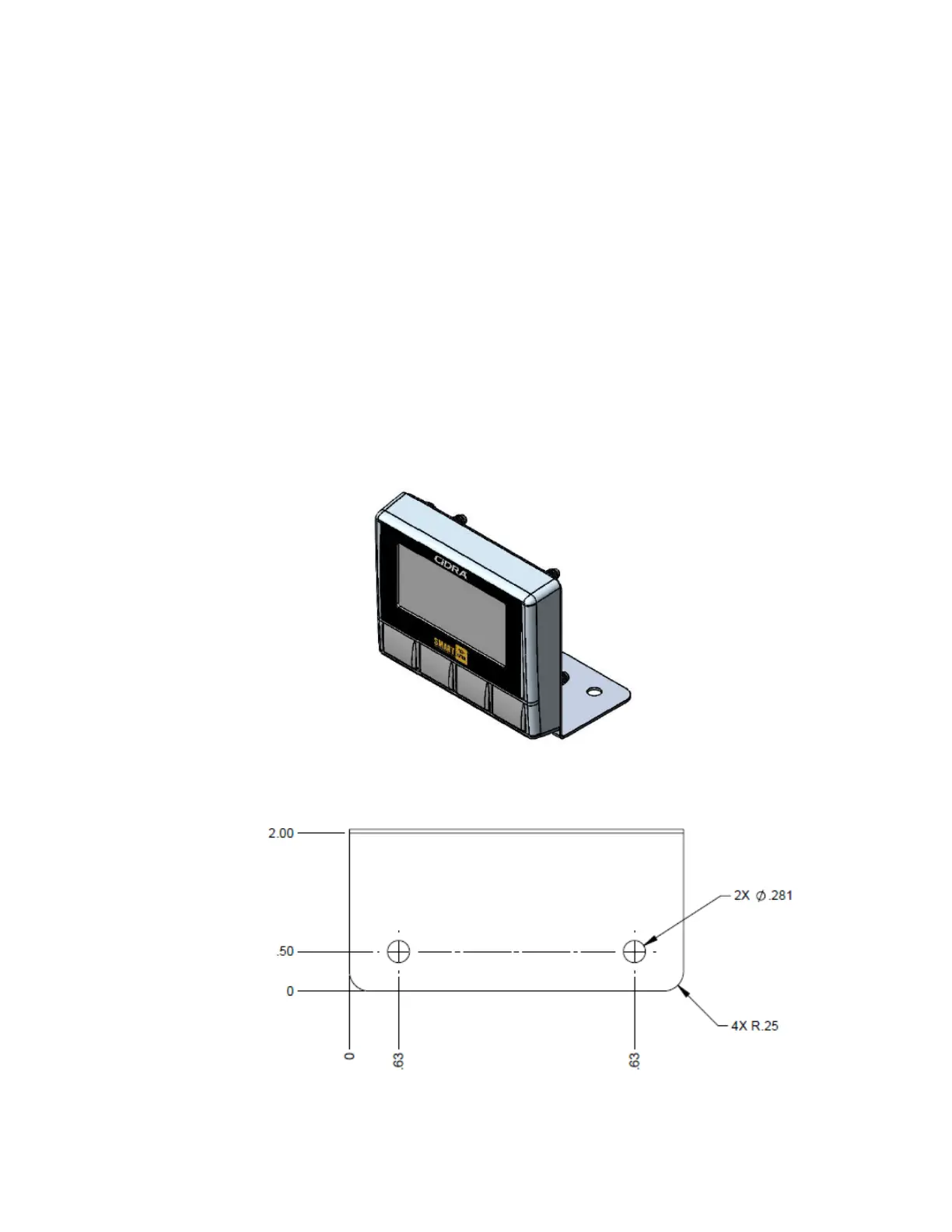
The display can be mounted using the universal mounting bracket (provided) or
panel mounted. When installing the display cable, use the provide p-clip to
strain relieve the cable.
4.5.1.1 Universal mounting bracket
The mounting bracket can be rotated 180 degrees vertically or flipped 180
degrees from the position shown in Figure 14. For flexibility in mounting the
display in the cab. There are 2 mounting holes for attaching the display as
shown in Figure 15 (mounting screws not provided).
Figure 14: In-Cab Display with Universal Mounting Bracket
Figure 15: Universal Mounting Bracket Mounting Holes



 To Next Page