CN 3960 Hardware Installation Guide
5
O
VERVIEW
H
ARDWARE
O
VERVIEW
1
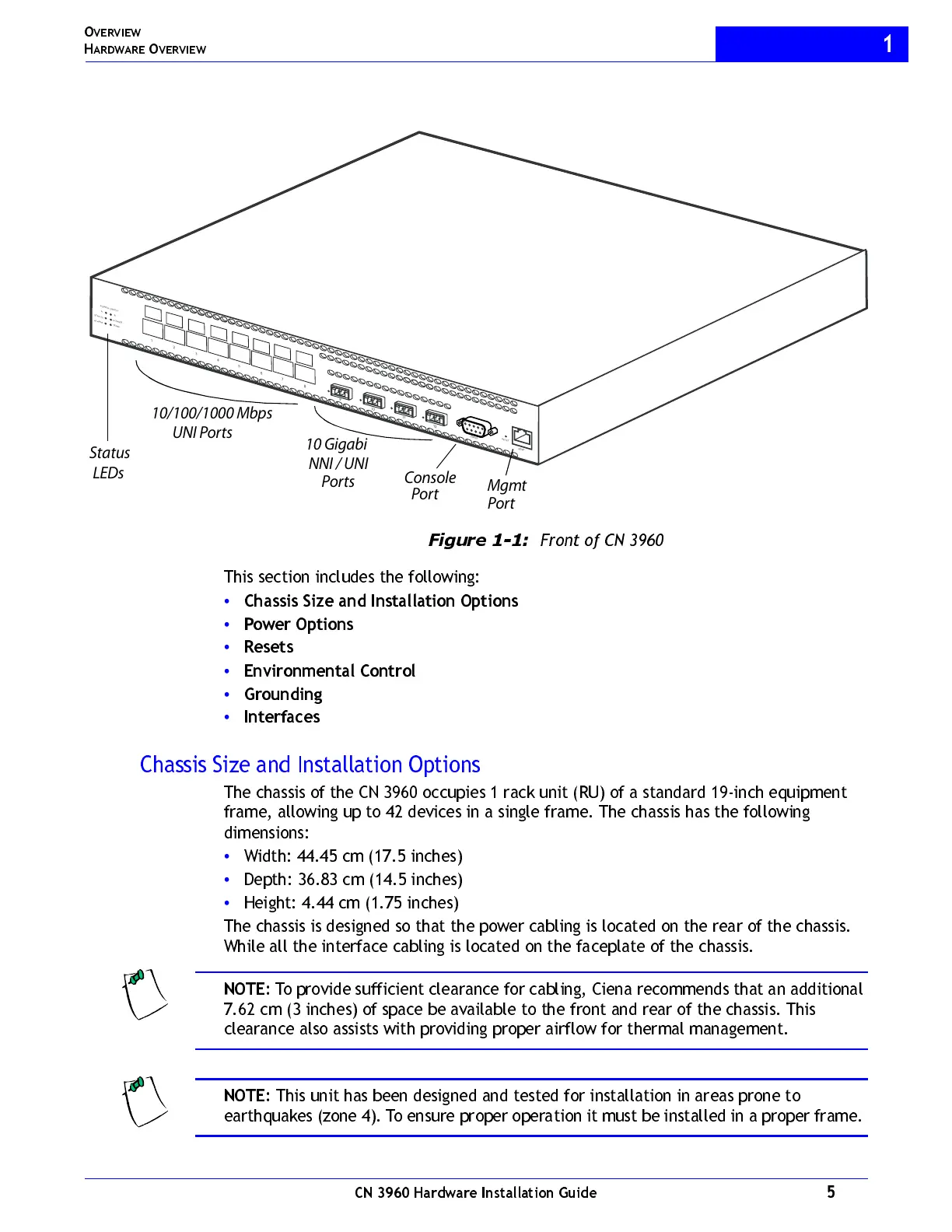
Figure 1-1:
Front of CN 3960
This section includes the following:
•
Cha ssis Si z e an d In stallati on O pti on s
•
Power Options
•
Resets
•
Environmental Control
•
Grounding
•
Interfaces
Chassis Size and Installation Options
The chassis of the CN 3960 occupies 1 rack unit (RU) of a standard 19-inch equipment
frame, allowing up to 42 devices in a single frame. The chassis has the following
dimensions:
•
W idth: 44.45 cm (17.5 inches)
•
Depth: 36.83 cm (14.5 inches)
•
Height: 4.44 cm (1.75 inches)
The chassis is designed so that the power cabling is located on the rear of the chassis.
While all the interface cabling is located on the faceplate of the chassis.
NOTE:
To provide sufficient clearance for cabling, Ciena recommends that an additional
7.62 cm (3 inches) of space be available to the front and rear of the chassis. This
clearance also assists with providing proper airflow for thermal management.
NOTE:
This unit has been designed and tested for installation in areas prone to
earthquakes (zone 4). To ensure proper operation it must be installed in a proper frame.
1
2
3
4
5
6
7
8
C
O
N
S
O
L
E
MGM
T
1
1
1
1
2
9
0
P
O
WE
R
S
T
A
T
U
S
A
L
A
R
M
T
E
M
P
A
B
R
E
S
E
T
P
O
WE
R
S
U
P
P
L
Y
Mgmt
Console
Port
Port
10/100/1000 Mbps
UNI Ports
10 Gigabit
NNI / UNI
Ports
Status
LEDs



 To Next Page