32
CN 3960 Hardware Installation Guide
I
NSTALLATION
XFP / SFP T
RANSCEIVERS
XFP / SFP Transceivers
The faceplate of the CN 3960 has:
•
8 connections which use 10/100/1000 Mbps Ethernet pluggable SFPs. These ports also
have an RJ-45 copper port which can be used instead. See the
10/100/1000 Mbps
Ports
section on page 13 for more information.
•
4 connections which use 10 Gigabit Ethernet pluggable XFP
Figure 1-1: Front of CN 3960
, on page 5 shows the location of these different ports on
the fa ce pl a t e o f t he CN 39 6 0.
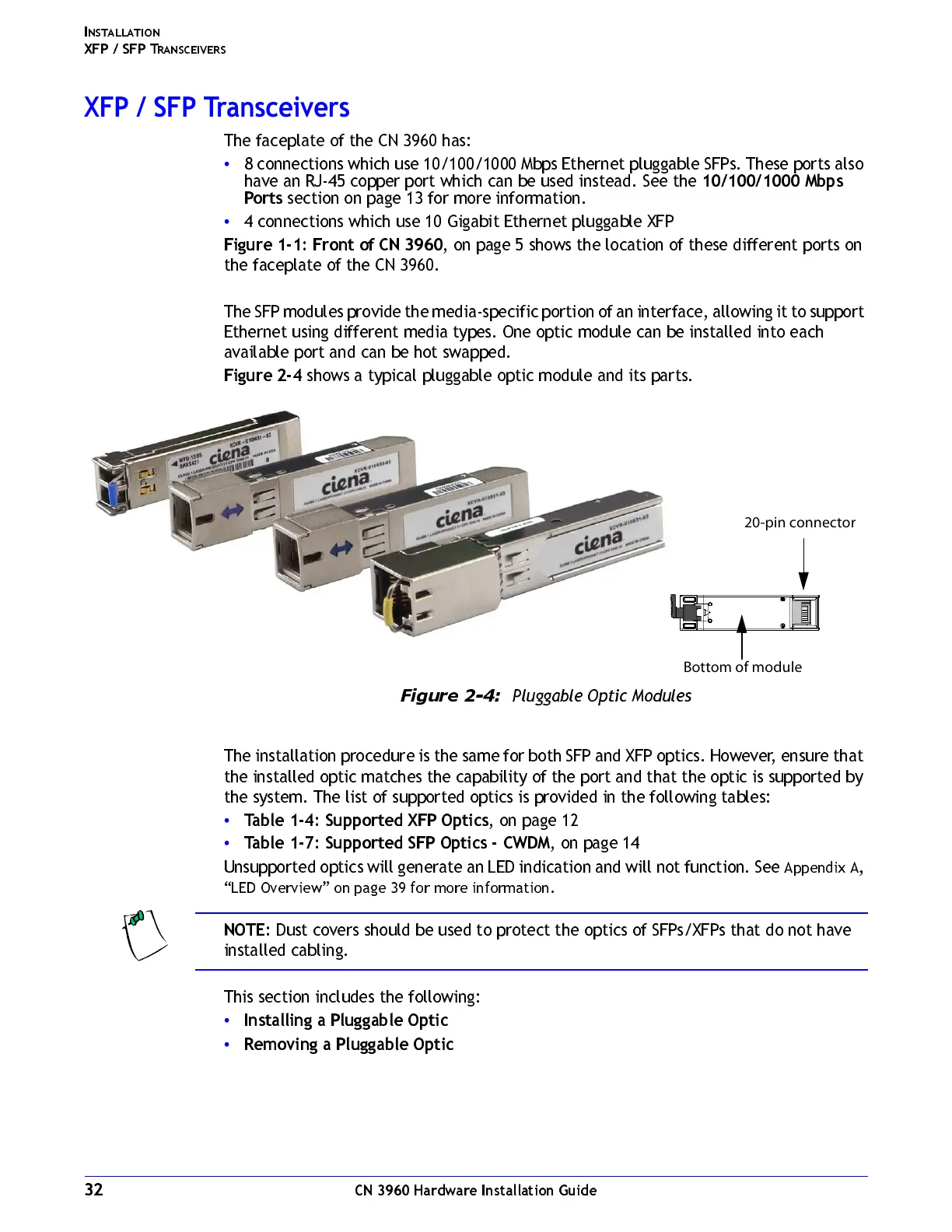
The SFP modules provide the media-specific portion of an interface, allowing it to support
Ethernet using different media types. One optic module can be installed into each
available port and can be hot swapped.
Figure 2-4
shows a typical pluggable optic module and its parts.
Figure 2-4:
Pluggable Optic Modules
The installation procedure is the same for both SFP and XFP optics. However, ensure that
the installed optic matches the capability of the port and that the optic is supported by
the system. The list of supported optics is provided in the following tables:
•
Table 1-4: Supported XFP Optics
, on page 12
•
Table 1-7: Supported SFP Optics - CWDM
, on page 14
Unsupported optics will generate an LED indication and will not function. See
Appendix A,
“LED Overview” on page 39 for more information.
NOTE:
Dust covers should be used to protect the optics of SFPs/XFPs that do not have
installed cabling.
This section includes the following:
•
Installi n g a Plu gg a ble O p tic
•
Removing a Pluggable Optic
20-pin connector
Bottom of module



 To Next Page