40
CN 3960 Hardware Installation Guide
U
NIT
S
TATUS
LED
S
Unit Status LEDs
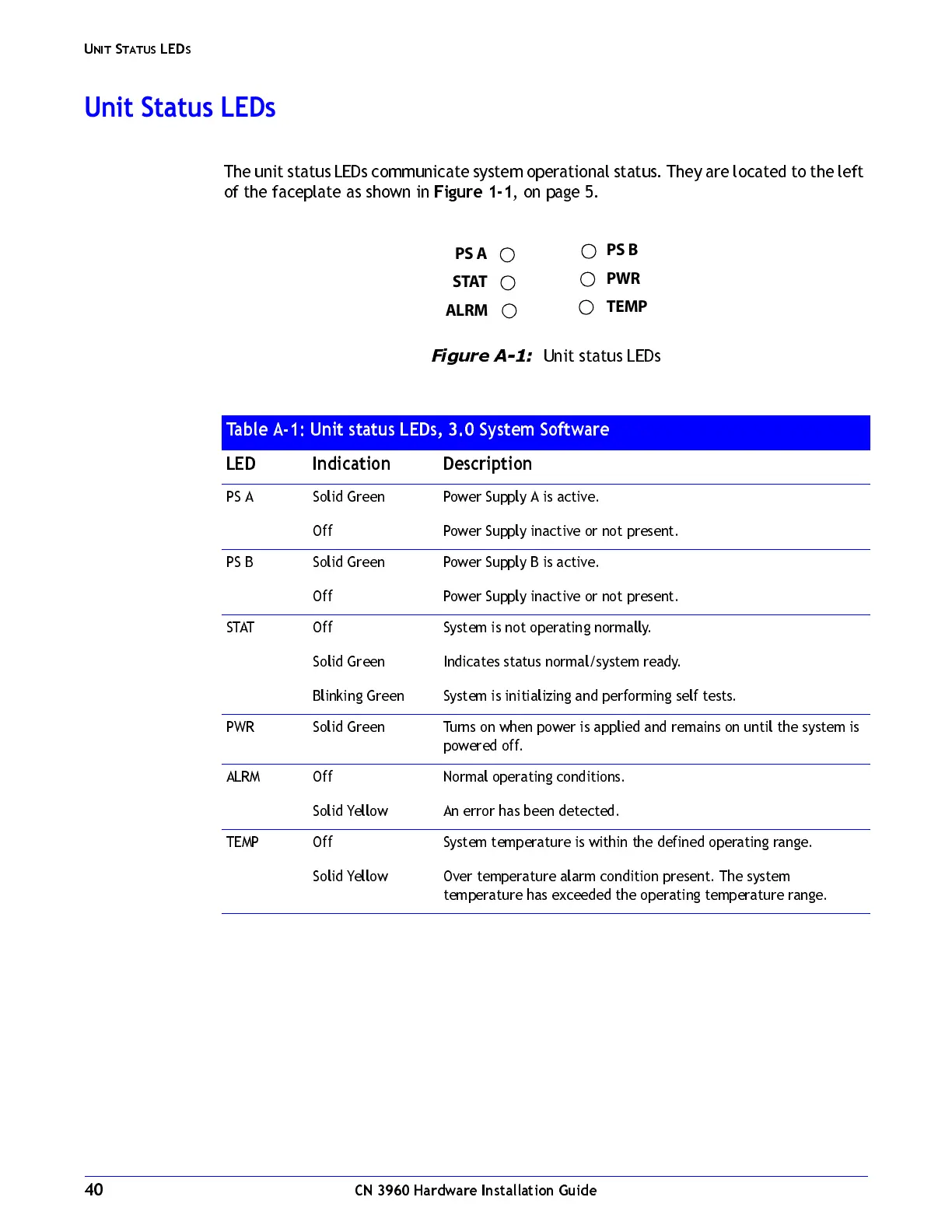
The unit status LEDs communicate system operational status. They are located to the left
of the faceplate as shown in
Figure 1-1
, on page 5.
Figure A-1:
Unit status LEDs
Table A-1: Unit status LEDs, 3.0 System Software
LED Indication Description
PS A Solid Green
Off
Power Supply A is active.
Power Supply i nactive or not present.
PS B Solid Green
Off
Power Supply B is active.
Power Supply i nactive or not present.
STAT Off
Solid Green
Blinking Green
System is no t operating normally.
Indicates status normal/system ready.
System is initializing and performing self tests.
PWR Solid Green Turns on when power is applied and remains on until the system is
powered off.
ALRM Off
Solid Yellow
Normal operating conditions.
An error has been detect ed.
TEMP Off
Solid Yellow
System temperature is within the defined operating range.
Over temperature alarm condition present. The syste m
temperature has exceeded the operating temperature range.
PS A
STAT
ALRM
PS B
PWR
TEMP



 To Next Page