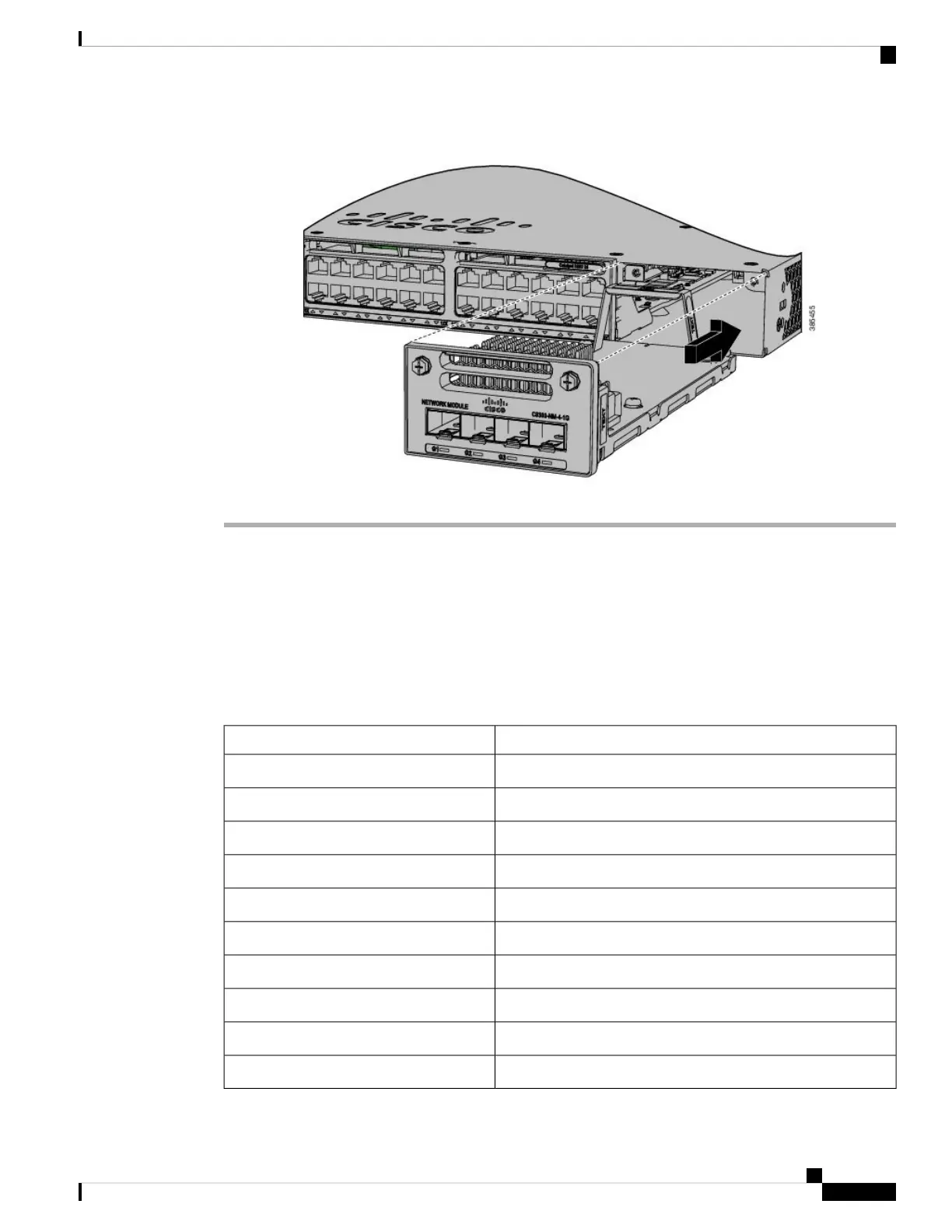
Figure 24: Installing the Network Module in the Switch
Network Module Port Configurations
C9300-NM-2Q Module
If you use a 40G QSFP module, the ports default to 40G interfaces. In this case, the 10G interfaces are displayed
but not used.
Table 18: C9300-NM-2Q Module with 40G QSFP Module
ActionInterface
Configure this interfaceFortyGigabitEthernet1/1/1
Configure this interfaceFortyGigabitEthernet1/1/2
DisregardTenGigabitEthernet1/1/1
DisregardTenGigabitEthernet1/1/2
DisregardTenGigabitEthernet1/1/3
DisregardTenGigabitEthernet1/1/4
DisregardTenGigabitEthernet1/1/5
DisregardTenGigabitEthernet1/1/6
DisregardTenGigabitEthernet1/1/7
DisregardTenGigabitEthernet1/1/8
Cisco Catalyst 9300 Series Switches Hardware Installation Guide
45
Installing a Network Module
Network Module Port Configurations



 To Next Page