EasyManua.ls Logo

Cisco Catalyst Micro Series - User Manual

Cisco Catalyst Micro Series
56 pages
Print Icon
To Next Page IconTo Next Page
Loading...
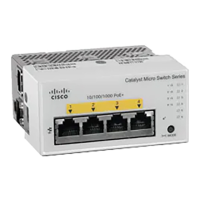
Cisco Catalyst Micro Series Switch Hardware Installation Guide
First Published: 2021-02-23
Americas Headquarters
Cisco Systems, Inc.
170 West Tasman Drive
San Jose, CA 95134-1706
USA
http://www.cisco.com
Tel: 408 526-4000
800 553-NETS (6387)
Fax: 408 527-0883

Table of Contents

Questions and Answers

  • J
    Jessica WhiteAug 10, 2025
    What to do if my Cisco Catalyst Micro Switch has link status issues?
    • A
      andreastewartAug 11, 2025
      If you are experiencing link status issues with your Cisco Switch, ensure that the cable from the switch is connected to a known good device and that both ends of the cable are connected to the correct ports. Also, verify that both devices have power and that you are using the correct cable type. Check for loose connections by disconnecting and then reconnecting the cable.
  • W
    wallacekennethAug 16, 2025
    How to fix speed or duplex mismatch on Cisco Switch?
    • D
      Donald YoungAug 16, 2025
      To resolve speed or duplex mismatch issues on your Cisco Switch, you can let both ports autonegotiate both speed and duplex. Alternatively, you can manually set the speed and duplex parameters for the interfaces on both ends of the connection. If a remote device does not autonegotiate, use the same duplex settings on the two ports.
  • C
    Catherine ScottAug 20, 2025
    What to do if Cisco Catalyst Micro Switch 10/100/1000 port connections malfunction?
    • K
      Kathy HermanAug 20, 2025
      If your Cisco Switch 10/100/1000 port connections are malfunctioning, use the Mode button to show the status for all ports. Additionally, use the show interfaces privileged EXEC command to see if the port is error-disabled, disabled, or shutdown. If necessary, reenable the port.
  • M
    Michelle JohnsonAug 26, 2025
    Why is my Cisco Catalyst Micro interface not coming up?
    • M
      Martha PadillaAug 26, 2025
      If your Cisco Switch interface is not coming up, use the show interfaces privileged EXEC command to see if the interface is error-disabled, disabled, or shutdown on either side of the connection. If needed, reenable the interface.
  • A
    Alexander AdamsAug 30, 2025
    What to do if my Cisco Catalyst Micro 10/100/1000 PoE+ port connections does not receive power?
    • C
      Cameron HermanAug 30, 2025
      If your Cisco Switch 10/100/1000 PoE+ port connections are not receiving power, use the Mode button to show the PoE status for all ports. Also, use the show interfaces privileged EXEC command to see if the port is in error-disabled, disabled, or shutdown; reenable the port if necessary. Verify that the power supply installed in the switch meets the power requirements of your connected devices, and that there is sufficient PoE power budget to provide power to the attached device.
  • D
    Deborah RobinsonSep 5, 2025
    What to do if I have a bad or damaged cable on my Cisco Catalyst Micro?
    • S
      Samantha StaffordSep 5, 2025
      If you suspect a bad or damaged cable with your Cisco Switch, examine or exchange the copper or fiber-optic cable with a known, good cable. Look for broken or missing pins on cable connectors. Rule out any bad patch panel connections or media convertors between the source and the destination. Try the cable in another port or interface, if possible, to see if the problem follows the cable.

Cisco Catalyst Micro Series Specifications

General IconGeneral
BrandCisco
ModelCatalyst Micro Series
CategorySwitch
LanguageEnglish

Related product manuals