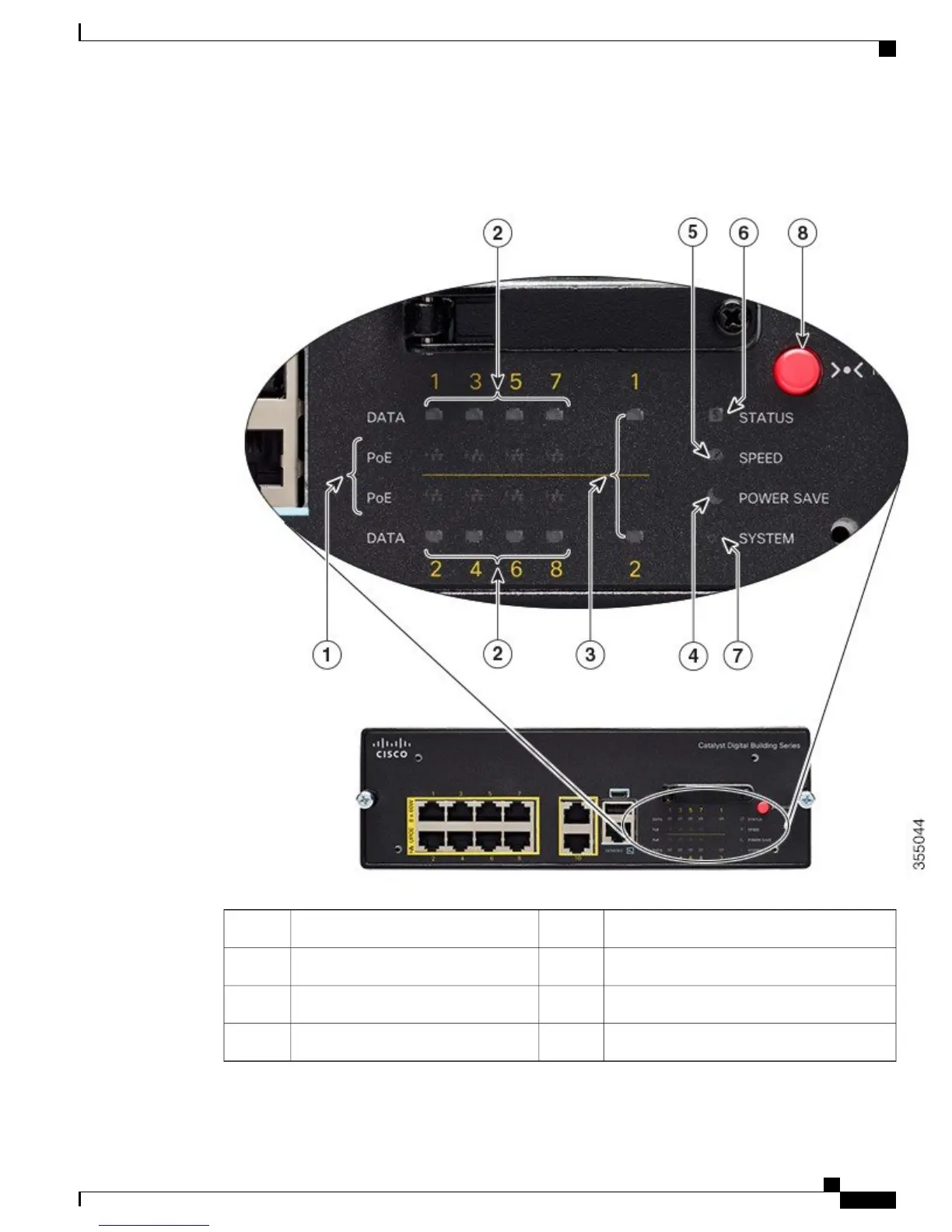
This figure shows the switch LEDs and the Mode button that you use to select a port mode.
Figure 4: Switch LEDs and Mode Button
STATUS LED5Downlink Port PoE LEDs1
MODE button6Downlink Port Data LEDs2
POWER SAVE LED7Uplink Port Data LEDs3
SYSTEM LED8SPEED LED4
Catalyst Digital Building Series Switch Hardware Installation Guide
7
Product Overview
LEDs











 To Next Page