•
Review the following illustrations and tables.
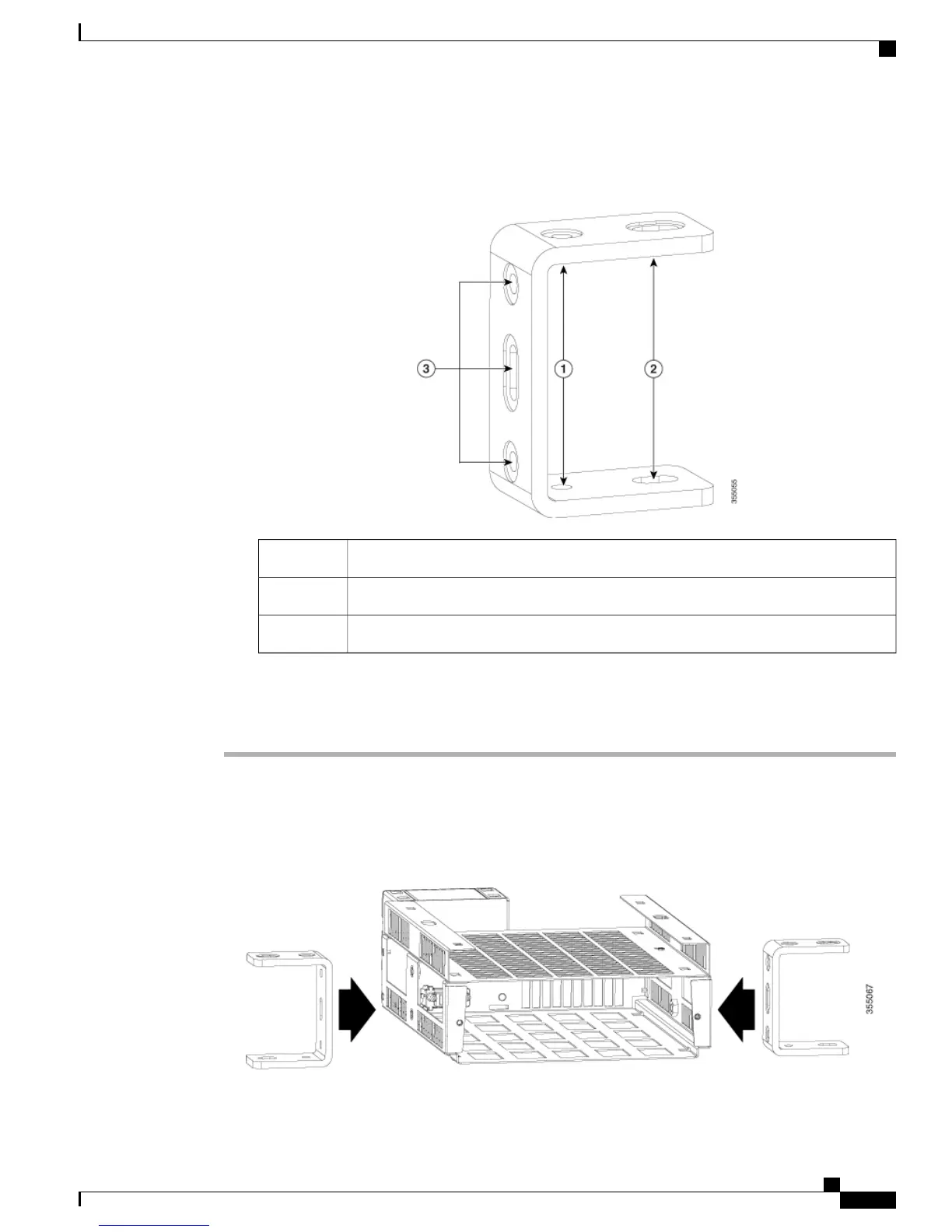
Figure 40: Mounting Bracket Detail
1/4" hole for attaching to strut channel or to a wall1
3/8" hole for attaching to strut channel or to a wall2
Mounting screw holes3
Procedure
Step 1
Place the flexible mount horizontally on a flat surface.
Step 2
Align mounting brackets to both sides of the flexible mount and attach them to the mount with the 1/4"
mounting screws supplied.
Figure 41: Attaching mounting brackets to the flexible mount
Catalyst Digital Building Series Switch Hardware Installation Guide
59
Switch Installation
Flexible Mounting











 To Next Page