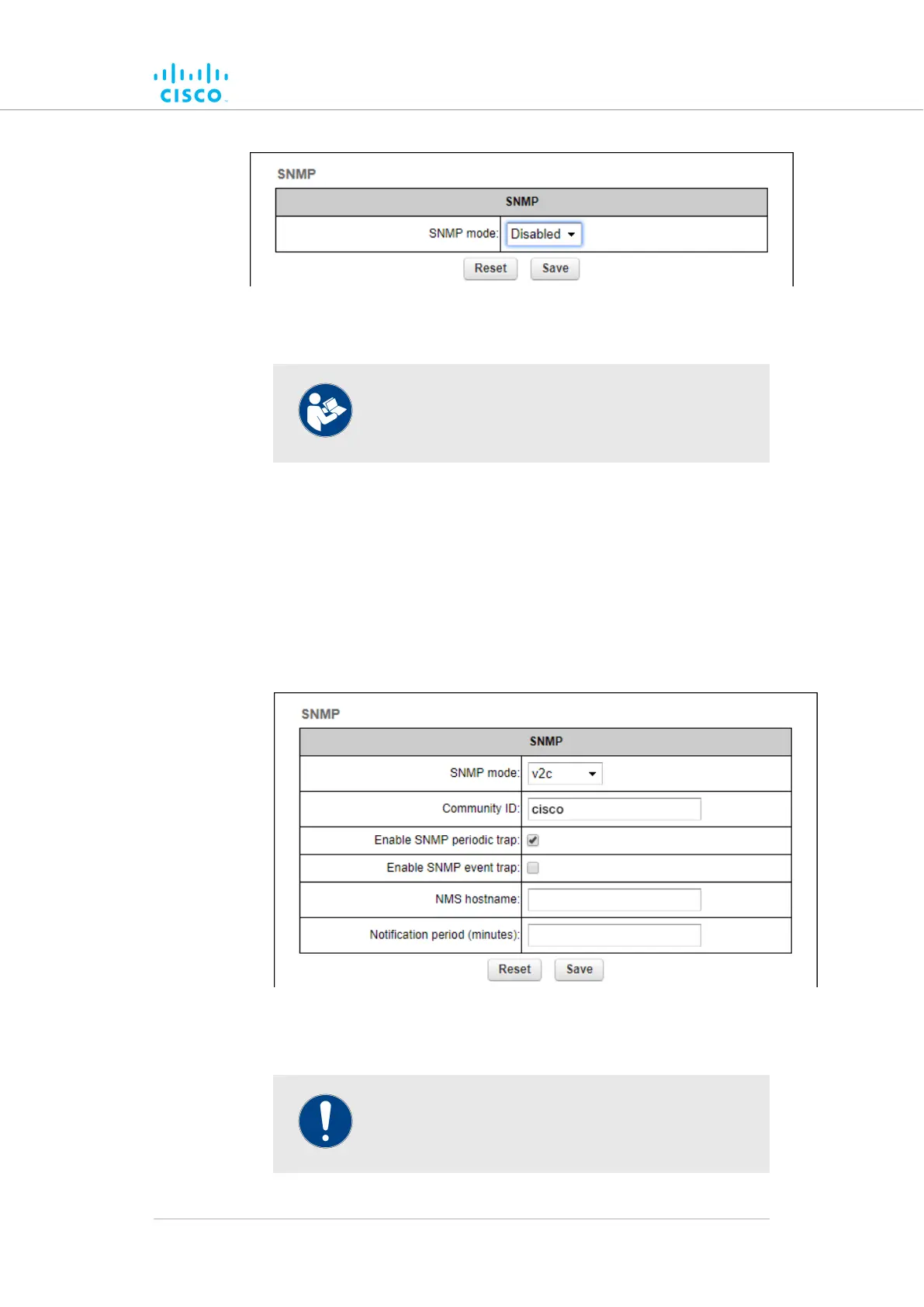
Figure 43. SNMP dialog (SNMP disabled)
NOTE
By default, Cisco units are shipped from the
factory with SNMP disabled.
Using SNMP v2c
To change the unit's SNMP mode to v2c and configure the unit
accordingly, do the following steps:
Click the1. SNMP mode drop-down, and click the v2c option.
• The SNMP v2c settings dialog will be shown (Figure 44
(page 105)).
Figure 44. SNMP dialog (v2c selected)
Enter a community identity value in the2. Community ID: field.
IMPORTANT
The same community identity value must be set for
all Cisco units in the wireless network.
Device configuration using the configurator interface
© 2021 Cisco and/or its affiliates. All rights reserved. Page 105 of 175



 To Next Page