IMPORTANT
Due to rising levels of cyber crime, most
modern web browsers are built to alert you to
possible threats, such as hacking, spoofing
and identity theft.
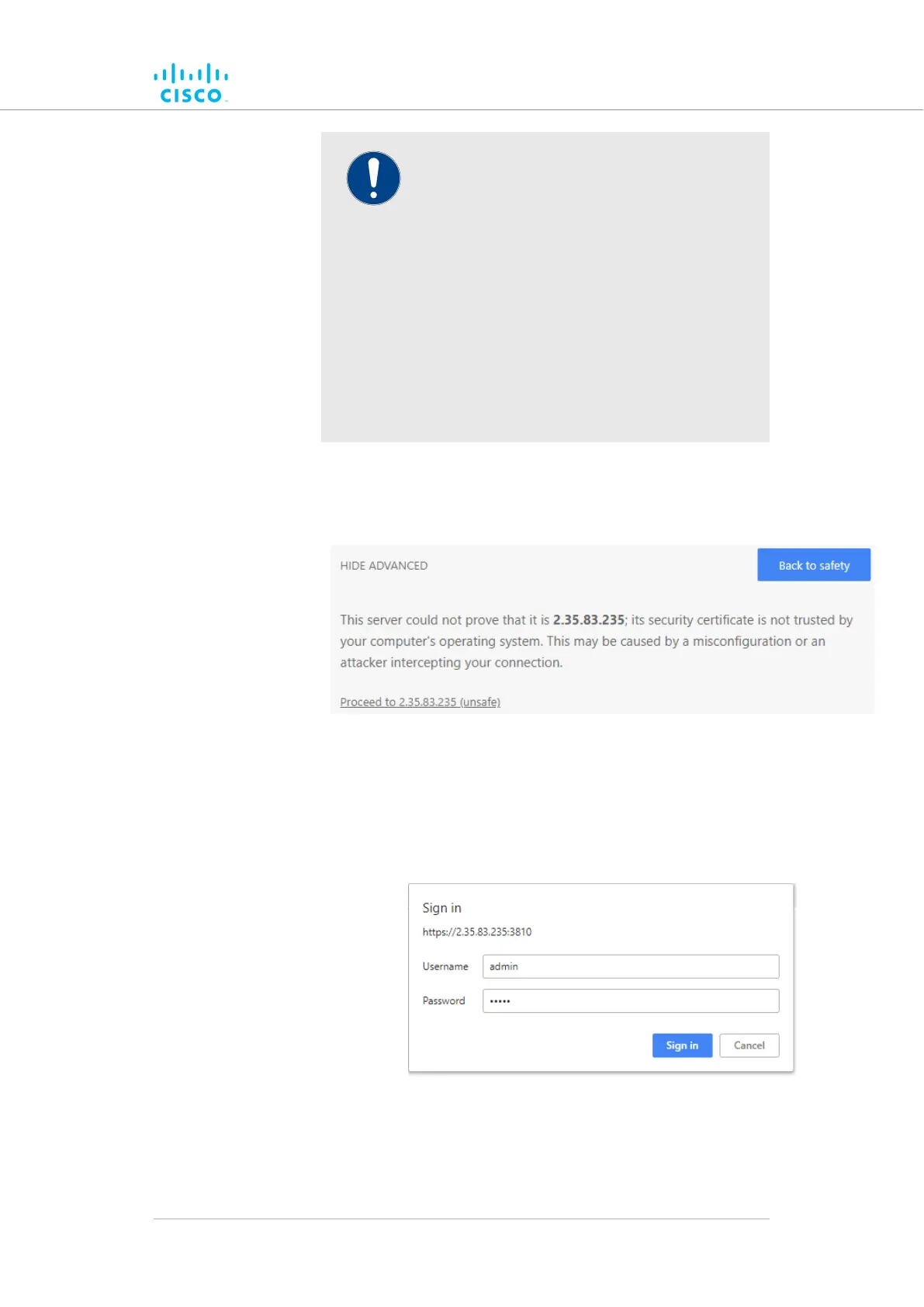
Because the Cisco FM1200 Volo is connected
to the computer using an unsecured
connection (in this case, a CAT5/6 cable), the
web browser may show you security warnings
like the one above.
This is normal and expected. During the
configuration process, it is safe to ignore
these warnings.
Click thea. ADVANCED link.
• You will see the following window:
Figure 14. Security certificate warning
(Google Chrome)
Clickb. Proceed to [the URL] (unsafe).
• The device login window will be shown:
Figure 15. Cisco device login window
8. The factory-set login details are as follows:
Device configuration using the configurator interface
© 2021 Cisco and/or its affiliates. All rights reserved. Page 49 of 175



 To Next Page