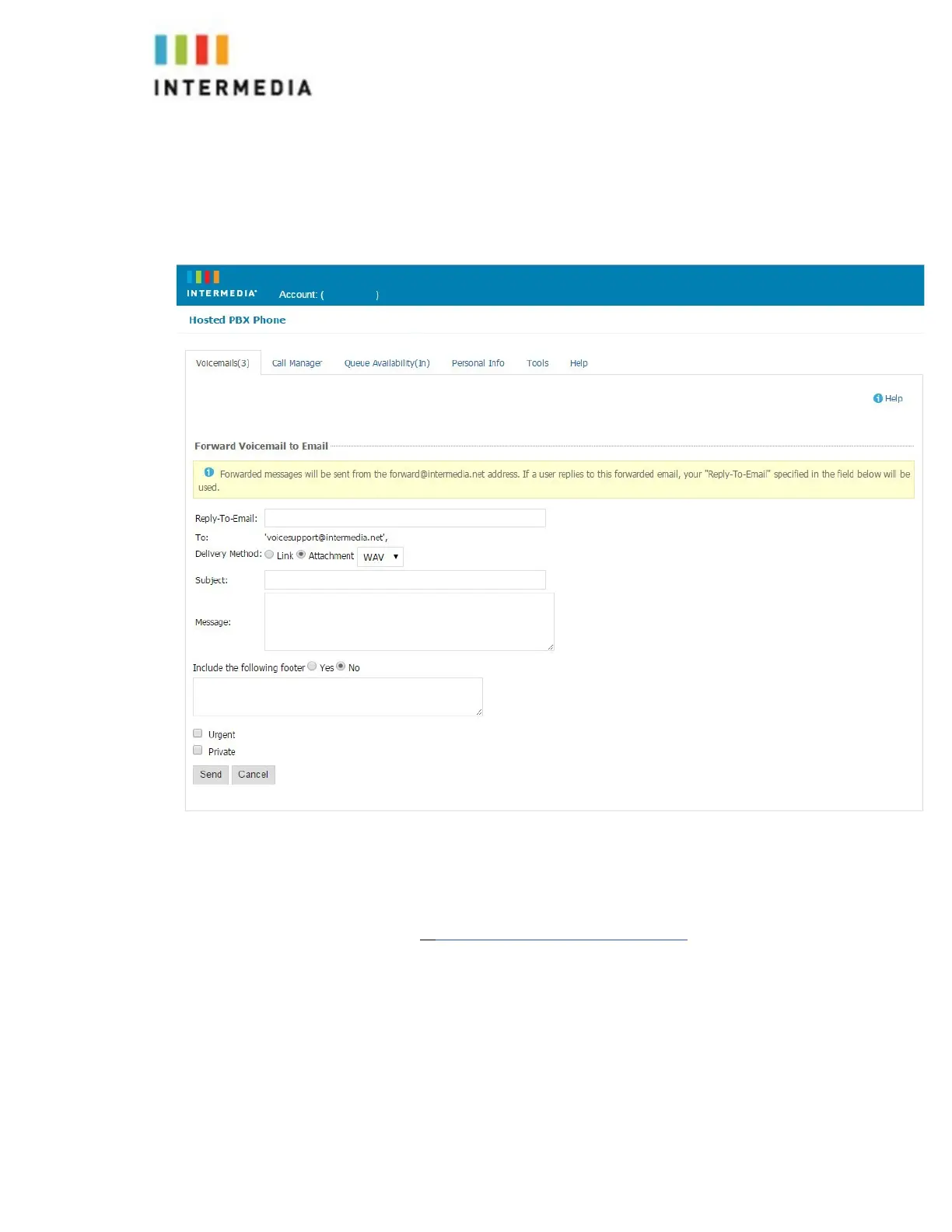
4.
If you have entered email address, fill in your email address, the
subject line and any message you wish to incl
ude
5.
Select the delivery method: Send a link to the voicemail message or
sent the voicemail message as an attachment
6.
Click the Send button when finished
Voicemail Notification via Email
You may setup your voicemail box to send you an email alert whenever someone
leaves you a voicemail message.
1.
Go to https://www.intermedia.net/login/voice/
2.
Enter your Desk Phone Number and PIN
3.
Click Login
4.
Select the Personal Info Tab at the top of the web page
5.
Select the Notification button
6.
Enter your email address in the space provided (you may enter multiple
email addresses)
7.
Select the Display Format (what the email message looks like)
8.
Click Ok to save your changes
32








 To Next Page