Y
ou can configure your phone so that all incoming calls are forwarded to another
party (refer to Static Forwarding).
All incoming calls can be forwarded to voicemail while Do Not Disturb is enabled
on your phone.
Static Forwarding
Static Forwarding allows you to send ALL incoming call to another phone
number or extension. When Static Forwarding is enabled, your phone will
not ring.
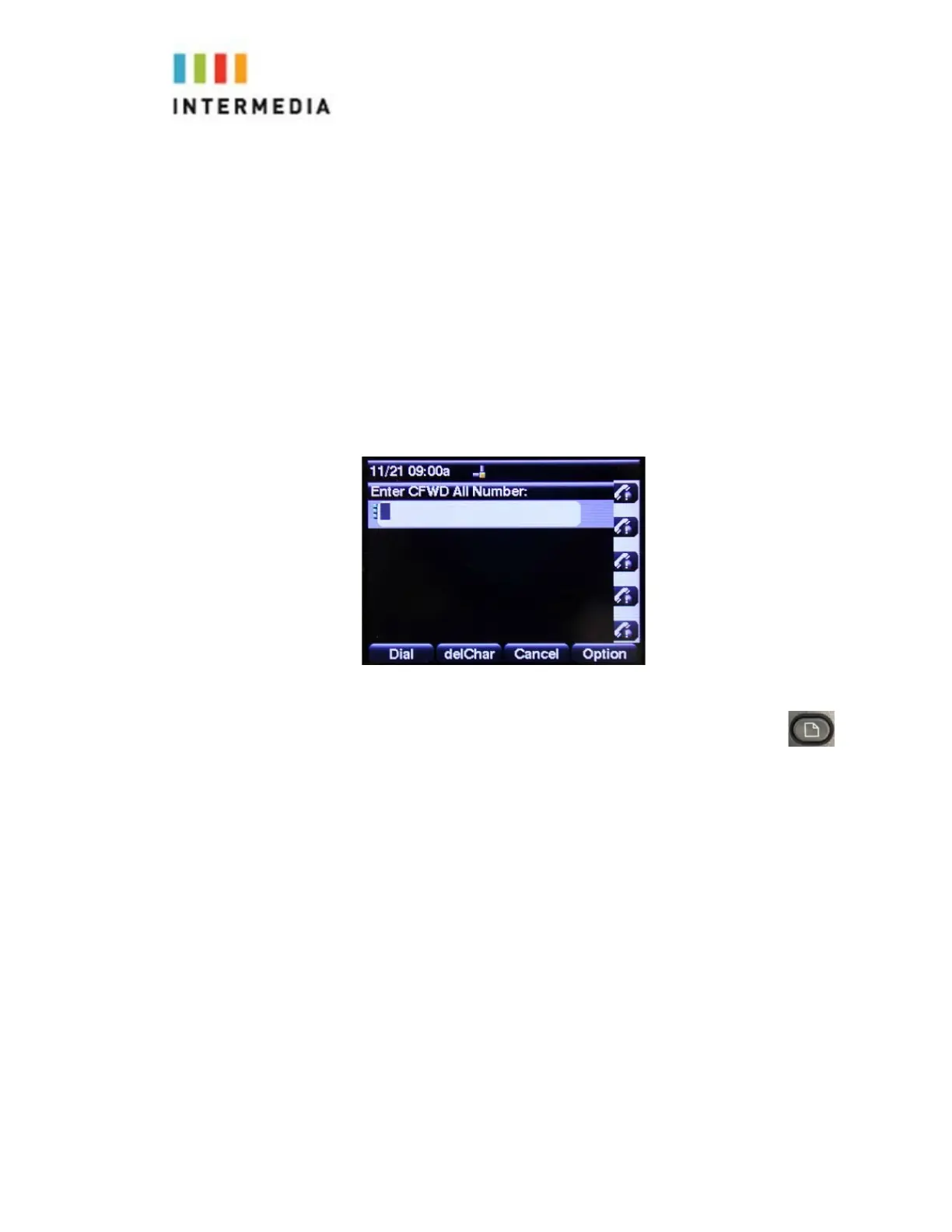
To forward ALL incoming calls to another party:
1.
From the idle display, Press the Forward soft key on the main display.
2.
Enter the number you would like all calls to forward to.
You may also change the Forwarding setting by going into the menu
Go to option 7 User Preferences, then option 1Call Preferences:
Call Forwarding — Either On or Off, by toggling with the left and right arrows
and pressing the Set soft key
FORWARD All Number — To forward All incoming calls
FORWARD Busy Number —To forward calls that arrive when you are
already on a call
FORWARD No Ans Number — To forward unanswered incoming call
Depending on your selection:
17














 To Next Page