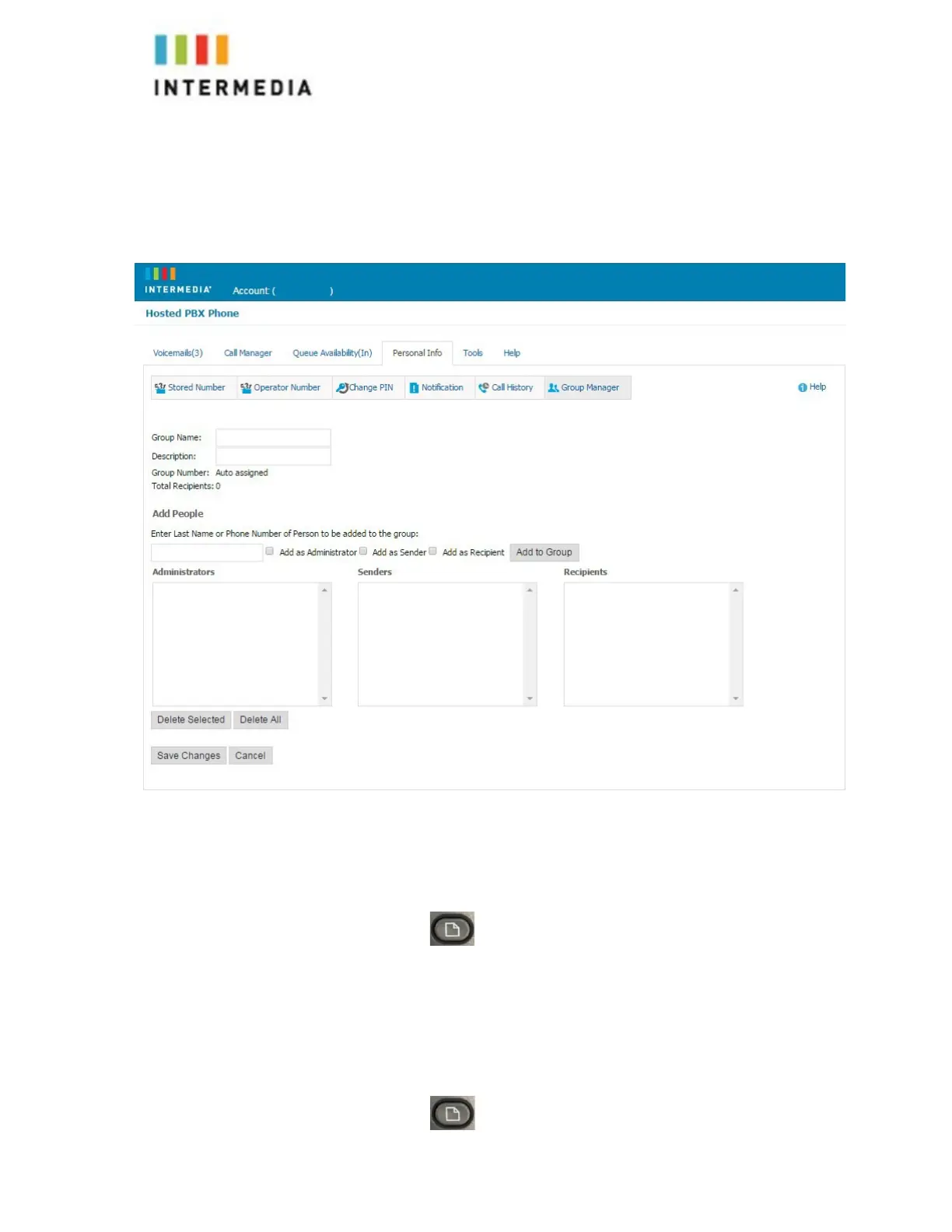
•
Recipient- Able to receive messages sent to this
group
9.
Click the Add button
10.
Repeat step 7 through 9 as necessary to add all of the members
11.
Click the Save button
Change the Number of Rings Before Voicemail Picks Up
Your Voicemail box is programmed to take messages when you can’t
answer your phone. If you want the phone to ring more or less times,
you may change this setting:
1. Press the
2. Select or Press # 7 User Preferences
3. Select or Press # 1 Call Preferences
4. Select or Press # 4 FORWARD No Ans Delay
5. Change the number of seconds you would like the phone to Ring delChar
soft key and the number pad.
6. Press the Set soft key
7. Press the to get back to the Home screen
34












 To Next Page