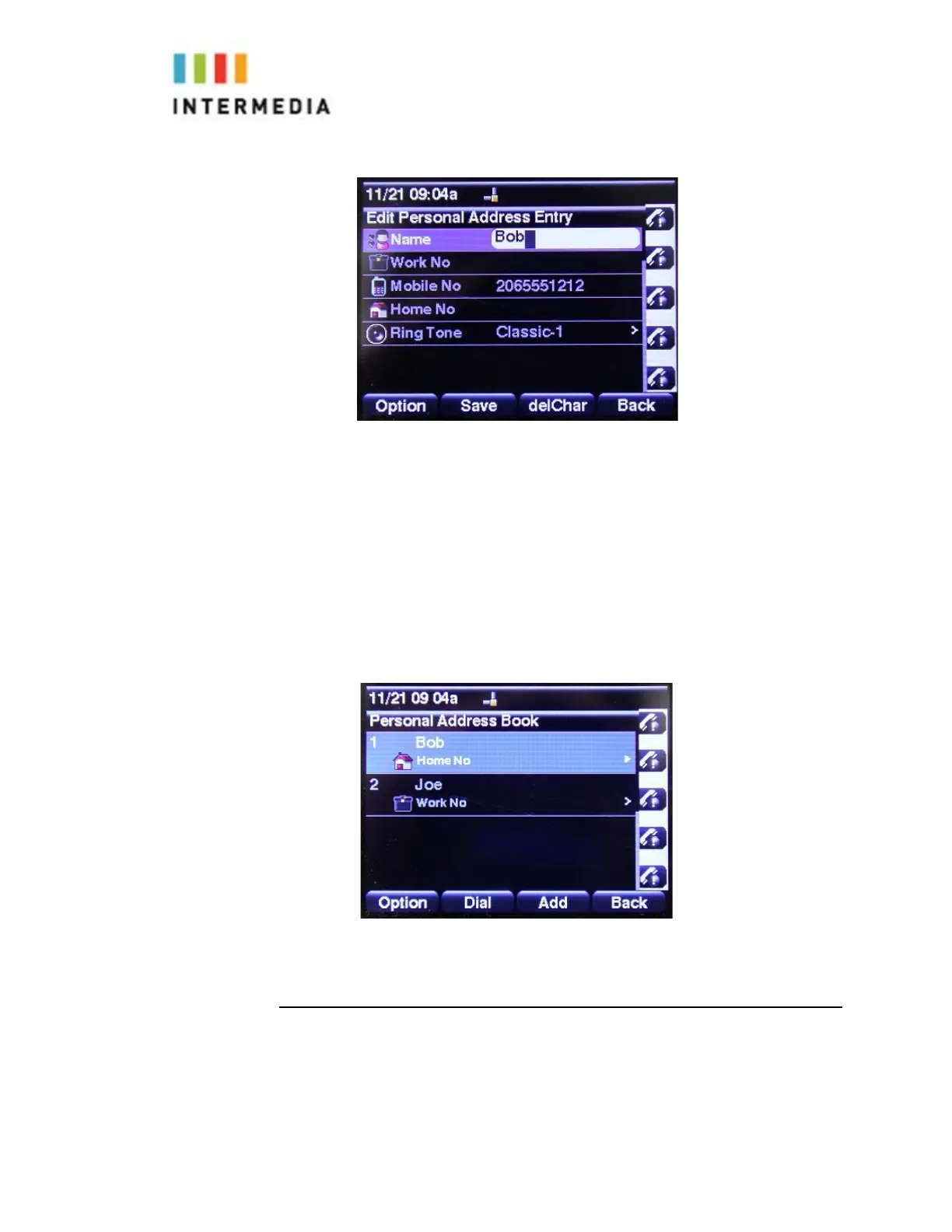
To edit a contact in the local contact directory:
1.
Press the Directory soft key
2.
Press or select # 1 Personal Address Book
3.
Using the Arrow Pad locate the contact you would like to edit
4.
Press the Check button in the center of the arrow key
5.
Make your changes and select the Save soft key
Deleting Contacts
To edit a contact in the local contact directory:
1.
Press the Directory soft key
37








 To Next Page