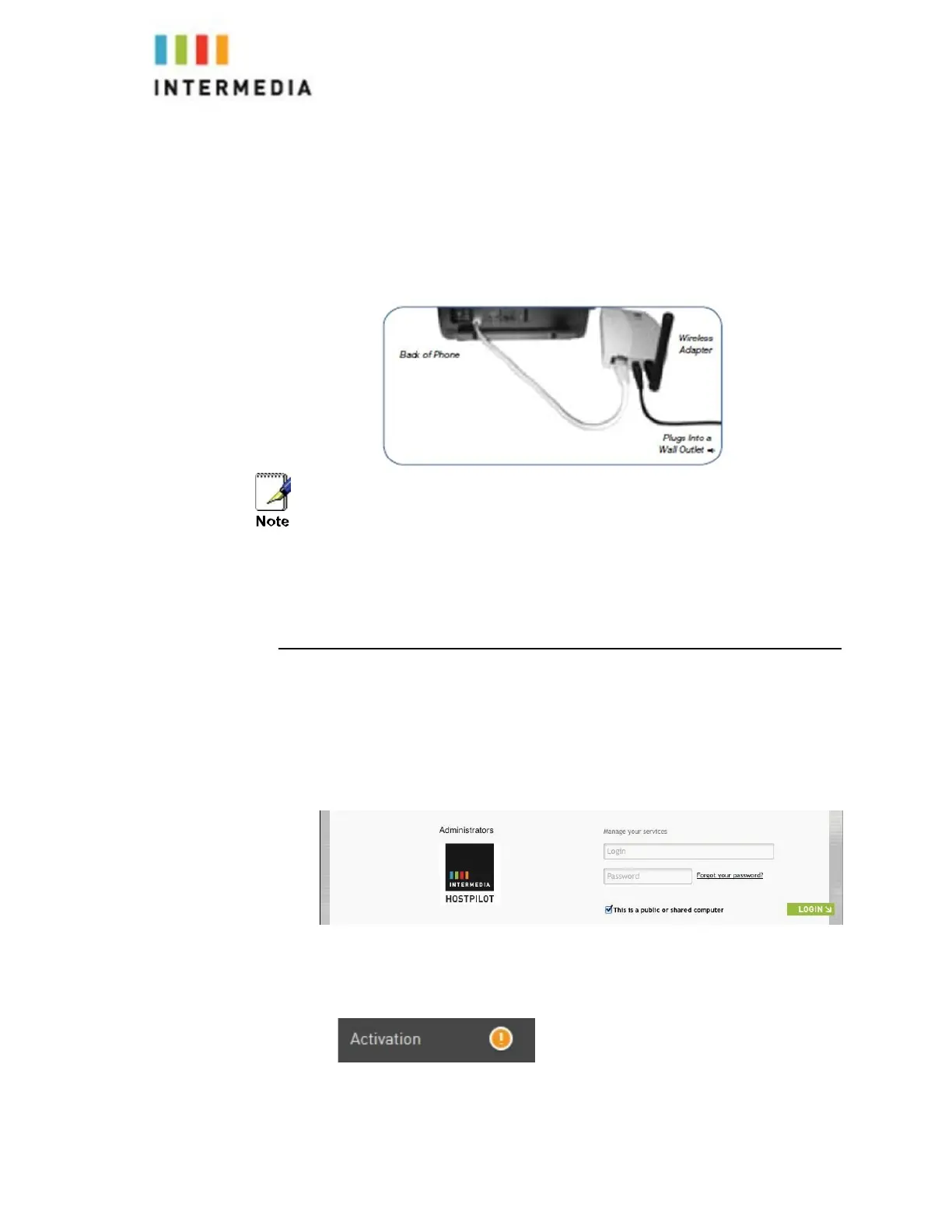
The Wireless Adaptor allows the desk phone to connect through the Wireless
Transmitter. It has a range of 40 feet. Plug the rectangle
Ether- net plug from the Wireless Adapter into the back of the phone
using the port. Then plug the Wireless Adapter’s power cord into a power
outlet.
the Wireless
To avoid interference or static on the phone, place
Adapter away from the phone as shown.
Activating the Service
Before you can make or receive calls, you need to activate your phone
line(s). This also activates the billing for your phone line(s). To activate
your phone line(s):
1.
Go to https://exchange.intermedia.net and enter your Administrator Portal
login name and password
2.
On the 1st screen, click the “Activation” tab.
52








 To Next Page