5
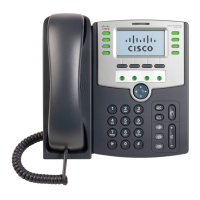
Line keys
Indicates phone line status:
• Green: Line is idle.
• Red (steady): Line is active or in use.
• Red (blinking): Line is on hold.
• Orange: Line is unregistered (cannot
be used).
• Flashing Orange: The phone is not
connected to the network.
These keys can also be programmed by
your system administrator to
perform
differently than described here or to
add
functions such as speed dial, call
pickup,
extension.
6
Soft key buttons
Press a soft key button to perform the
action on the label on the LCD
screen
7
Navigation
button
Press in each direction to scroll through
screen.
8 Center Select
button
Press this button to select the option or
menu that is highlighted on the
LCD
9
Messages button
Press to access voice mail (must be set
administrator).
10
Hold button
Press to place a call either on hold or to
11 Setup button
Press to access a menu to configure
features and preferences (such as
your
directory, status, and speed dials),
access
your call history, set up functions
(such
as call forwarding), and provide
phone
information.
12 Mute button Press to mute or unmute the phone.
the phone is muted, the button
glows red. A flashing red mute
button
indicates that the phone has
no
connectivity.
13 Volume button
Press + to increase the volume and press
to lower the volume of the handset,
headset, speaker (when the
handset is off
hook), or ringer (when the handset is
on
7








 To Next Page