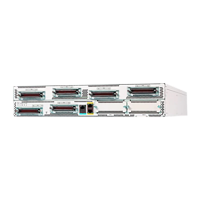
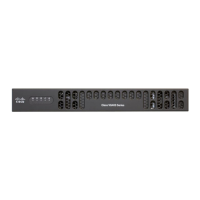
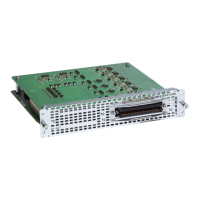
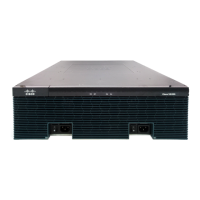
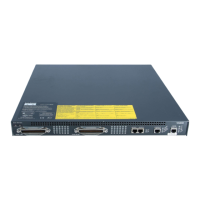
The Cisco VG410 Voice Gateway is a software-based medium-density analog phone gateway that connects public-switched telephone networks (PSTNs) and existing telephony equipment to Cisco Enterprise Routers. This device supports analog phones, fax machines, and modems, and acts as a bridge to the enterprise voice systems, enabling TDM to IP transition. It incorporates Dual-Tone Multifrequency (DTMF) detection, voice compression and decompression, call progress tone generation, Voice Activity Detection (VAD), echo cancellation, and adaptive jitter buffering.
The VG410 Voice Gateway chassis utilizes its built-in CPU cores to handle Digital Signal Processing (DSP) tasks, eliminating the need for a separate DSP component. The software DSP is pre-installed as part of the manufacturing process. The first 24 ports of all SKUs on the new modules support FXS-E (extended loops or long loops), offering higher loop current (35 mA) for specialty phones, longer loop length for 26 AWG wire (up to 11,000 feet or 3400 meters), and higher ringing voltage (65 Vrms, no load).
Key features of the Cisco VG410 Voice Gateway include:
- Webex calling support
- Caller Line ID
- Codec support: G.711, G.729a, G.729ab, G.726, G.722, iLBC
- Fax pass-through and relay (T.38)
- Modem pass-through, Modem relay, and V.150.1 MER modem relay support
- DTMF detection
- Echo cancellation
- Voice activity detection
- Comfort noise generation
- Real-Time Control Protocol (RTCP)
- Acoustic shock protection
- Real-Time Transport Protocol (RTP)
- RFC 4733 Digit Relay
- Noise reduction
- Call Details Records (CDR)
- Support for Loop-start and Ground start signaling
- Interworking with Cisco Unified Communications Manager (CUCM) using Skinny Client Control Protocol (SCCP), Session Initiation Protocol (SIP), and Media Gateway Control Protocol (MGCP) 0.1
- Cable detection: GR909 line test
FXS features include support for either FXS or DID functionality and Message-Waiting Indicator (MWI). FXO features include overload protection.
The device offers various I/O panel views depending on the SKU. Common interfaces include RJ21 for FXS ports, RJ11 for FXO ports, 2x1 GE ports, RJ45 console, Micro USB console, and USB 3.0 Type A ports. Status indicators include Reset, System status, Power supply status, Temperature, and Environmental status.
SKU information for the Cisco VG410 Voice Gateway includes:
- WAN Port: Two GE RJ-45 copper interface ports supporting 10BASE-T, 100BASE-TX, and 1000Base-T.
- Console port: One RJ45 serial console port and one USB console port.
- PSU: Support for one replaceable PSU.
- Fans: Two or three fixed fans.
Specific SKUs and their port configurations:
- VG410-24FXS: 24 FXS Ports, 0 FXO Ports, 1 RJ21 Connector.
- VG410-24FXS/4FXO: 24 FXS Ports, 4 FXO Ports, 1 RJ21 Connector.
- VG410-48FXS: 48 FXS Ports, 0 FXO Ports, 2 RJ21 Connectors.
All SKUs have a Maximum REN of 16, except for VG410-48FXS which has 24.
LED Information provides visual cues for device status:
- PSU: Green (operating correctly), Yellow (power supply not functioning), Off (powered off).
- STAT (Status): Yellow Blinking (BIOS/Rommon booting), Yellow (Rommon booted, system at prompt or booting platform software), Green (working/operational).
- USB CON/SERIAL CON: Green (active console port is USB), Inactive (no active console ports). When this LED is on, SER CON LED is off.
- RJ-45 CON: Green (RJ-45 is active console port), Green/Yellow (no active console ports). When this LED is on, SER CON LED is off.
- TEMP: Green (all sensors within range), Yellow (one or more sensors outside range), Red (critical overcurrent, potential shutdown), Off (monitor not active).
- FAN: Green (all fans operational), Yellow (one or more fans not functioning), Off (fans not monitored).
- Ethernet SPD: Green blinking (blink frequency indicates port speed: 1 blink for 10 Mb/s, 2 blinks for 100 Mb/s, 3 blinks for 1000 Mb/s). Off (no link or non-Ethernet device).
- Ethernet LNK: Green (cable present, link established), Off (no link).
- FXS/FXO (Voice Port Status): Green (at least one active call), Off (no active call).
Technical specifications for the Cisco VG410 Voice Gateway can be found in the Cisco VG410 Voice Gateway Analog Voice Gateway Datasheet.
Installation planning involves ensuring the site meets specific environmental and safety requirements.
- Standard Warning Statements: Emphasize safety precautions.
- General Safety Recommendations: Includes never lifting heavy objects alone, keeping the area clear, securing chassis covers, avoiding loose clothing, wearing safety glasses, and not performing unsafe actions.
- Safety With Electricity: Locate emergency power-off switch, disconnect power before working, check for hazards like moist floors or frayed cords, do not work alone if hazardous, never assume power is disconnected, never open internal power supply enclosure, and follow procedures in case of electrical accident. Special guidelines for telephone wiring include never installing during lightning storms, never installing jacks in wet locations, never touching uninsulated wires unless disconnected, and using caution when installing/modifying lines. Always remove power cables before opening chassis. Ground connection must be made first and disconnected last.
- General Site Requirements: Prevent electrostatic discharge (ESD) damage by grounding the chassis, wearing an ESD-preventive wrist strap, and touching a metal part of the chassis if no strap is available. General precautions include keeping components away from heat sources, not blocking cooling vents, avoiding spills, not pushing objects into openings, careful cable routing, not modifying power cables/plugs, and waiting 30 seconds before restarting after shutdown.
- Site Environmental Requirements:
- Steady state operating temperature: 32°F to 104°F (0°C to 40°C).
- Storage temperature: -40°F to 158°F (-40°C to 70°C).
- Humidity operating (noncondensing): 5 to 85%.
- Humidity non-operating (noncondensing): 5 to 95%.
- Altitude operating over allowable temperature range: 0 to 10,000 feet (0 to 3050 meters).
- Altitude non-operating; over allowable temperature range: 0 to 15,000 ft (0 to 4572 meters).
- Thermal shock non-operating: 30°C/hr.
- Site selection guidelines emphasize adequate ventilation and air circulation.
- Rack Requirements: Allow clearance for maintenance, ensure adequate ventilation in enclosed racks, and check for blocked ventilation ports if using slide rails. Baffles can help isolate exhaust air and draw cooling air.
- Power Guidelines and Requirements: Ensure clean power, consider a UPS for power failure conditions. Supports both AC and DC power supply. Product relies on building's installation for short-circuit protection, protective device rated not greater than 20A.
- Network Cabling and Interface Considerations: Uses GE cables (RJ-45 to RJ-45 straight-through) and analog voice cables (RJ-21). Considerations for electromagnetic interference (EMI) and lightning strikes, recommending twisted-pair cables with grounding conductors and consulting experts for lightning suppression and shielding.
- Tools and Equipment Required for Installation: Standard flat-blade screwdriver, Phillips screwdriver, mounting brackets and screws (for 19-inch or 23-inch rack), four telco machine screws, ESD-preventive wrist strap, modem for remote configuration, console terminal or PC with terminal emulation software, analog voice RJ-21 and RJ-11 cables, and an Ethernet switch.
- Site Log: Recommended for recording installation, upgrades, maintenance, configuration changes, comments, and software updates.
The installation process involves:
- Prerequisites: Reading safety warnings and gathering tools. Japanese safety instructions are provided.
- Unpacking: Unpack only when ready to install, check packing list for all items, and contact customer service if anything is damaged.
- Mounting in Rack: Supports 19-inch (48.26-cm) EIA racks and 600-mm ETSI racks. Mounting options include front mounting, back mounting, and mid-mount. Brackets are attached to the chassis, ensuring unrestricted airflow. Screws are used to secure the chassis to the rack.
- Setting on a Desktop: Can be placed on a desktop, bench top, or shelf. Avoid placing more than 10 pounds (4.5 kg) on top and ensure 1 inch (2.54 cm) clearance for ventilation.
- Chassis Grounding: Essential for safety. Requires a size 10 AWG (4 mm2) or larger copper wire, an appropriate user-supplied ring terminal, and a Philips screwdriver. The ground wire is stripped, inserted into the grounding lug, crimped, and then attached to the chassis ground connector with screws, ensuring a reliable earth ground.
Setting up the power supplies involves:
- AC Power Supply: The Cisco VG410 Voice Gateway supports a PWR-VG410-250WAC AC power supply.
- Removing the AC Power Supply: Read safety warnings, shut down the device, remove the Velcro strap (if used), remove the AC power cord, depress the latch, and pull the supply out.
- Replacing the AC Power Supply: Push the power supply into the router until the latch clicks, install the AC power cord, reapply the Velcro strap (if used), and turn the power back on if the device was off.
After the device is operational, configuration is performed using the Cisco VG410 Voice Gateway Software Configuration Guide, which provides detailed information for specific services, functions, and existing configuration changes.

 Need help?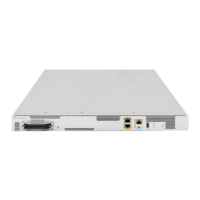

 To Next Page
 General