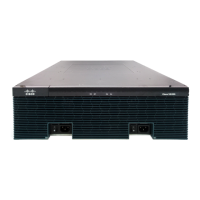
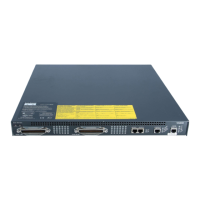
LED Information
Table 3: LED Information for Cisco Voice Gateway 400 Series
DescriptionColourLED
Power Supply Status
Off: The system is powered off.
Yellow: A power supply in the
system is not functioning correctly.
Green: The system is operating
correctly.
Green/OffPSU
System Status
Yellow Blinking: BIOS/Rommon
is booting
Yellow: Rommon has completed
booting and system is at Rommon
prompt or booting platform
software
Green: System is
working/operational
Green/Amber/RedSTAT (Status)
Green: Active console port is USB.
Inactive: No Active console ports
on both RJ45 and USB.
When this LED is on,
the SER CON LED
will be off.
Note
GreenUSB CON/SERIAL CON
Serial Console Active
Green: Indicates that the RJ-45 is
the active console port.
No active console ports on both
RJ45 and USB.
When this LED is on, the SER
CON LED will be off.
Green/YellowRJ-45 CON
Cisco VG410 Voice Gateway Hardware Intallation Guide
8
Overview
LED Information


 To Next Page