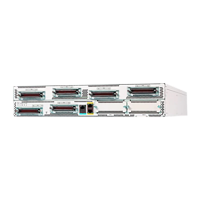
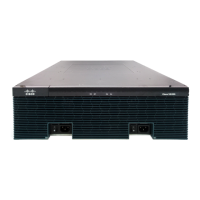
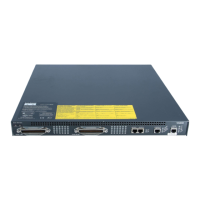
• If you have installed the chassis using slide rails, check for blocked ventilation ports when it is in position
in the rack or cabinet. Ensure that the ventilation ports of the Cisco VG410 Voice Gateway are not
blocked.
• Baffles can help isolate exhaust air from intake air. Baffles also help draw cooling air through the cabinet.
The best location for the baffles depends on the airflow patterns in the rack. You can test the airflow by
experimenting with different equipment arrangements.
Statement 1076— Clearance Around the Ventilation Openings
To prevent airflow restriction, allow clearance around the ventilation openings to be at least:1 in (25.4mm).
Warning
Environmental Requirements
The location of your hardware and the layout of your equipment rack or wiring room are extremely important
considerations for proper operation. Equipment placed too close together, inadequate ventilation, and
inaccessible panels can cause malfunctions and shutdowns, and can make maintenance difficult. Plan for
access to both front and rear panels of the hardware.
When planning your site layout and equipment locations, refer to the General Site Requirements section. If
you are currently experiencing shutdowns or an unusually high number of errors with your existing equipment,
these precautions and recommendations may help you to isolate the cause of failure and prevent future
problems.
• Ensure that the room where your voice gateway operates has adequate air circulation. Electrical equipment
generates heat. Without adequate air circulation, ambient air temperature may not cool equipment to
acceptable operating temperatures.
• Always follow the ESD-prevention procedures to avoid damage to equipment. Damage from static
discharge can cause immediate or intermittent equipment failure.
• Baffles can help isolate exhaust air from intake air. Baffles also help to draw cooling air through the
chassis. The best placement of the baffles depends on the airflow patterns in the rack. Find the best
placement by experimenting with different configurations.
• If an equipment installed in a rack (particularly in an enclosed rack) fails, try operating the equipment
individually. Power off other equipment in the rack (and in the adjacent racks) to allow the hardware
maximum cooling air and clean power.
Power Guidelines and Requirements
Check the power at your site to ensure that you are receiving clean power (free of spikes and noise). Install a
power conditioner, if necessary.
To handle power failure conditions, an uninterrupted power supply (UPS) is needed. A separate UPS for Cisco
VG410 Voice Gateway is a viable option when the ISR/UPS is not co-located with it.
The Cisco VG410 Voice Gateway supports both AC and DC power supply. For more information on power
supply, see Power Supplies chapter in this guide.
Cisco VG410 Voice Gateway Hardware Intallation Guide
15
Planning the Installation
Environmental Requirements


 To Next Page