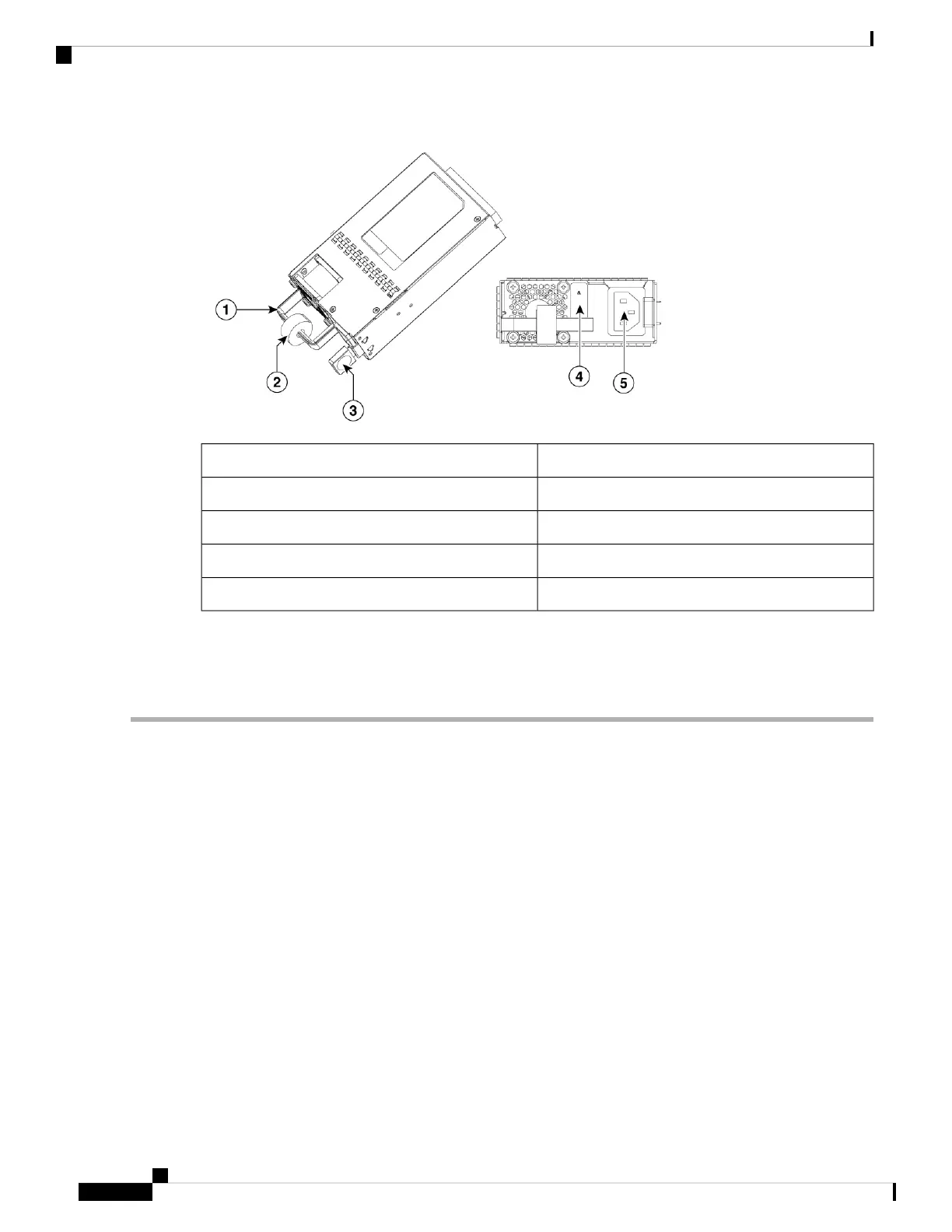
Handle1
Velcro strap2
Latch tab3
Status LED4
Power socket5
Removing the AC Power Supply
To remove an AC power supply from the voice gateway, perform these steps:
Step 1 Read the safety warnings section of this document.
Step 2 Shut down the device before removing the power supply.
Step 3 If in use, remove the Velcro strap securing the power supply cable to the power supply latch.
Cisco VG410 Voice Gateway Hardware Intallation Guide
28
Setting up the Power Supplies
Removing the AC Power Supply


 To Next Page