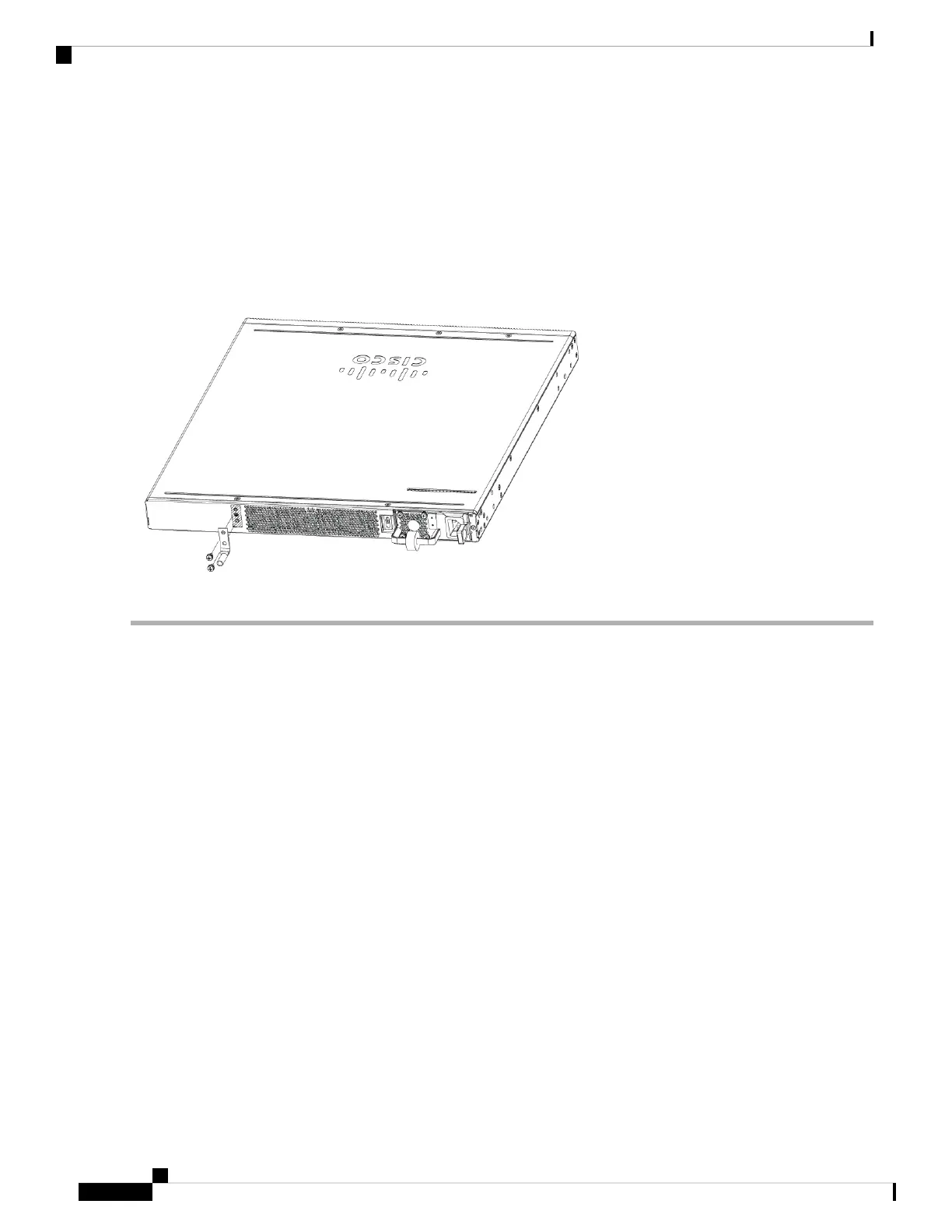
Step 4 Locate the chassis ground connector on the side of your chassis.
Step 5 Insert the two screws through the holes in the grounding lug. Use the two screws with captive locking washers provided.
Step 6 Use the Number 2 Phillips screwdriver to carefully tighten the screws until the grounding lug is held firmly to the chassis.
Do not over tighten the screws.
Step 7 Connect the opposite end of the grounding wire to the appropriate grounding point at your site to ensure an adequate
chassis ground.
Figure 12: Chassis Grounding
Cisco VG410 Voice Gateway Hardware Intallation Guide
26
Installing the Cisco VG410 Voice Gateway
Chassis Grounding


 To Next Page