<SM-13024-A>
10
② Keep in mind that the contact capacity of the relay for an output and the minimum
applicationloadareshowninthe 「8-5electriccircuitdiagram」.
2) Alarmdewpoint
① To the energy-saving setting dew point,if it becomes +2 degrees C, alarm dew point
showsyou with a non-voltage contact output (alarm time) and blinking the dew point
valueofthedewpointdisplaypartofanoperationpanel.However,amainpartdoesnot
stop. If the dew point returns within normal limits, abnormalities will be canceled
automatically.(See 「5-8Parametersettingchange」 incaseofchangingdewpointalarm
settingvalue.)
Energy-savingsettingdewpoint -10℃ -20℃ -40℃ -60℃
Alarmdewpoint -5℃ -15℃ -35℃ -55℃
Moreover,analarmoutputissentwiththedewpointsettingvalueusuallyturnedonat
thetimeofthelastenergy-savingoperationatthetimeofoperation(whenthedewpoint
settinglampisoff).
② Since,asforimmediatelyafteroperation,thedewpointisbadinmanycases,dewpoint
alarmoutputisnottakenoutforabout12hoursafteroperation.(See 「5-8Parameter
settingchange」 incaseofchangingtimesettingvalue.)
③ Keep in mind that the contact capacity of the relay for an output and the minimum
applicationloadareshowninthe 「8-5electriccircuitdiagram」.
④ Evenifformerpowersupplyison,anddewpointgetsworseatthetimeofdryerstop,
alarmdewpointdonotoutput.
⑤ Alarmdewpointsentduringoperationiscontinuedsendingafterstop.Itisresetatthe
timeofre-operation.
5-6Remoteoperation
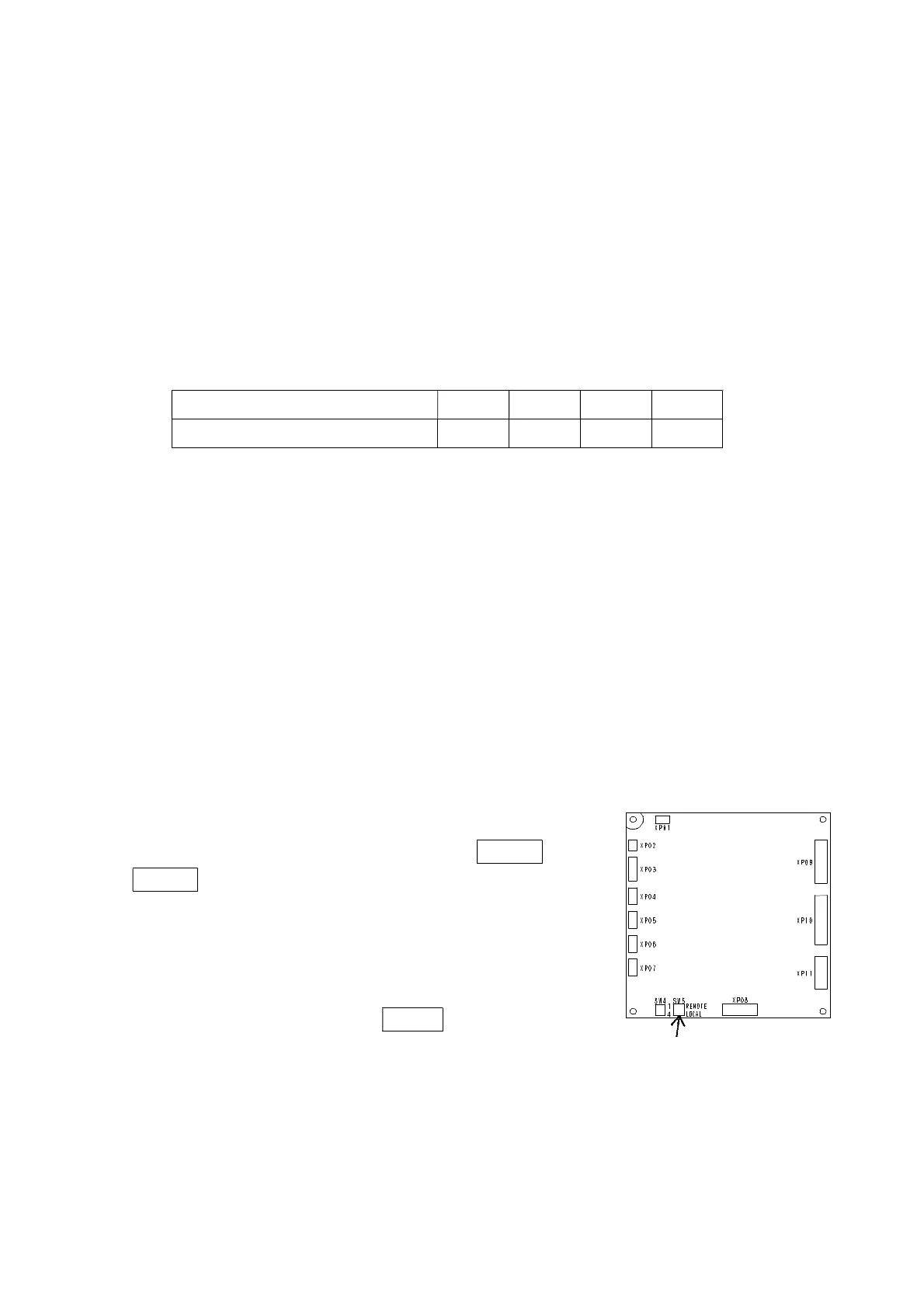
1) PleaseswitchtheswitchinacontrollersidetoREMOTE.The
REMOTElampofanoperationpanelsidelightsup.
2) Please wire a proper terminal after checking power supply
voltagebasedon 「8-5electriccircuitdiagram」.
3) Keep in mind that the "start" and "stop" button of an
operationpanelsidedoesnotworkduringremoteoperation.
4) Dryer isstopped afterchanging to LOCAL.by changeswitch
duringremoteoperation.
Changeswitch



 To Next Page