11
Instructions for installer - 9120-25533 - CEX9-U - 801042 - November 2012 v1.00
®
Multiple Power System:
The rated capacity (max. power consump-
tion) is 8.8 kW / 230 V and can be reduced
to 6.6 kW.
Commissioning
Before switching on the power supply, ensure the appliance is completely filled
with water by carefully opening and closing the hot water tap until all air has been
eliminated from the water heater and no more air emerges.
Each time the appliance is drained (e.g. after work on the plumbing system or fol-
lowing repairs to the appliance), the heater must be re-vented in this way before
reconnecting the power supply.
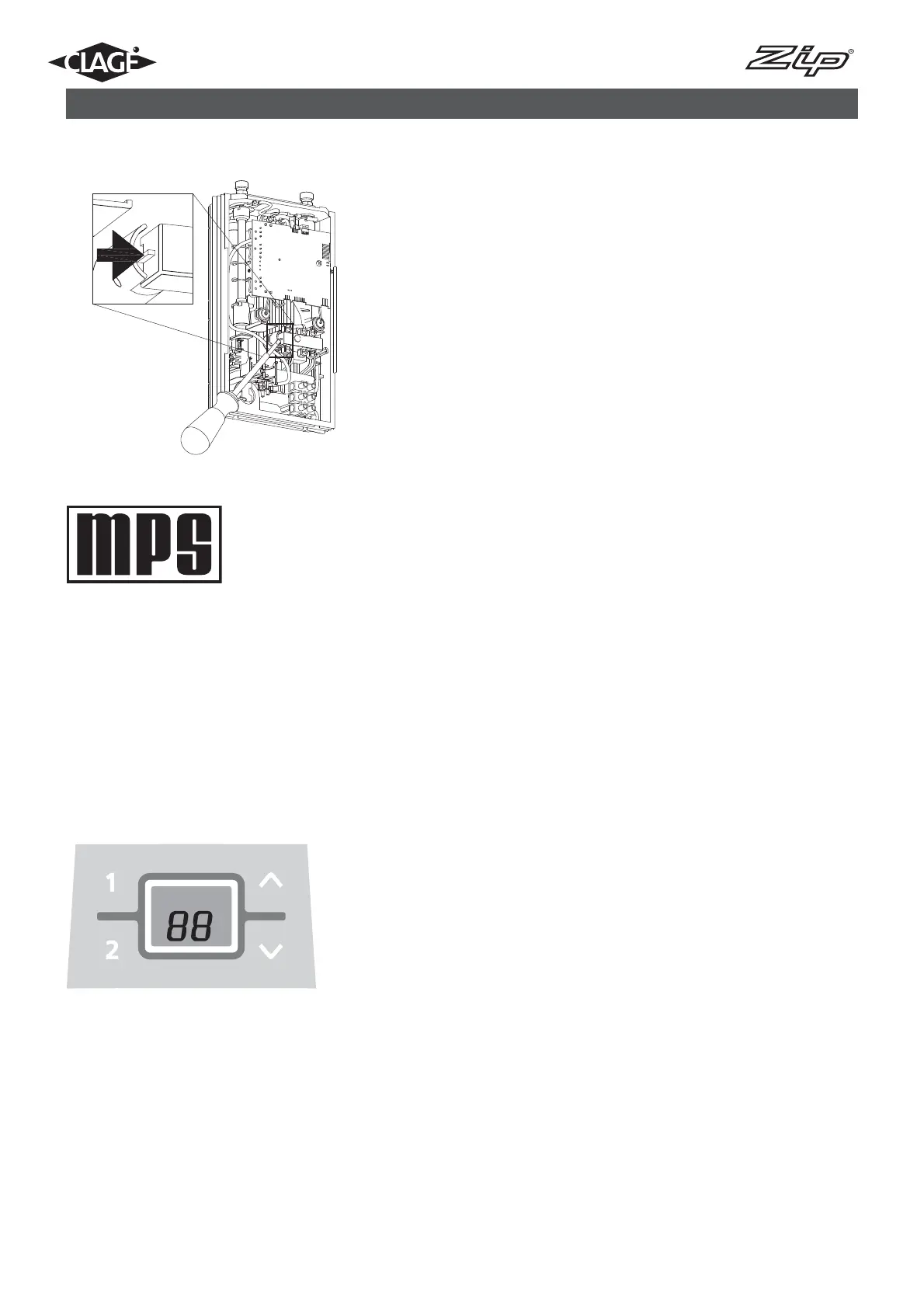
If the appliance does not operate after connecting the power supply check that
the safety thermal cut-out (STCO) did not trip during transportation. To do this
open the cover and, if necessary, re-set the STCO by pushing the switch in. (see
Fig.4)
Note: Power Rating Selection
The maximum power rating of the appliance can be selected as either 8.8kW
or 6.6kW at the time of installation. The unit will only commence normal
operation after selection of the power rating. The maximum power rating should
only be selected with reference to the technical data on page 4, after ensuring that
correct cable sizing and fuse protection is in place and with regard to local site
conditions and electrical regulations.
This should only be done by a qualifi ed tradesperson.
1. Switch on the power supply to the appliance. The digital display will light up.
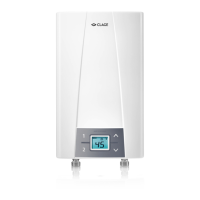
2. When switching on power for the fi rst time “88” will fl ash on the display (see Fig
7). If not, please refer to the section “Reinstallation”.
3. Use the arrow up and arrow down keys to select the required maximum power
rating. Display “88” for 8.8kW at 230V or display “66” for 6.6kW at 230V.
4. Press program key 1 to confi rm the selection after which the appliance will start
to operate.
5. Mark the set power rating on the product rating plate.
6. After selecting the maximum power rating, the heating element will activate after
approximately 10 seconds of continuous water fl ow.
7. Open the hot water tap and check the appliance is functioning correctly.
8. Explain operation of the appliance to the end user and leave the operating in-
structions for their reference.
9. Complete the product registration card and return it to Zip Heaters or register
the product on line.
MADE IN GERMANY
9. Initial operation
Fig.4



 To Next Page