13
Instructions for installer - 9120-25533 - CEX9-U - 801042 - November 2012 v1.00
Lock level
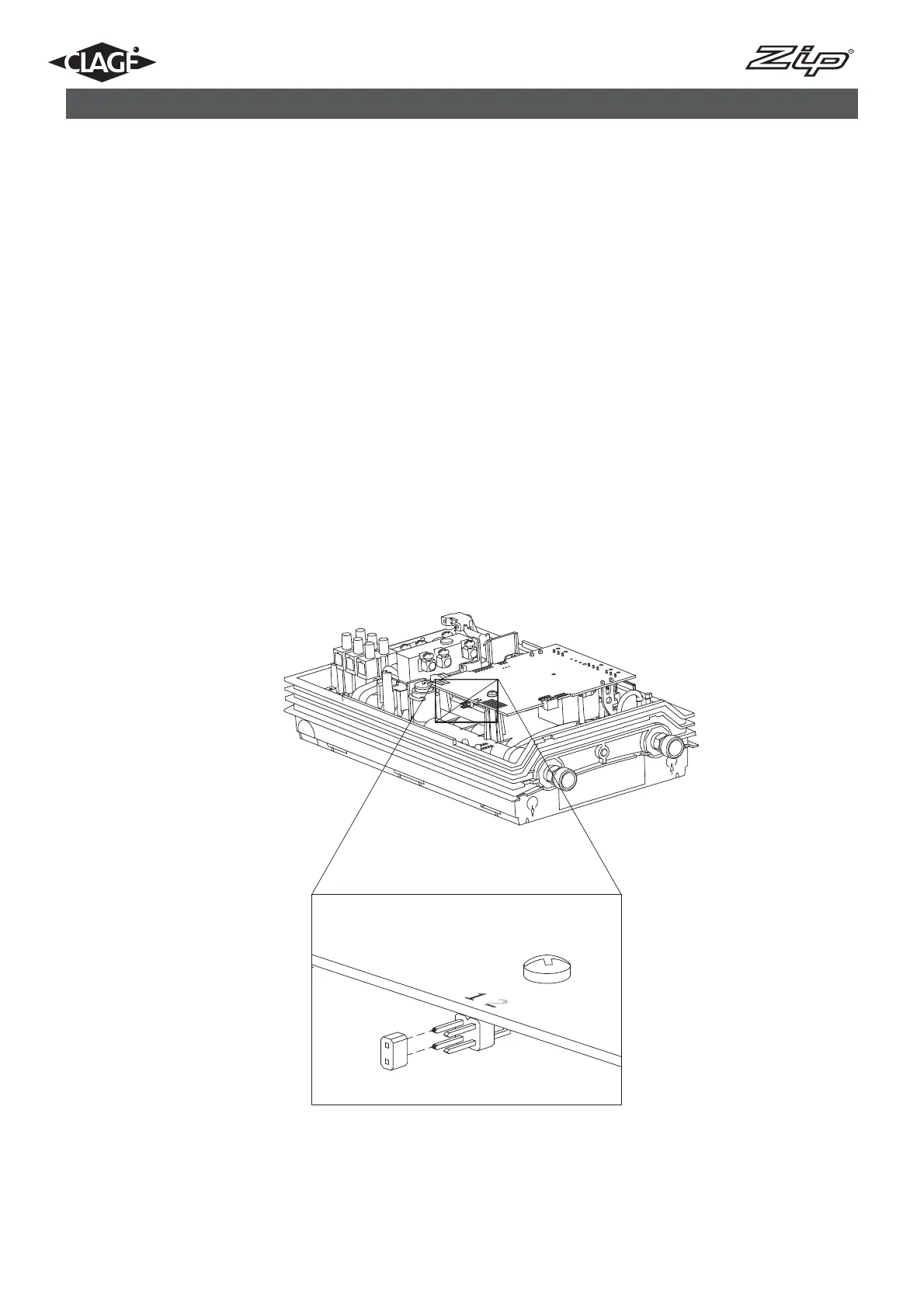
The operating mode of the appliance can be restricted. Refer to instructions under “Service Menu“ to set the lock level.
This should only be done by a qualified tradesperson.
Activation of the Lock level:
1. Set required lock level in the service menu.
2. Disconnect the power supply to the unit.
3. Move the jumper on the main PCB from pin 2 to pin 1 (see figure 6).
4. Reconnect the power supply to the unit.
Deactivation of the Lock level:
1. Disconnect the power supply to the unit.
2. Move jumper from pin 1 to pin 2.
3. Reconnect the power supply to the unit.
9. Initial operation
Fig.6



 To Next Page