15
Instructions for installer - 9120-25533 - CEX9-U - 801042 - November 2012 v1.00
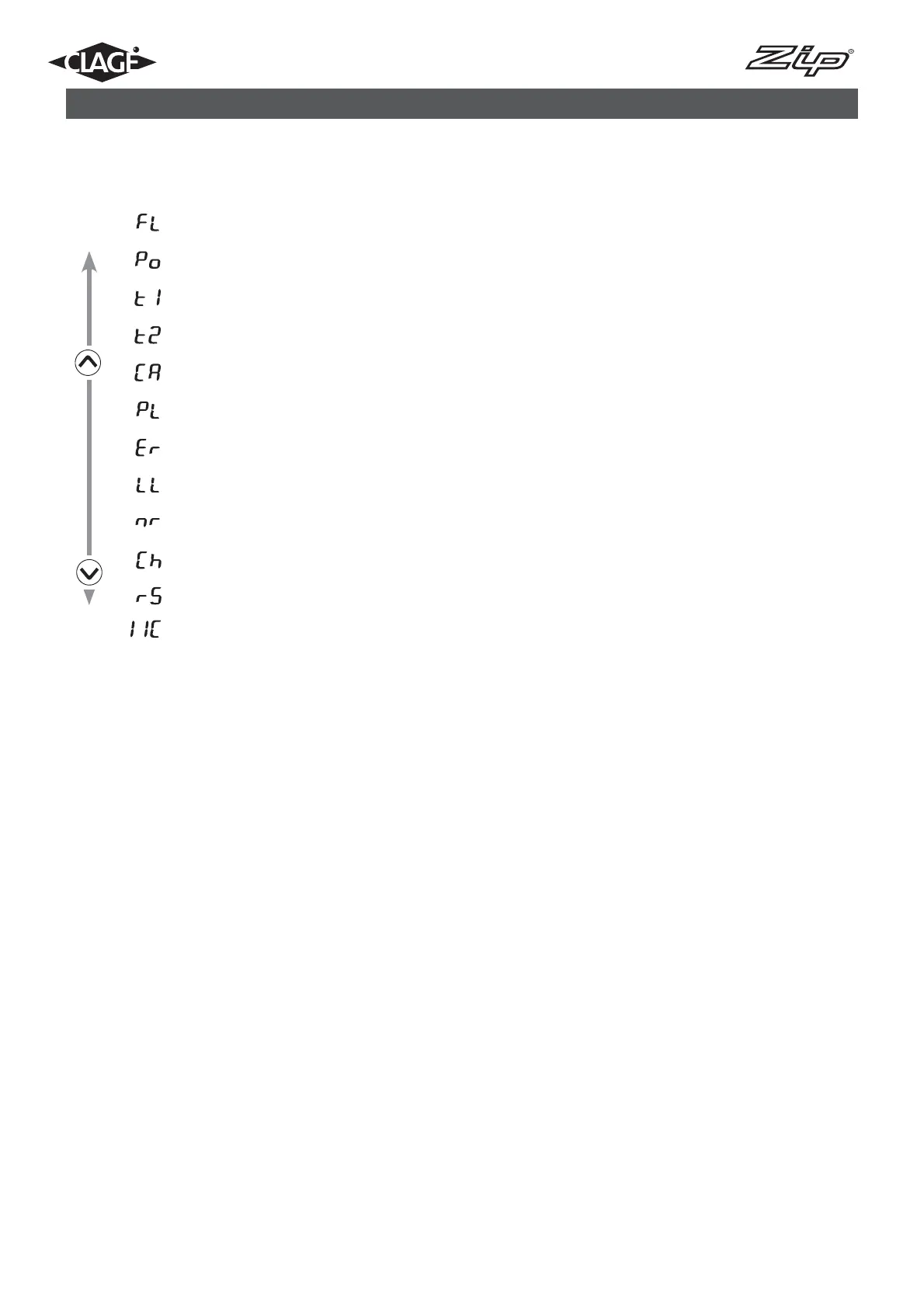
Menu item order of “Service menu“:
Flow
Power
Temp in
Temp out
Control value
Power limit
Diagnostics
Lock level
Software version
Radio channel
Received strength
Signal
“3” same as “2” additionally nominal value memory 1 and 2 not changeable
“4” same as “3”, additionally nominal value not changeable
Note: When the setting “1“, “2“, “3“ or “4“ was chosen, the system parameters can no longer
be modified in the service menu.
In order to modify these system parameters, it is necessary to remove the jumper on the
power electronics, as specified in the chapter “Deactivation of the lock level”. (Page 13)
“nr“: Software version
Information about installed software version.
“Ch“: Radio channel
Information about the current radio channel of the water heater and its remote control.
“rS“: Received strength
Information about the current signal quality of the remote control as percentage. Depending
on the distance between remote control and water heater the value varies between 10 % and
100 %.
“IIC“: Signal
Information about the quality of the radio contact when a diagnostic display is connected.
10. Service menu



 To Next Page