EasyManua.ls Logo

Clarion NZ503 - User Manual

Clarion NZ503
230 pages
Print Icon
To Next Page IconTo Next Page
Loading...
Quick
Start
Guide
&
Installation
manual
Guide
de
d'emarrage
et
Guide
d'installation
Guia
de
inicio
rapido
y
Manual
de
instalaci6n
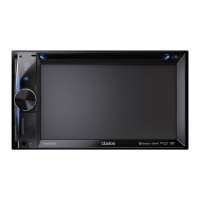
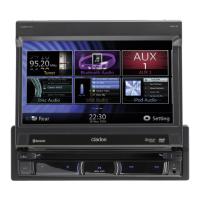
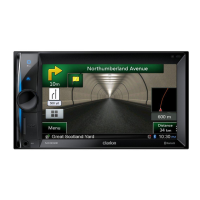
NZ503
Multimedia
Station
With
Built-in
Navigation
&
7''
Touch
Panel
Control
Station
multimedia
avec
navigation
integree
et
commande
par
ecran
tactile
de
7
pouces
Estaci6n
multimedia
con
navegaci6n
integrada
y
control
de
panel
tactil
de
7
pulgadas

Table of Contents

Other manuals for Clarion NZ503

Questions and Answers

  • D
    Darren GriffinSep 10, 2025
    What causes sound skips or noise with MP3/WMA files on my Clarion NZ503 Car Receiver?
    • B
      Brady MarshallSep 10, 2025
      If the sound skips or is noisy when playing MP3/WMA files on your Clarion Car Receiver, the MP3/WMA files may not be encoded properly. Use MP3/WMA files encoded properly.
  • S
    Steven DiazAug 22, 2025
    Why can't I pair my Bluetooth device with my Clarion Car Receiver?
    • S
      Scott DuranAug 23, 2025
      If you cannot pair your Bluetooth enabled device with the Clarion Car Receiver, the device may not support the profiles required for the system. Try using another device to connect. Also, ensure the Bluetooth function of your device is enabled by referring to its user manual.
  • J
    John JohnsAug 25, 2025
    Why does my Clarion NZ503 Car Receiver not turn on?
    • Y
      ydanielAug 25, 2025
      Your Clarion Car Receiver might not be turning on because the fuse is blown. Replace it with a fuse of the same amperage. If it blows again, consult your store of purchase. Alternatively, there might be incorrect wiring. In this case, consult your installation center.
  • R
    Richard PriceAug 26, 2025
    What to do if my Clarion NZ503 USB device is not recognized?
    • K
      Kevin VaughnAug 27, 2025
      If your Clarion Car Receiver doesn't recognize the USB device, disconnect it and reconnect it. If it's still not recognized, try a different USB device. It's possible the USB device is damaged. Also, check for loose connectors.
  • K
    Kylie LewisAug 27, 2025
    Why does my Clarion NZ503 Car Receiver sound skip or is noisy?
    • A
      Andrea MoonAug 27, 2025
      If the sound skips or is noisy on your Clarion Car Receiver, the disc might be dirty. Clean it with a soft cloth. It could also be that the disc is heavily scratched or warped; if so, replace it with a disc in good condition.
  • M
    morrisjeremyAug 29, 2025
    What to do if nothing happens when I press buttons on my Clarion NZ503 Car Receiver?
    • K
      Kimberly JohnsonAug 29, 2025
      If nothing happens when you press the buttons on your Clarion Car Receiver, and the display is not accurate, the microprocessor may have malfunctioned. Press the reset button with a thin rod to solve this. Note that when the reset button is pressed, the power will turn off, and frequencies of radio stations, titles, etc. stored in memory will be cleared.
  • T
    Timothy LuceroSep 18, 2025
    Why is the sound bad directly after power is turned on on my Clarion NZ503?
    • T
      Tara StaffordSep 18, 2025
      Condensation may form on the internal lens when the car is parked in a humid place. Let dry for about 1 hour with the power on.
  • S
    Steven SimsSep 12, 2025
    What to do if the camera image is disturbed when connected to my Clarion NZ503?
    • S
      snowjimmySep 12, 2025
      If the camera image is disturbed when connected to your Clarion Car Receiver, the NTSC/PAL setting may be improper. Set the PAL/NTSC properly according to the camera.
  • C
    craig14Sep 8, 2025
    Why is the display dark on my Clarion NZ503 Car Receiver?
    • J
      Jason KellerSep 8, 2025
      If the display on your Clarion Car Receiver is dark, the brightness control may be too low. Adjust the brightness properly. Also, the operating condition might not be good, so set to an appropriate temperature (25 or so) and check it again. The headlight of the vehicle may be lit.
  • K
    kimdawnSep 5, 2025
    Why does my Clarion NZ503 Car Receiver USB device cannot be inserted?
    • M
      Mary JohnsonSep 5, 2025
      If a USB device cannot be inserted into your Clarion Car Receiver, it might be inserted in the wrong direction. Try reversing the connection direction. If that doesn't work, the USB connector may be broken, and you should replace it with a new USB device.

Clarion NZ503 Specifications

General IconGeneral
MP3 playbackYes
CD-RW playback-
Audio formats supportedMP3, MP4, WMA
Supported radio bandsAM, FM
Display typeLCD
Display diagonal7 \
USB version2.0
Bluetooth profilesA2DP, AVRCP, DUN, HFP, HSP, OPP, PBAP
Line outputs (RCA)6
USB ports quantity1
Headphone connectivity3.5mm
Output power200 W
Product colorBlack
Disc types supportedCD, DVD
Audio output channels4.0 channels
Maximum power per channel50 W

Related product manuals