EasyManua.ls Logo

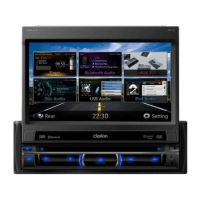
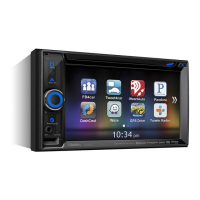
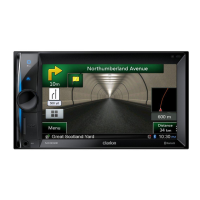
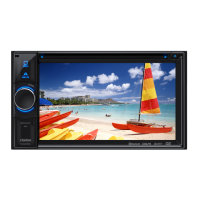
Clarion NZ501E - User Manual

Clarion NZ501E
154 pages
Print Icon
To Next Page IconTo Next Page
Loading...




































NX501E
N
Z
501E
Owner’s manual & Installation manual
Mode d’emploi et manuel d’installation
Benutzerhandbuch und Montageanleitung
Manuale dell’utente e manuale di installazione
Gebruikershandleiding en installatiehandleiding
Manual de instrucciones y de instalación
Bruksanvisning och installationsanvisning
Podręcznik użytkownika i podręcznik instalacyjny
Εγχειρίδιο λειτουργίας & Εγχειρίδιο εγκατάστασης

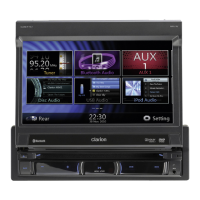
Table of Contents

Other manuals for Clarion NZ501E

Questions and Answers

  • M
    Marc JoyceSep 10, 2025
    How to fix a Clarion Car Navigation system when the power does not turn on?
    • C
      Christopher OdonnellSep 10, 2025
      If your Clarion Car Navigation system doesn't turn on, and there's no sound, it might be due to a blown fuse. Replace it with a fuse of the same amperage. If it blows again, consult your store of purchase. Another cause could be incorrect wiring, in which case you should consult your installation center.
  • A
    Andrew WilliamsAug 25, 2025
    Why is the audio quality poor after connection with a Bluetooth enabled device to Clarion Car Receiver?
    • S
      Samantha FrederickAug 25, 2025
      If the audio quality is poor after connecting a Bluetooth enabled device to your Clarion Car Receiver, the microphone may not be correctly positioned. Use optional external microphone and adjust the position of it. Also, the Bluetooth reception might be poor, so move the device closer to the car audio system or remove any obstacle between the device and the system.
  • L
    Laura BrewerAug 25, 2025
    Why does my Clarion NZ501E Car Receiver power not turn on?
    • P
      Peter RodriguezAug 26, 2025
      If your Clarion Car Receiver doesn't power on, check the fuse. If it's blown, replace it with one of the same amperage. If the fuse blows again, consult your store of purchase. Also, incorrect wiring could be the cause, in which case you should consult your installation center.
  • D
    David SextonSep 23, 2025
    Why can't I pair my Bluetooth device with my Clarion Car Navigation system?
    • C
      caitlingreeneSep 23, 2025
      If you cannot pair your Bluetooth enabled device with the Clarion Car Navigation system, the device may not support the profiles required for the system. Use another device to connect. Also, the Bluetooth function of the device may not be enabled. Refer to the user manual of the device for how to enable the function.
  • C
    coxjessicaSep 12, 2025
    How to reset Clarion Car Navigation system when buttons don't work?
    • H
      hernandezbarbaraSep 12, 2025
      If nothing happens when you press the buttons and the display is not accurate on your Clarion Car Navigation system, the microprocessor may have malfunctioned. Press the reset button with a thin rod to turn off the power. Note that doing so will clear stored radio frequencies and titles.
  • G
    Gabriela BrownSep 15, 2025
    Why won't my Clarion Car Navigation system load a disc?
    • E
      ericcrossSep 16, 2025
      If your Clarion Car Navigation system won't load a disc, make sure there isn't one already inside. Eject the disc before loading the new one. Also, check for any foreign matter in the disc slot and remove it, or consult a service station.
  • D
    Dana CarterSep 4, 2025
    Why is there no power on my Clarion NZ501E?
    • W
      William JohnsonSep 4, 2025
      If your Clarion Car Receiver isn't powering on and no sound is produced, it could be due to a blown fuse. Replace it with a fuse of the same amperage. If it blows again, consult your store of purchase. Another cause might be incorrect wiring, in which case you should consult your installation center.
  • K
    klynchSep 5, 2025
    What to do if Clarion Car Receiver buttons don't work and the display is inaccurate?
    • O
      Oscar ClarkSep 5, 2025
      If the buttons on your Clarion Car Receiver aren't responding and the display is inaccurate, the microprocessor may have malfunctioned. To fix this, press the reset button with a thin rod. Note that pressing the reset button will turn off the power and clear stored radio frequencies and titles.
  • J
    Jennifer RoseSep 23, 2025
    Why is the camera image disturbed on my Clarion Car Navigation system?
    • R
      rhawkinsSep 23, 2025
      If the image is disturbed when the camera is connected to your Clarion Car Navigation system, the NTSC/PAL setting may be improper. Set the PAL/NTSC properly according to the camera.
  • K
    Karen WebbAug 30, 2025
    What to do if the Clarion NZ501E Car Receiver disc cannot be loaded?
    • W
      Wendy SandersAug 30, 2025
      If your Clarion Car Receiver won't load a disc, it might be because a disc is already loaded. Eject the disc before loading the new one. Alternatively, there could be foreign matter already in the disc slot. Remove the foreign matter, or consult a service station.

Summary

Precautions

Cautions on Handling

Panel Controls Overview

Remote Control Operations

Remote Control Button Functions

Details the operation and function of each button on the remote control unit.

DVD Video Player Usage

Watching a Disc

Guides the user on how to load and play a disc in the DVD player.

DVD Video Player Features

DVD Audio Player Operations

USB Audio Operations

Selecting USB Audio Mode

Guides on connecting a USB memory and selecting the USB Audio mode.

Playing MP3;WMA Files from USB

Explains how to play MP3/WMA files from USB memory, including controls.

USB Video Operations

Selecting USB Video Mode

Guides on connecting a USB memory and selecting the USB Video mode.

Playing Video Files from USB

Explains how to play video files from USB memory, including controls.

iPod;iPhone Operations

Selecting iPod Audio Mode

Guides on connecting an iPod/iPhone and selecting the iPod Audio mode.

Controlling iPod;iPhone Playback

Explains how to control the iPod/iPhone playback and settings via the unit.

iPod;iPhone Video Operations

Selecting iPod Video Mode

Guides on connecting an iPod/iPhone and selecting the iPod Video mode.

Bluetooth Audio Player Operations

Selecting Bluetooth Audio Mode

Guides on selecting the Bluetooth Audio mode to play music from a device.

Pairing Bluetooth Audio Player

Details the process of pairing a Bluetooth audio player with the system.

Controlling Bluetooth Audio Player

Bluetooth Telephone Operations

Selecting Bluetooth Telephone Mode

Guides on selecting the Bluetooth Telephone mode for calls.

Cellular Phone Pairing and Management

Registering Cellular Phone (Pairing)

Details the process of pairing a cellular phone with the system.

Telephone Operations

Radio Operations

DVB-T Operations

Switching to DVB-T Mode

Guides on how to switch to and operate the DVB-T mode.

AUX Input Operations

Switching to AUX IN; AV IN Mode

Explains how to select and use AUX 1 or AUX 2 inputs for external devices.

Camera Operations

Switching to Camera Mode

Guides on how to switch to and view the external camera feed.

Setting Operations

Other Settings and Security

Setting the Anti-Theft Code

Guides on setting and managing the anti-theft code for security.

Troubleshooting Guide

General Troubleshooting

Addresses common problems related to power, buttons, display, and remote control.

DVD Player Troubleshooting

Lists issues related to disc loading, sound skipping, video display, and parental controls.

USB Device Troubleshooting

Troubleshoots issues with USB device insertion, recognition, sound, and video.

Bluetooth Troubleshooting

Addresses problems with Bluetooth pairing, audio quality, and reception.

Error Display Messages

Installation and Wire Connection Guide

Before Starting Installation

Essential preparation steps before starting the installation process.

General Installation Cautions

General cautions to be observed during installation and handling.

Specific Installation Precautions

Provides critical warnings and checks before installing the unit in a vehicle.

Main Unit Installation

Installing in Nissan Vehicles

Step-by-step instructions for installing the main unit in a Nissan vehicle.

Installing in Toyota Vehicles

Step-by-step instructions for installing the main unit in a Toyota vehicle.

Wiring Cautions

Wire Connections

NX501 E Wire Connections

Shows the detailed wire connections for the NX501E model.

NZ501 E Wire Connections

Shows the detailed wire connections for the NZ501E model.

Parking Brake Cord Connection

Navigation - Warnings and Safety

Navigation - Getting Started

Navigation - Map Screen

Navigating on the Map

Guides on how to use the map screen, including viewing position, routes, and data fields.

Map Manipulation

Quick Menu Access

Explains the Quick menu for accessing frequently used navigation controls and functions.

Navigation Menu

Selecting Destination of Route

Explains various methods for selecting a destination, including address and POI search.

Entering Address Details

Guides on entering addresses, city/town names, and street names to find destinations.

Destination Selection Methods

Places of Interest Search

Quick Search for Places

Guides on using the Quick Search feature to find nearby Places by name.

Search by Preset Categories

Explains how to find Points of Interest using predefined categories like petrol stations or restaurants.

Nearby Assistance Search

Search for Assistance (Where Am I?)

Guides on searching for nearby assistance services like car repair or police stations.

Route Planning and Modification

Selecting Map Location as Destination

Guides on selecting a destination directly from the map interface.

Selecting Destination from Favourites

Explains how to select a previously saved location as a destination.

Selecting Home Location

Guides on saving and selecting your Home location for quick navigation.

Selecting Recent Destination from History

Explains how to select destinations from the history of previously visited locations.

Route Planning Details

Entering Destination Coordinates

Guides on entering destination coordinates in various formats for navigation.

Building Route (Create Route)

Guides on creating multi-point routes by adding destinations sequentially.

Viewing and Modifying Routes

Checking Route Parameters

Details how to check route parameters and access related functions like editing or cancelling.

Modifying the Active Route

Explains how to add new destinations, waypoints, or change the final destination of an active route.

Setting New Starting Position

Guides on setting a new starting point for route planning, independent of current GPS.

Route Modification Details

Editing Destination List (Edit Route)

Explains how to add, remove, or reorder destinations in an active route.

Checking Route Alternatives (Planning)

Explains how to check and select alternative routes during route planning.

Route Alternatives and Settings

Checking Route Alternatives (Existing)

Guides on how to recalculate and compare route alternatives for an active route.

Changing Vehicle for Route Planning

Explains how to change vehicle type to optimise route calculations.

Changing Road Types for Planning

Guides on adjusting road type preferences for route planning.

Saving Locations and Alerts

Saving Location as Favourite

Explains how to save a location to the Favourites list for quick access.

Saving Location as Alert Point

Guides on saving map locations as alert points, like speed cameras.

Navigation Features Details

Road Safety Camera Alerts

Details proximity warnings for speed cameras, schools, and other alert points.

Speed Limit Warning System

Explains how the system warns the user when they exceed the current speed limit.

Settings Menu Configuration

Map and Guidance Settings

Clarion NZ501E Specifications

General IconGeneral
BrandClarion
ModelNZ501E
CategoryCar Receiver
LanguageEnglish

Related product manuals