VTM1 11
English
Adjusting the picture response
Accessing the menu :
To adjust the picture, use the menu button to
select the features you would like to adjust.
Adjustment selections are as follows.
1. Press and hold the MENU button for
3 seconds on the remote control or [ ]
on the keypad of the player.
2. Press the MENU button repeatedly to select
the item you want to change.
3. Press < or > buttons to change the value of
the item selected.
The features are:
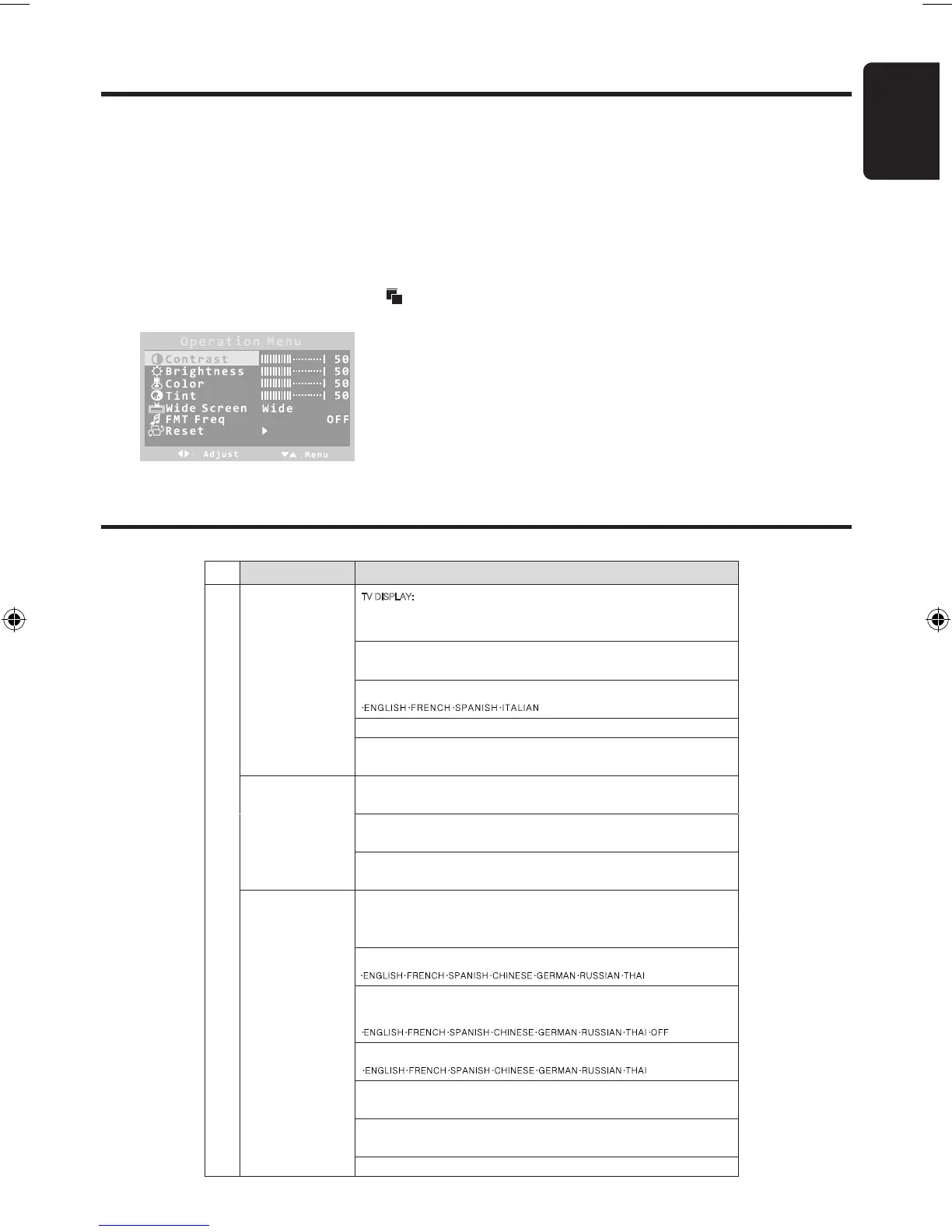
Contrast: Adjusts the contrast of the picture
Brightness: Adjusts the brightness of the picture
Color: Adjusts the color of the picture
Tint: Adjusts the tint of the picture (NTSC only)
Wide Screen: Selects display Mode:
Wide (16:9)/ Normal (4:3)
FMT Freq: Selects the FM Transmitter frequency:
Range: 88.1 to 89.9 MHz in 0.2 MHz steps.
System setup
Press SETUP on the remote control and the OSD menu opens.
Menu
Description
TV DISPLAY: modifies the display if it doesn’t match the width to height ratio the DVD uses.
You can select from the following:
·NORMAL/PS ·NORMAL/LB ·WIDE
ANGLE MARK: Selects a different angle if the back of the DVD jacket contains a multiple
angles icon. You can select ON or OFF.
OSD LANG: Selects a language for DVD play menu. You can select from following:
·ENGLISH ·FRENCH ·SPANISH·GERMAN·ITALIAN
CAPTIONS: Selects the caption for DVD play. You can select ON or OFF.
General setup page
SCREEN SAVER: Protects the screen if it paused about 5 minutes. You can select ON or
OFF.
Speaker setup page DOWNMIX: Applies to Dolby digital sound. You can select from following:
·LT/RT ·STEREO
DUAL MONO: Selects the different channels of sound. You can select from following:
·STEREO ·L-MONO ·R-MONO ·MIX-MONO
Speaker setup page
DYNAMIC: Selects the different rating level of dB. Select from:
·Off ·2/8 ·4/8 ·6/8 ·FULL
TV TYPE: Selects the TV system .You can select from following:
·PAL (Europe and Asia) ·NTSC (United States)
Note: Altering this setting will also change the RCA AV Output.
AUDIO: Selects the audio track language. You can select from following:
·ENGLISH·FRENCH·SPANISH·CHINESE ·RUSSIAN·THAI
SUBTITLE: Selects the language of the subtitles displayed on the screen. You can select
from following:
·ENGLISH·FRENCH·SPANISH·CHINESE ·RUSSIAN·THAI ·OFF
DISC MENU: Selects the language of the current disc. You can select from following:
·ENGLISH·FRENCH·SPANISH·CHINESE ·RUSSIAN·THAI
PARENTAL: Restricts the viewing of movies to children of appropriate age levels only. You
can select 1 to 8.
PASSWORD: Uses the number key”0” to “9” to input 4-digit password. The default
password is 3308.
PACKAGE CONTENTS
Preference page
DEFAULT: Resets all settings to the factory defaults.
Using the OSD Menu
VTM1 11 01-12-2010
FMT Freq 88.1
Press the < or > buttons to change the frequency
Then exit the menu and tune your FM radio to this
same frequency to enjoy the audio content.


 To Next Page