VTM1
13
English
Maintenance
Use only compact discs bearing the mark
and DVDs that bear the mark.
Some recorded discs CD-R/CD-RW or DVD-R,
DVD+R and DL may not be usable.
Handling
• Compared to standard discs CD-R/CD-RW
and DVD-R/+R/DL discs are easily affected
by temperature and humidity and will not be
playable if damaged.
Therefore, do not leave them for a long time
in the car.
•
New discs may have some roughness around
the edges. If such discs are used, the player
may not work or the sound may skip.
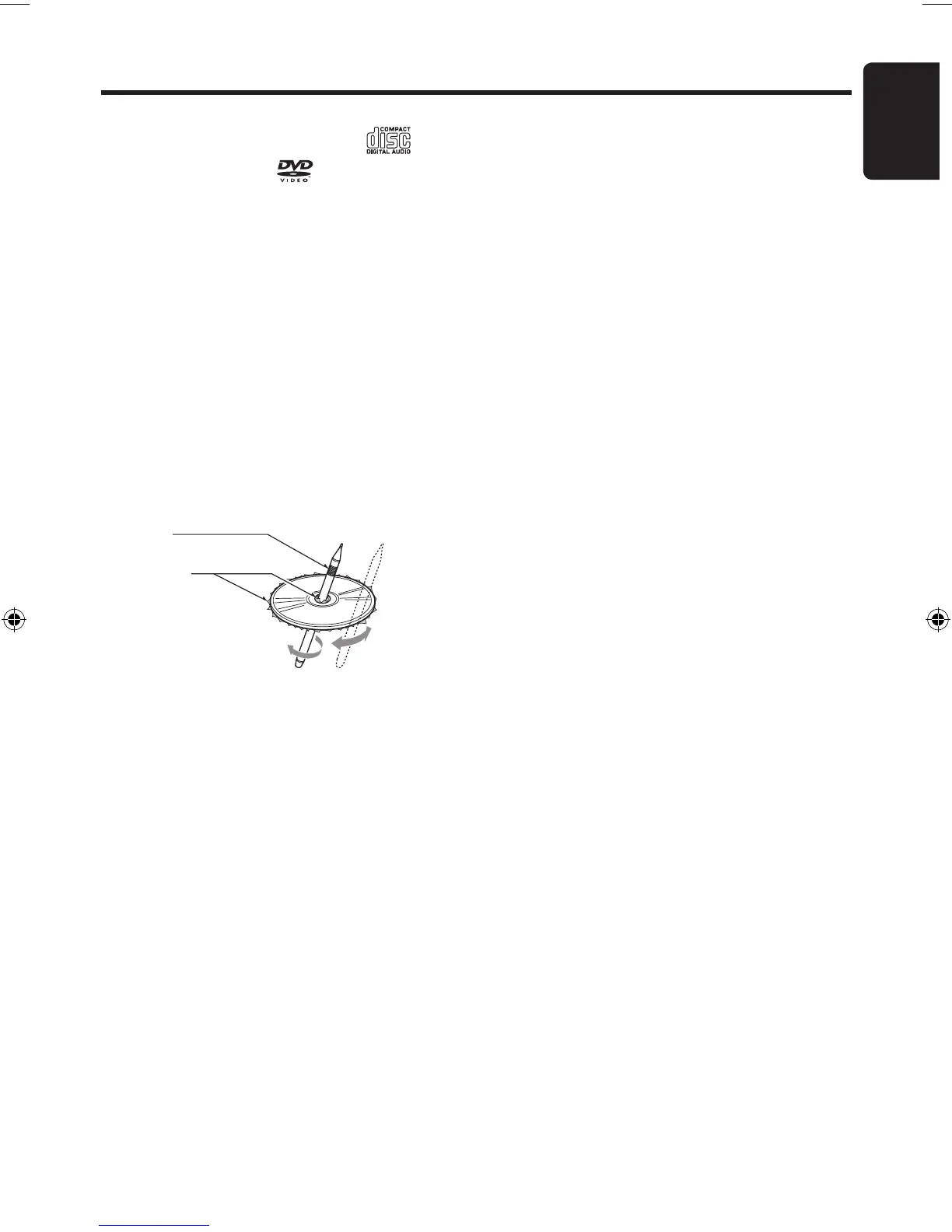
Use a ball-point pen or the like to remove
any roughness from the edge of the disc.
Ball-point pen
Roughness
•
It is recommended that you use only
specifically designed CD/DVD marker pens
to label your discs.
•
Never play a disc with an adhesive label,
cellophane tape or glue on its surface.
If you try to play such a disc it may become
jammed in your player, causing serious damage
and requiring product servicing.
Do not use discs that have large scratches,
are misshapen, cracked, etc. Use of such
discs may cause malfunction or damage.
•
Storage
•
Do not expose discs to direct sunlight
or any heat source.
•
Do not expose discs to excess humidity,
or dust.
•
Do not expose discs to direct heat from
interior heaters.
Cleaning
•
To remove fingermarks and dust, use a
soft cloth and wipe in a straight line from
the center of the compact disc to the
circumference.
•
Do not use any solvents, such as
commercially available cleaners, anti-static
spray, or thinner to clean discs.
•
After using special disc cleaner, let your
CD or DVD dry off well before playing it.
LCD Panel Maintenance
• Wipe off any dust gently with a soft, dry cloth.
• The surface is easily scratched; do not rub it
with hard objects.
• Do not use any chemical solvent, cleaning agent
or corrosive detergent to clean away dirt on the
surface of the screen.
VTM1 13 01-12-2010


 To Next Page