User manual / Bedienungsanleitung
Made in Germany Page / Seite 13
5.3 Adjustment of the tracking force
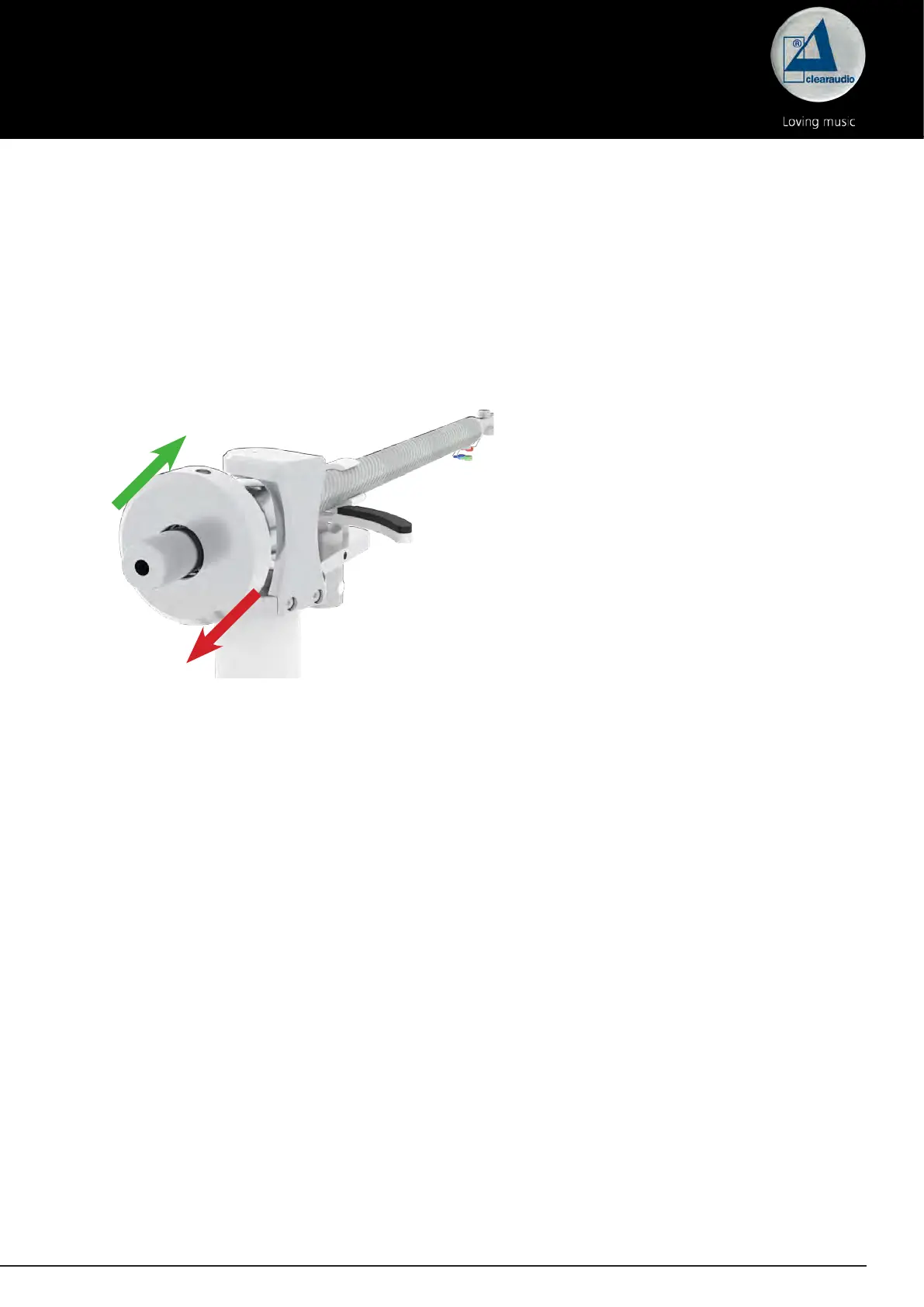
Turn the counter weight at the end of the tonearm to increase or lower the tracking force.
Caution: Please hold the tonearm tube while rotating the counterweight to avoid any damages.
Red arrow (to the end of the tonearm)
= lower tracking force -> turn the counter weight anti-clockwise (left)
Green arrow (to the beginning of the tonearm)
= more tracking force -> turn the count weight clockwise (right)
Please follow the instructions of the respective cartridge manufacturer.
We recommend using the Clearaudio „Weight Watcher touch“ digital cartridge scale (Art. No.
AC163, also available at www.analogshop.de) for the correct setting.
Pic. 13: Adjustment of the tracking force




 To Next Page