User manual / Bedienungsanleitung
Made in Germany Page / Seite 15
5.5 Adjustment of the anti-skating
The anti-skating is already preset by Clearaudio.
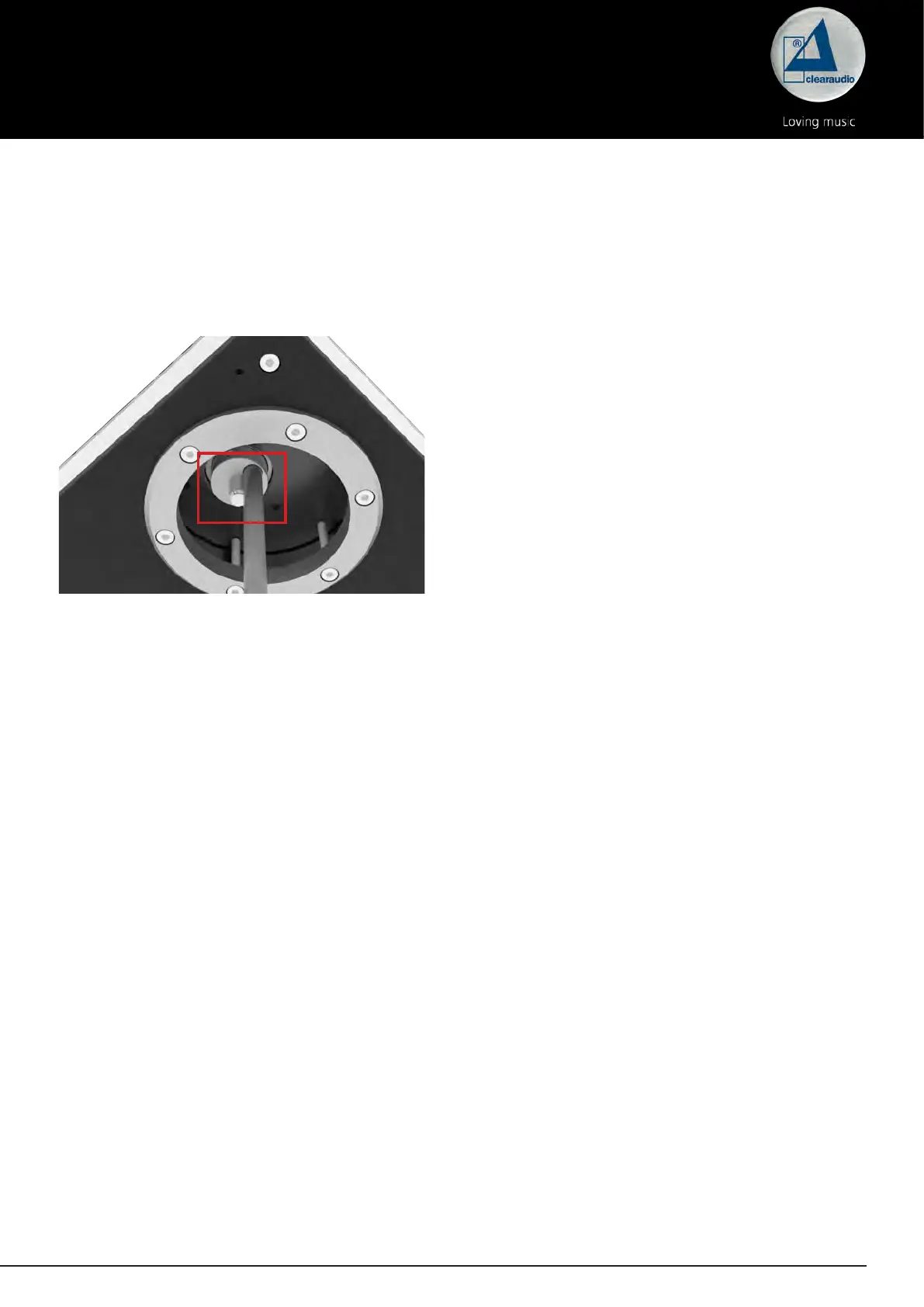
Use the adjusting screw on the underside of the tonearm to adjust the anti-skating.
This setting is marked with a line on your tonearm (viewed from below).
Pic. 15: Adjustment of the anti-skating
You can change the anti-skating as follows:
Turn clockwise (max. 5 turns) = stronger anti-skating
Turn counterclockwise (max. 5 turns) = weaker anti-skating
We recommend the Clearaudio Trackablity Test Record available from www.analogshop.de or from
your specialist retailer for a professional and perfect anti-skating setting.
The tonearm adjustment is now complete.
We recommend to re-check all settings again and correct them if necessary before connecting the
tonearm to your phono pre-amplier.
We hope you enjoy your new
concept / Verify
tonearm.
Your Clearaudio team




 To Next Page