Clickfree C2N Home Backup Drive User Guide Restoring My Content (DVD)
HOW DO I UNDO A RESTORE?
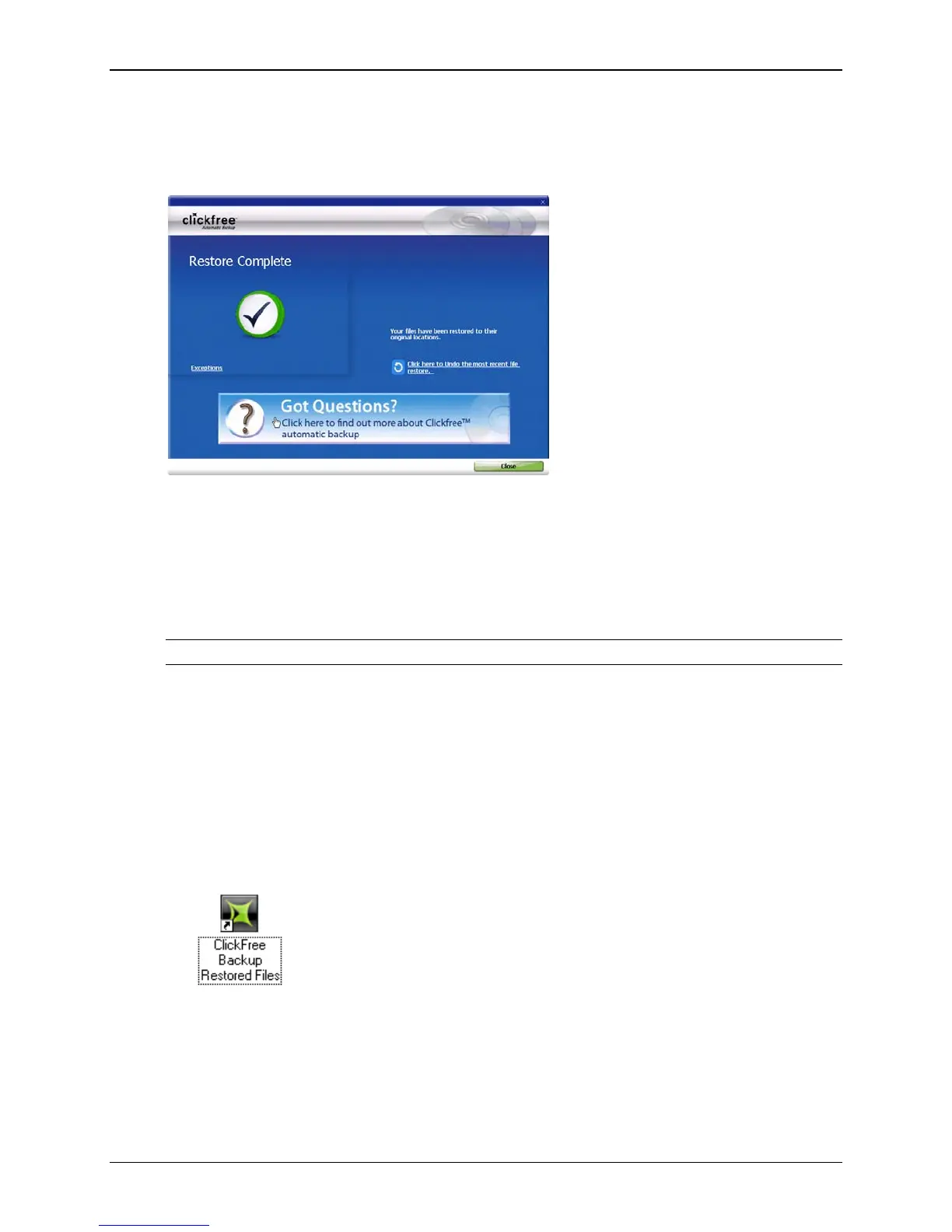
Whenever you restore files to their original locations, Clickfree gives you a chance to
undo the restore, in case you have mistakenly overwritten a file.
♦ To undo the effects of a restore:
1. Click Click here to undo.
The restored files are replaced on your computer by the files that were there before
the restore.
However, the backed-up content is still safe on your backup disks.
Warning: There is no way to undo after you close this dialog.
2. Click Close.
3. When you see the
Restore Summary screen, simply unplug the Clickfree C2N
Home Backup Drive, eject the backup disks, and store them in a safe place.
H
OW DO I FIND FILES THAT WERE RESTORED
If Clickfree restored your files to a folder that was not their original location, Clickfree
puts an icon on your desktop so that you can quickly and easily get to the restored
content:
♦ To find files that were restored:
Double-click the icon to open a Windows Explorer at the folder where your content was
restored.
You can now use
Explorer to move the files to a more convenient folder.
Copyright © 2010 Storage Appliance Corporation. 111



 To Next Page